45
Software
C
C
4.2 Sample Parameters and Processing Parameters Areas
The Sample Parameters area of the Measurement dialog box shows the parameters entered by the user before
running the measurement. If any measurements have been reprocessed, the original or reprocessed data can
be selected in the drop-down menu of the Data Set section. If data has been reprocessed at some point, the
Effective checkbox will indicate which data set was determined to be the effective version (see “The REPROCESS
Button”). Comments for the measurement can be added in the Comments area at any time.
The Processing Parameters area lists the process parameters of the measurement, including Cell Type, used
to analyze the images (see “Adjustment of the Image Analysis using the Live Operator”), the precision selected,
and the date and time the process was run. None of the values in this area can be changed. Click on the SHOW
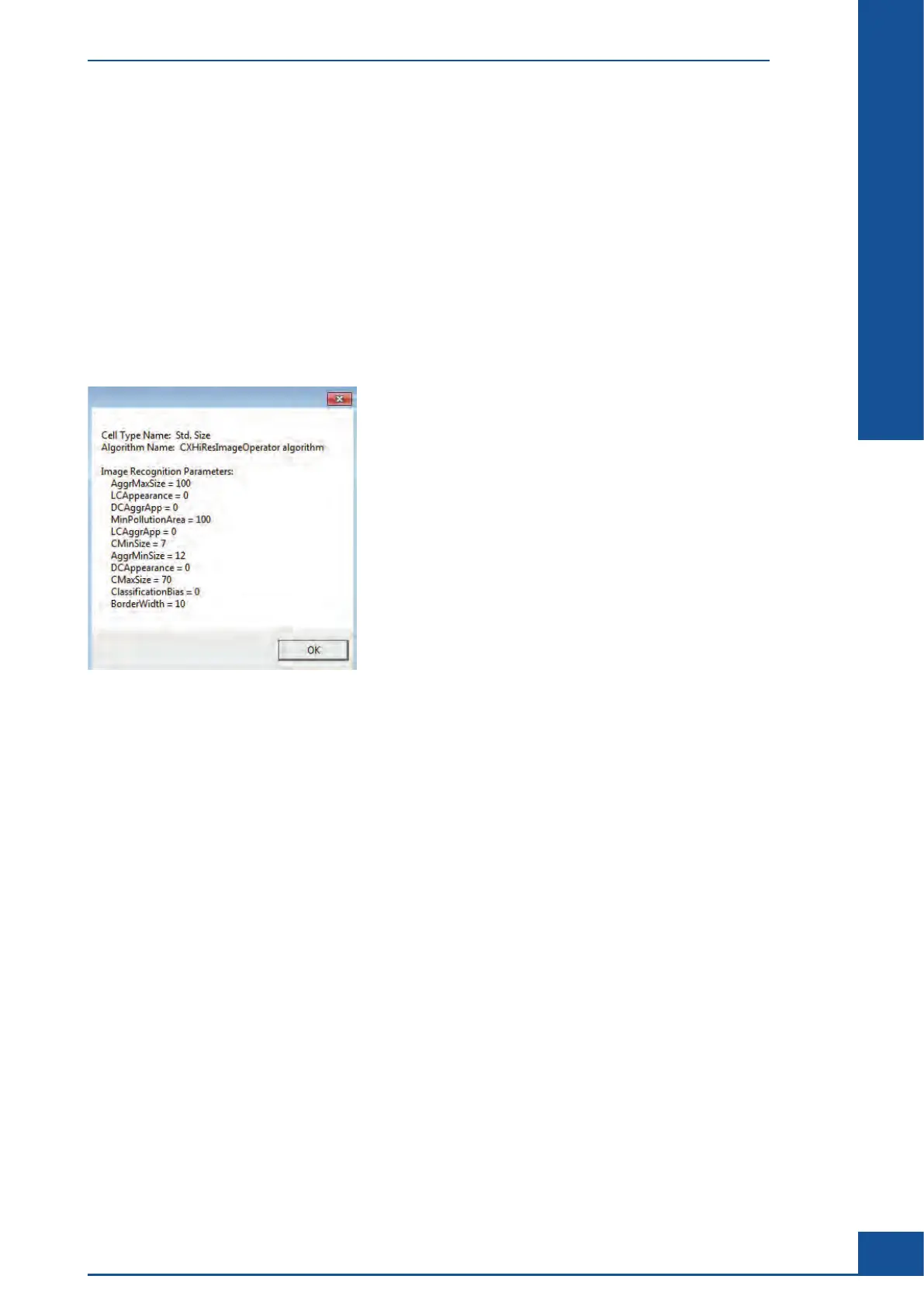
PARAMETERS button below the Cell Type drop-down menu to open a dialog box that shows the Live Operator
Parameters values used for that Cell Type:
Figure 12: Dialog box displaying the Live Operator parameter settings for the Cell Type used for a measurement
Results Displayed in the Measurement Dialog Box
Sample Parameters and Processing Parameters Areas



 To Next Page