20
Cedex HiRes Analyzer Software Version 2.4 - Training Guide
B
B
6 Viewing the Results in the Measurement Dialog Box
6.1 Viewing the Results in the Measurement Dialog Box
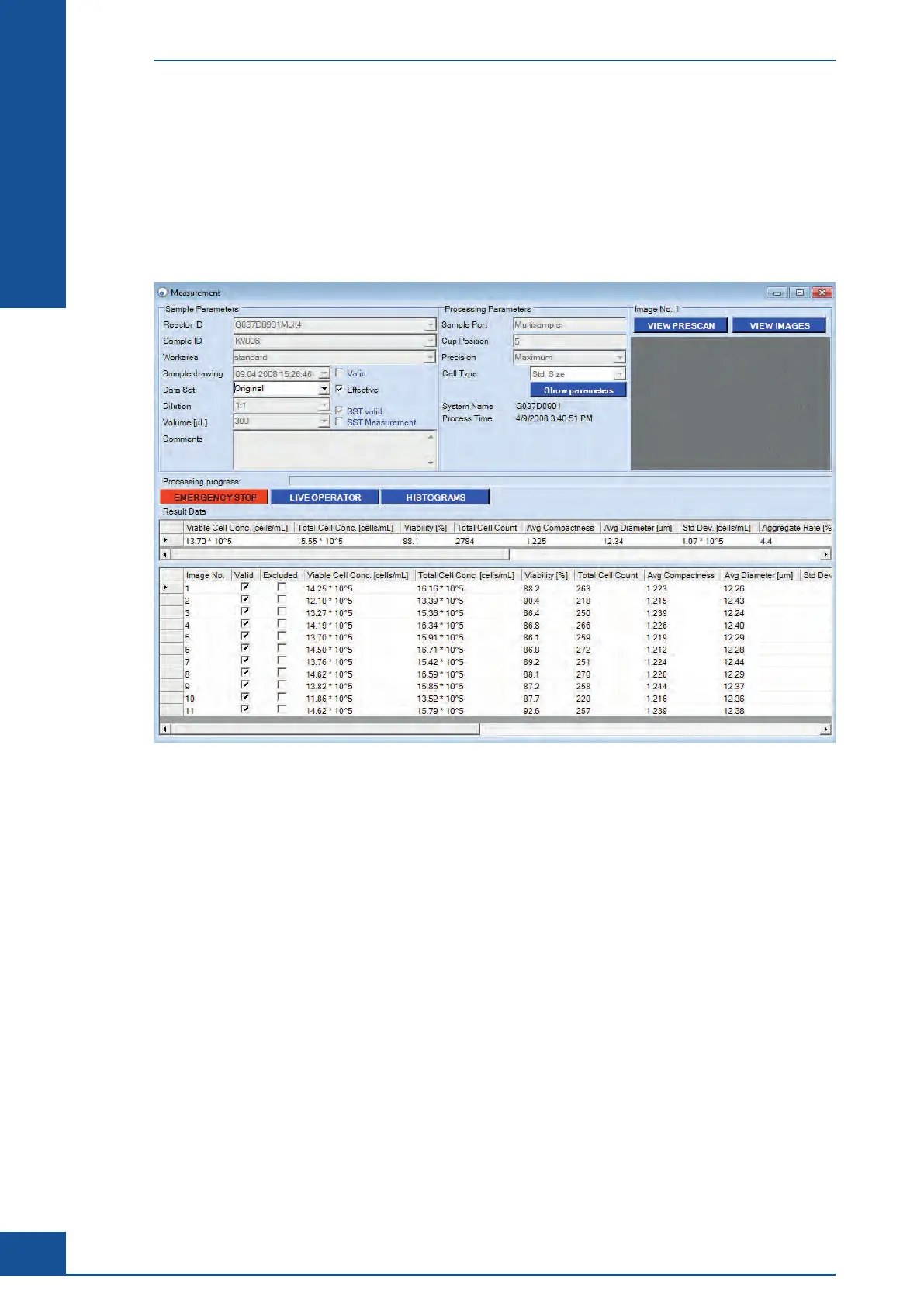
After the measurement process is completed, the measurement results are displayed automatically in the Result
Data area of the Measurement dialog box:
The Result Data area consists of two tables: The first table displays the overall results for the measurement,
while the second table displays the individual results for each image analyzed for the measurement. When a line
is selected in the list of results from single images, the corresponding image is displayed in the Image area (see
Viewing the Images).
Viewing the Results in the Measurement Dialog Box
Viewing the Results in the Measurement Dialog Box



 To Next Page