69
Software
C
C
9.2 Data Exchange
The Data Exchange function allows for the exchange of a complete measurement package, including all data
and images, between different Cedex Software 2.4 databases (DB). The user can export selected measurements
from one Cedex Software 2.4 DB and import them into another Cedex Software 2.4 DB. This enables the user
to view a measurement performed on one system within the context of the Cedex Software 2.4 on a completely
different system and Control Unit.
Measurement data cannot be exported from a DB and then re-imported back into the same DB. The Archive/
Restore function must be used when the intention is to move measurement data to an external storage media
for possible future restoring to the original DB from which it was moved. See “Archiving Data”, for more
information about archiving measurements.
The Data Exchange function should not be used while measurements are running. Using the Data Exchange
function in parallel with measuring can increase the measurement duration.
9.2.1. Export
In order to exchange measurement data between Cedex HiRes Analyzers, the data first needs to be exported
from the system on which it was created to external storage.
To export complete measurement packages, including data and images:
1
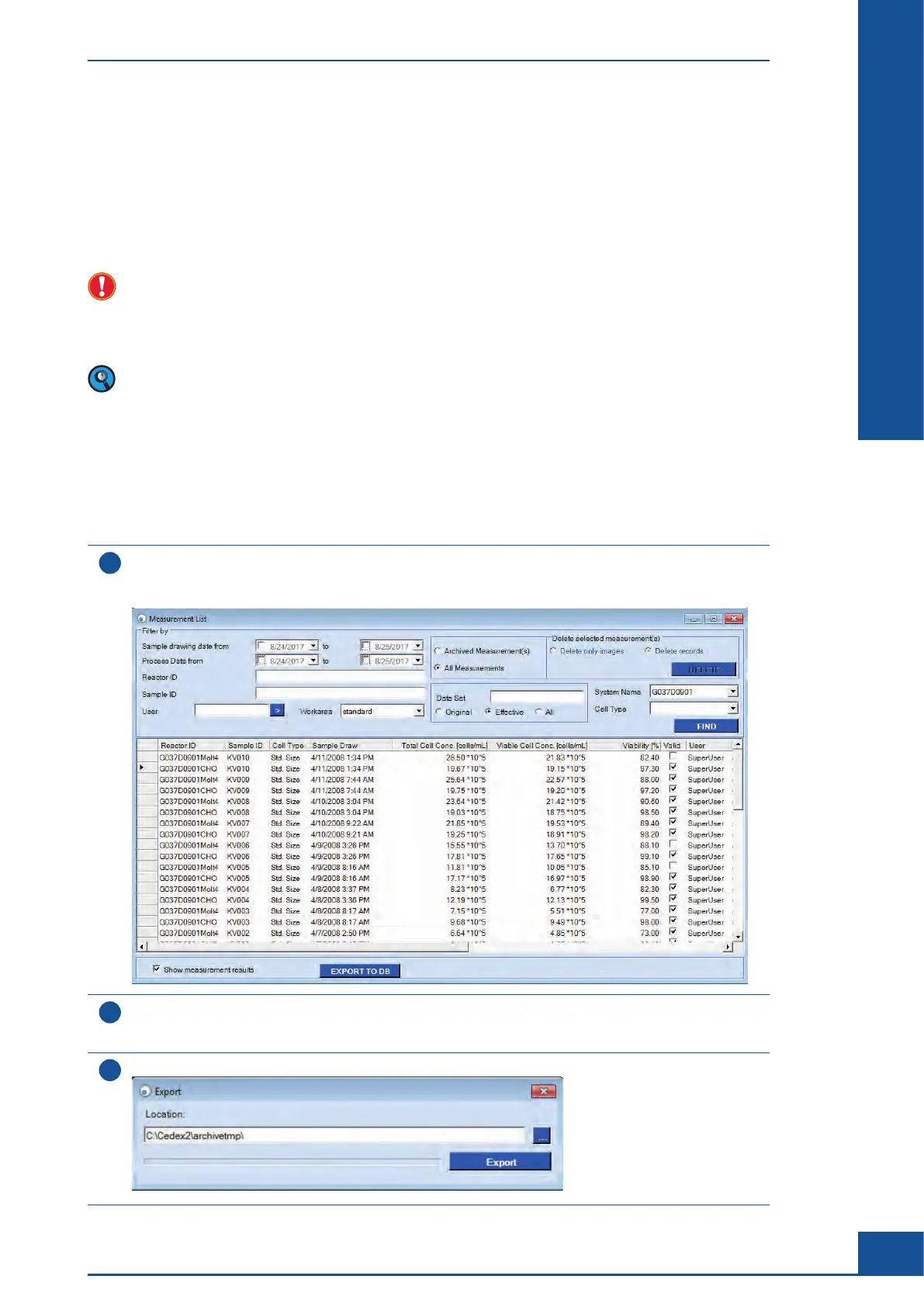
In the Cedex Control Center, choose Functions>Data Exchange>Export.
A Measurement List dialog box appears with an EXPORT TO DB button located at the bottom of the
dialog box:
2
Select a single measurement from the list by clicking on the field to the left of the appropriate line, or choose
a set of measurements by holding down the <Ctrl> button and selecting the appropriate lines. Alternatively,
search for the desired measurements using filter criteria.
3
Click on the EXPORT TO DB button to open the Export dialog box:
ccc
General Functions of the System
Data Exchange



 To Next Page