22
Cedex HiRes Analyzer Software Version 2.4 - Training Guide
B
B
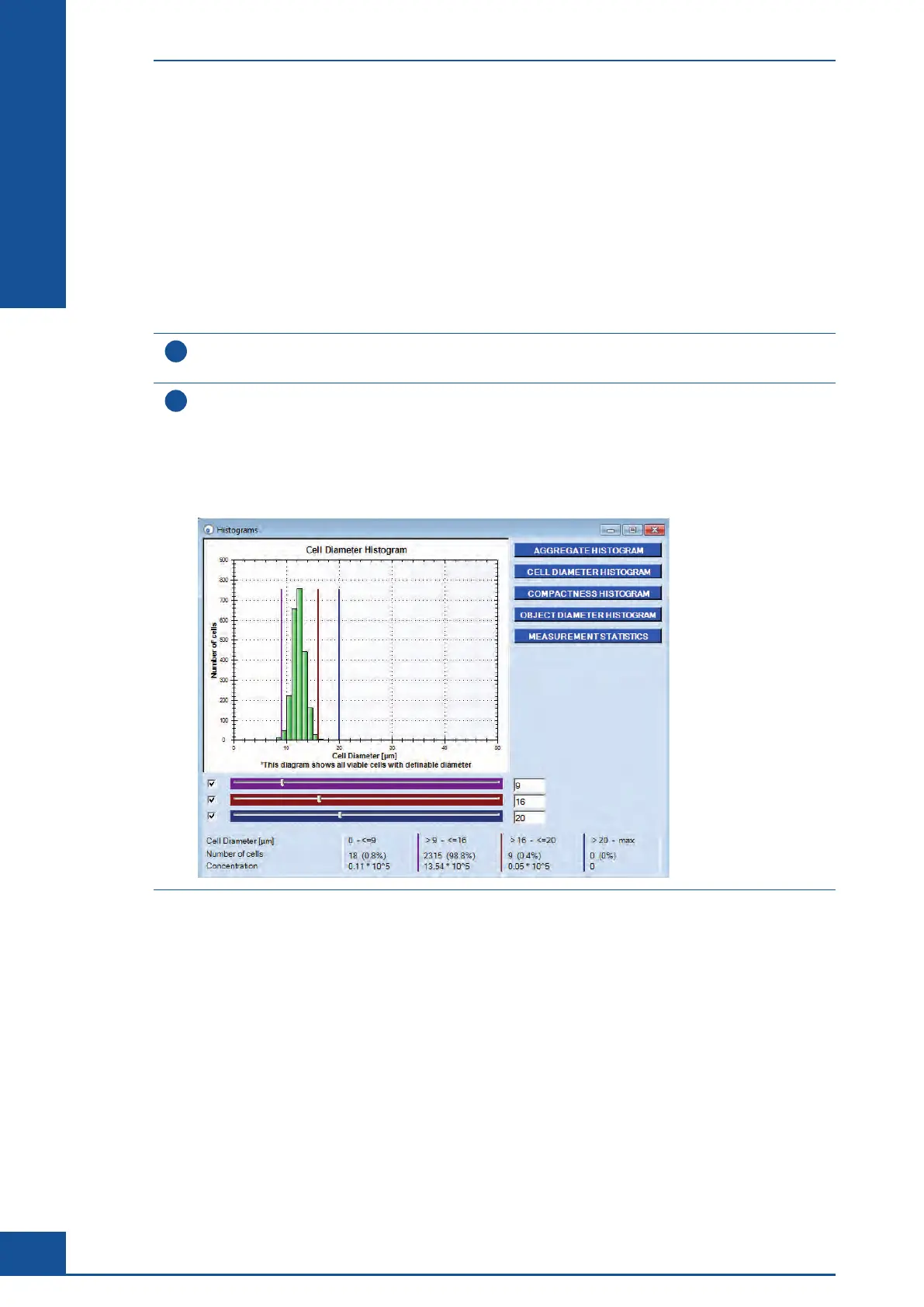
6.2 Viewing the Results in the Histograms
The following histogram types are available:
c
Aggregate Histogram
c Cell Diameter Histogram
c
Compactness Histogram
c
Object Diameter Histogram
c Measurement Statistics Histogram
1
In the Measurement dialog box, click on the HISTOGRAMS button.
The Histograms dialog box opens.
2
Select one of the following histogram types for result analysis:
c
Cell Diameter Histogram
c Compactness Histogram
c Object Diameter Histogram
c Aggregate Histogram
c Measurement Statistics Histogram
n
All the results presented in the histograms are based on images accepted for evaluation (i.e. no checkmark in the
Excluded checkbox). This means that results from individual images that have been excluded from evaluation
are not included in the histograms. For a more detailed description of general histogram functions, see the
Cedex HiRes Analyzer Operator’s Guide.
6.3 Viewing the Images
When a row with the results of a particular image is highlighted in the Result Data area, the image area on the
right of the Measurement dialog box shows the image corresponding to the selected row. Click on a different row
in the Result Data area to see a different image in this area.
For a more detailed description of how to view the images, see the Cedex HiRes Analyzer Operator’s Guide.
Viewing the Results in the Measurement Dialog Box
Viewing the Results in the Histograms



 To Next Page