124
Cedex HiRes Analyzer Operator’s Guide
D
D
5
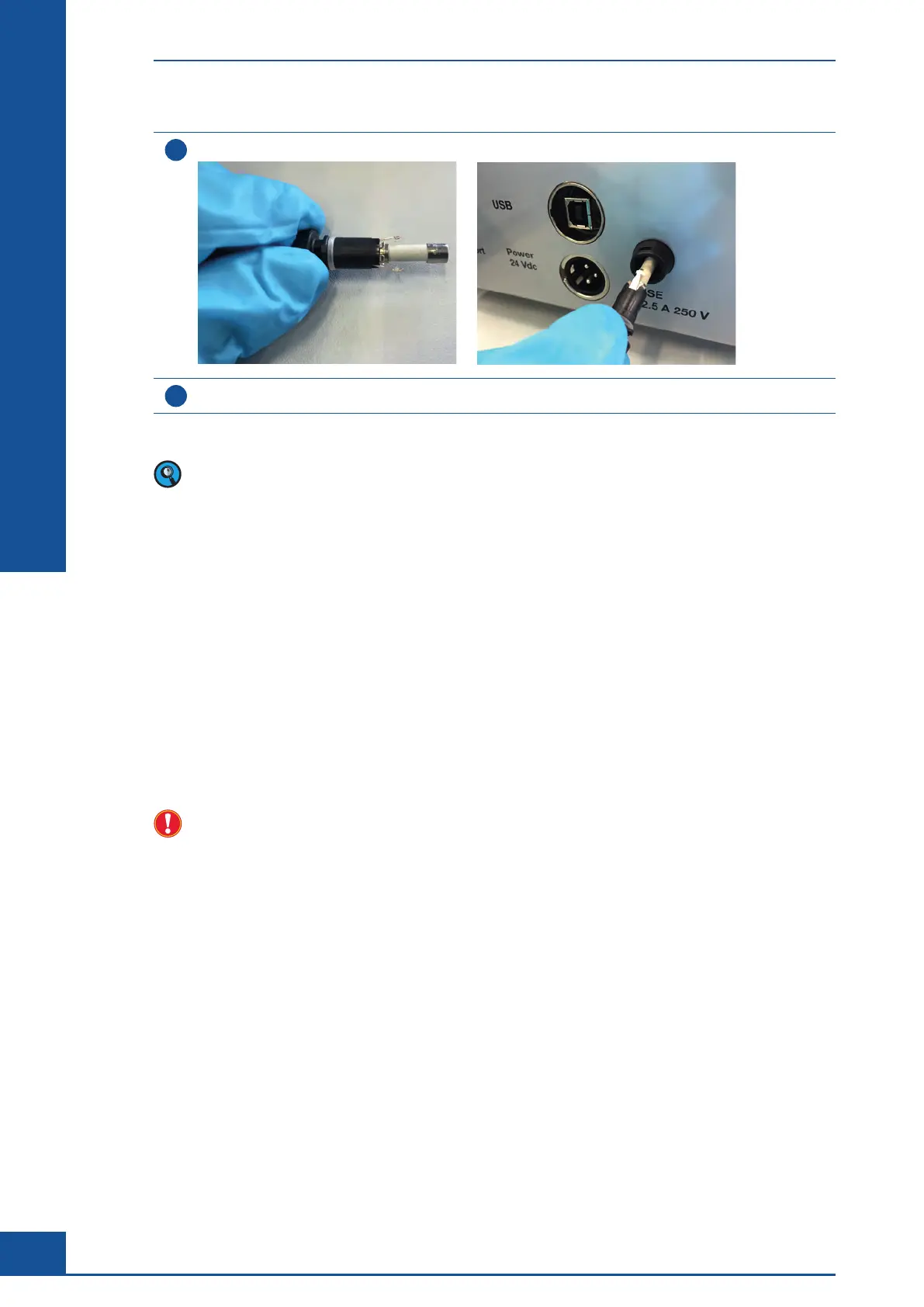
Slide the fuse holder back into position, and tighten it by turning the fuse holder cap clockwise.
6
Reconnect the power cord to the power supply, and turn on the instrument.
■
If the replacement fuse is immediately blown, contact your local Roche Service representative.
Information about fuses delivered with Cedex HiRes Analyzers from serial number G037DA101:
26213047001 FUSE 5x20 2.5AT H 250V ULL/CSA Package Content Quantity: 10 pcs.
10 Maintenance of the Flow Chamber, 8-Way Valve and
the Remaining Hardware Components
To ensure that Cedex HiRes Analyzer functions uninterruptedly, preventative maintance by an authorized
Roche Service representative is necessary at regular intervals. Perform a preventive service maintenance at least
once every 6 months. For very heavy usage, shorter maintenance intervals may be recommended. An arrange-
ment for a maintenance contract with your local Roche representative is recommended. During maintenance,
worn out and defective components are replaced and the functioning of the Cedex HiRes Analyzer is checked.
Only an authorized Roche Service representative is permitted to carry out maintenance when the Cedex
HiRes Analyzer needs to be opened.
11 Operational Data
The Cedex HiRes Analyzer keeps track of some operational data including operating hours, number of
measurements, and liquid consumption. Select Operational Data in the Functions menu of the Cedex Control
Center to open the Operational Data dialog box.
The values on the left-hand side of the dialog box can be set to 0 by clicking on the RESET button. This can
be useful for tracking the operational information for short periods of time. The values on the right-hand side
track the overall operating hours, number of measurements, and liquid consumption. These values cannot be
reset.
A report of the operational data can be printed out via the PRINT REPORT button.
Maintenance of the Flow Chamber, 8-Way Valve and the Remaining Hardware Components



 To Next Page