45
Additional Applications
C
C
2.2.2 Modify the Parameters for the New Cell Type via the Live Operator Dialog Box
1
Highlight the row of the new Cell Type in the Cell Type List dialog box.
2
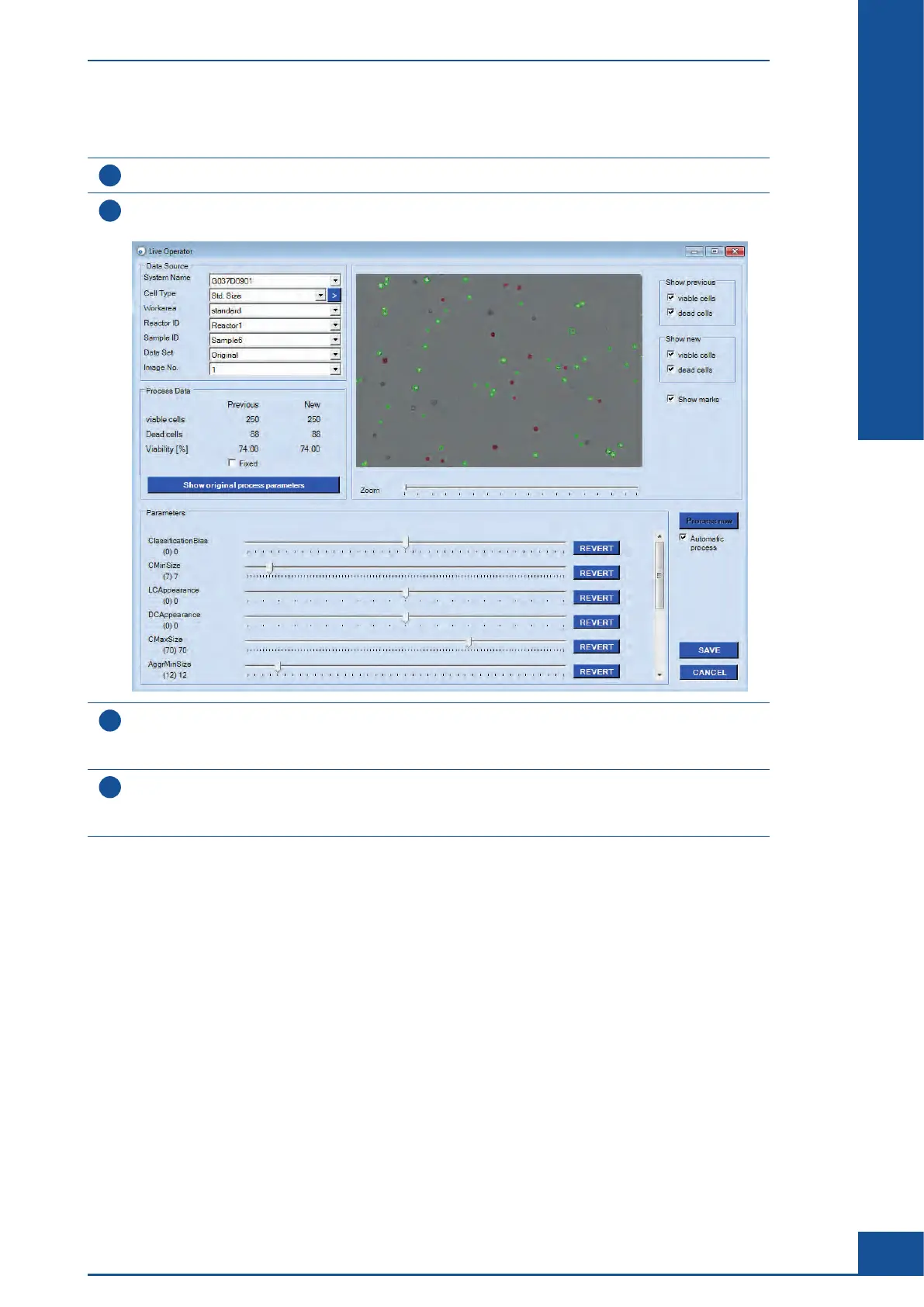
Click on the LIVE OPERATOR button.
The Live Operator dialog box opens.
3
In the Data Source area, select the Workarea, System Name, Reactor ID, Sample ID, and Data Set of the
measurement for which the image analysis is to be improved.
The parameters for the loaded measurement are preset.
4
Select an image from the measurement in the Image No. field.
This image will be loaded and displayed in the dialog box with the living cells marked with green circles and
the dead cells marked with red circles.
ccc
Analyzing Unusual Cells
Example of Cells Not Recognized by the Cell Type Std. Size



 To Next Page