58
Cedex HiRes Analyzer Operator’s Guide
C
C
7.4 Object Diameter Histogram
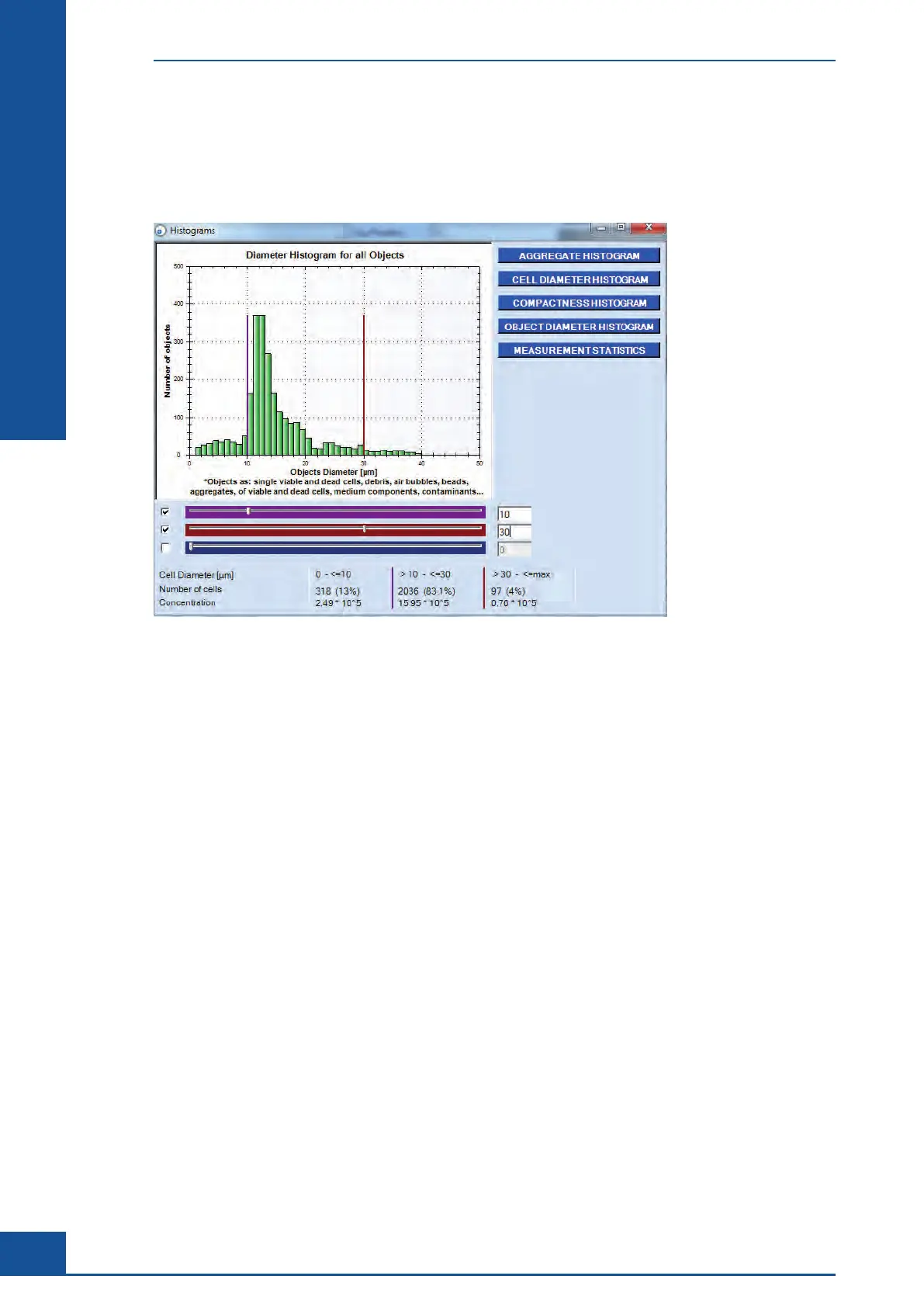
Clicking on the OBJECT DIAMETER HISTOGRAM button brings up the Object Diameter Histogram (see
Figure 22). Analogous to the representation of the diameter of the living cells, the diameter of all recognized
objects is shown here, including objects such as cells, debris, air bubbles, and viable and dead cell aggregates.
Figure 22: Object Diameter Histogram
7.5 Defining Diameter Intervals in the Diameter Histograms
The Cell and Object Diameter Histograms have three sliders that can define separate diameter intervals. This
allows division of a diameter histogram into a maximum of four parts. The sliders are activated by clicking on
the corresponding boxes and moving the sliders to the desired positions. One can also define the margins of the
intervals by entering the numerical values on the left-hand side of each slider.
The borders of the first interval are defined by the minimum value and the first numerical value entered. The
next two values define the upper borders of the second and third intervals. The fourth interval is defined by the
upper border of the third interval and the maximum value.
The number of viable cells, their percentage of the total viable cell number and the viable cell concentrations
[× 10
5
cells/mL] are listed in a table for each of the individual intervals. Similarly, the number of the objects
analyzed, their percentage compared to the number of all objects recognized, as well as the object concentration
[× 10
5
objects/mL], are listed in a table under the Object Diameter Histogram for each of the individual intervals.
The intervals set in the Cell Diameter or Object Diameter histograms can be saved for future reference.
Graphical Display of the Analysis Results
Object Diameter Histogram



 To Next Page