13
Startup
A
A
2.2 Installing a Reagent Kit
1
Perform an LM Shutdown if the Liquid Management system has been primed
(see Section D, Perform an LM Shutdown).
2
Open the Reagent Kit chamber by pushing the front cover upwards until it clicks into place.
3
Remove the old Reagent Kit with the tray, and dispose of the old reagent bottles.
4
Open the new Cedex HiRes Reagent Kit, and remove the covers from the individual containers.
5
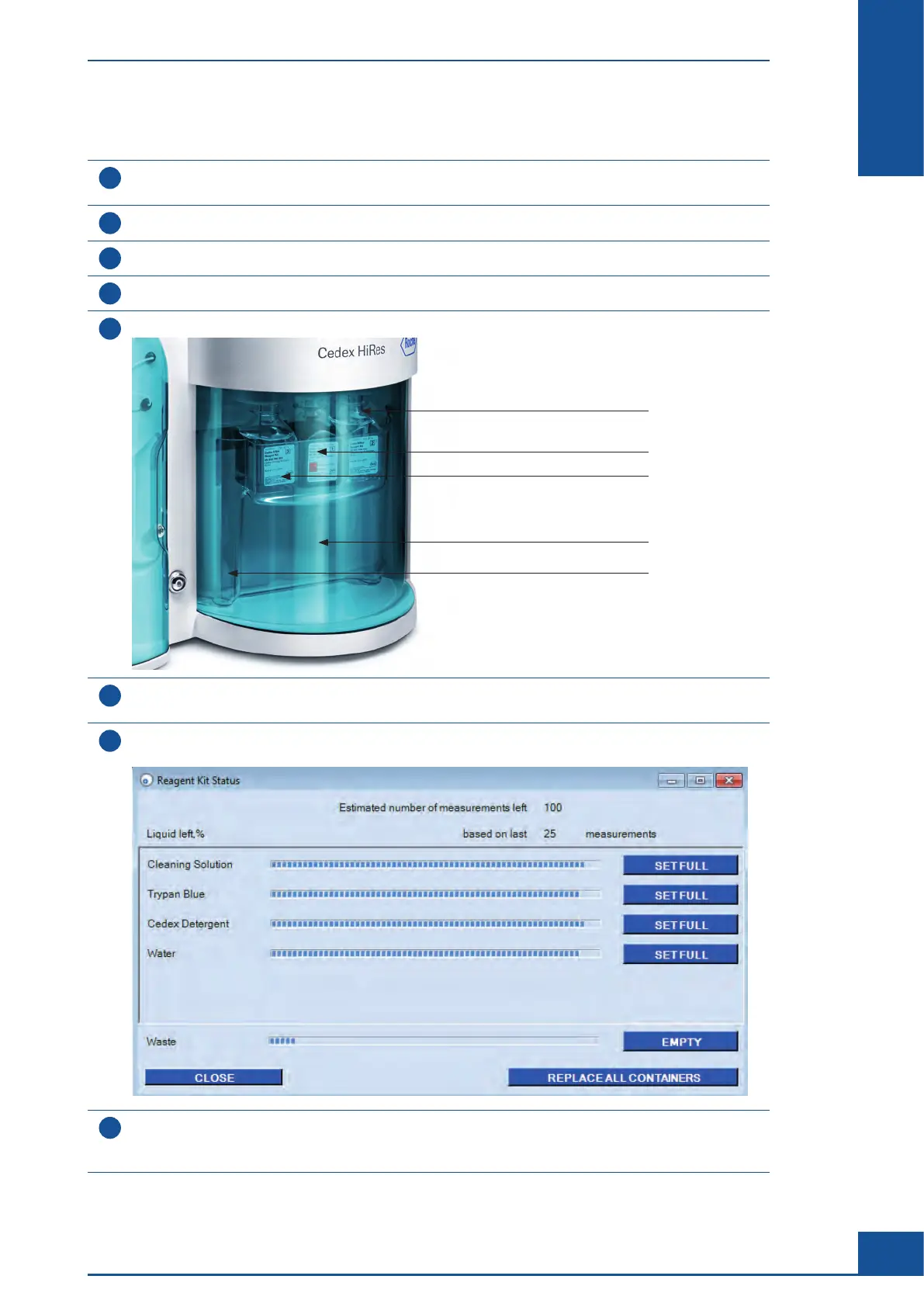
Place the Reagent Kit containers into the appropriate positions in the Reagent Tray:
Detergent Container
Trypan Blue Container
Cleaning Solution Container
Waste Container
Distilled or Deionized Water Container
6
Close the front cover by pulling it all the way down. When the front cover is closed, the capillaries
are automatically correctly positioned in the individual containers.
7
Select the Reagent Kit Status option in the Functions menu of the Cedex Control Center;
the Reagent Kit Status dialog box opens:
8
Click the REPLACE ALL CONTAINERS button in the right-hand corner of the Reagent Kit Status dialog box to
confirm the changing of the Reagent Kit. The Reagent Control display at the bottom right-hand corner of the
Cedex Control Center turns from red to green and indicates the number of runs left.
ccc
Preparing the Cedex HiRes Analyzer for Measurements
Installing a Reagent Kit



 To Next Page