62
Cedex HiRes Analyzer Operator’s Guide
C
C
8.1.1. The View Area
This area is used for viewing, exporting, creating, or deleting a View. If no filters have been set, all Views that
have been created will be displayed under the View Name column. If filters have been set, only those Views
that match those filters will appear under this column. To see the chart for a particular View, highlight the row
of the desired view and click on the VIEW CHART button. To create a new View, click on the button NEW.
Highlighted rows of Views can also be exported with the EXPORT button or deleted using the DELETE button.
Previously created views can be searched for using various filter criteria in the Filter By section at the top of
the View area. One can filter by name of the View, username of the creator, or by the date a View was created or
modified. Enter the desired parameters and click on the FIND button. When searching by date, the checkbox
next to the date must first be checked. After checking the box, clicking on the drop-down menu to the right of
the date, will open up a calendar in which the desired date can be selected.
When the button NEW is selected, a dialog box will open asking for a name for the new View. A name must be
given before a View can be created. Give a name for the new View and click on OK. The new View will appear
highlighted in the left-hand section of the View dialog box. It is now possible to select the desired measurements
for this View using the Series of measurements belonging to selected view area at the bottom half of the CTC
Views dialog box.
8.1.2. The Series of Measurements Belonging to Selected View Area
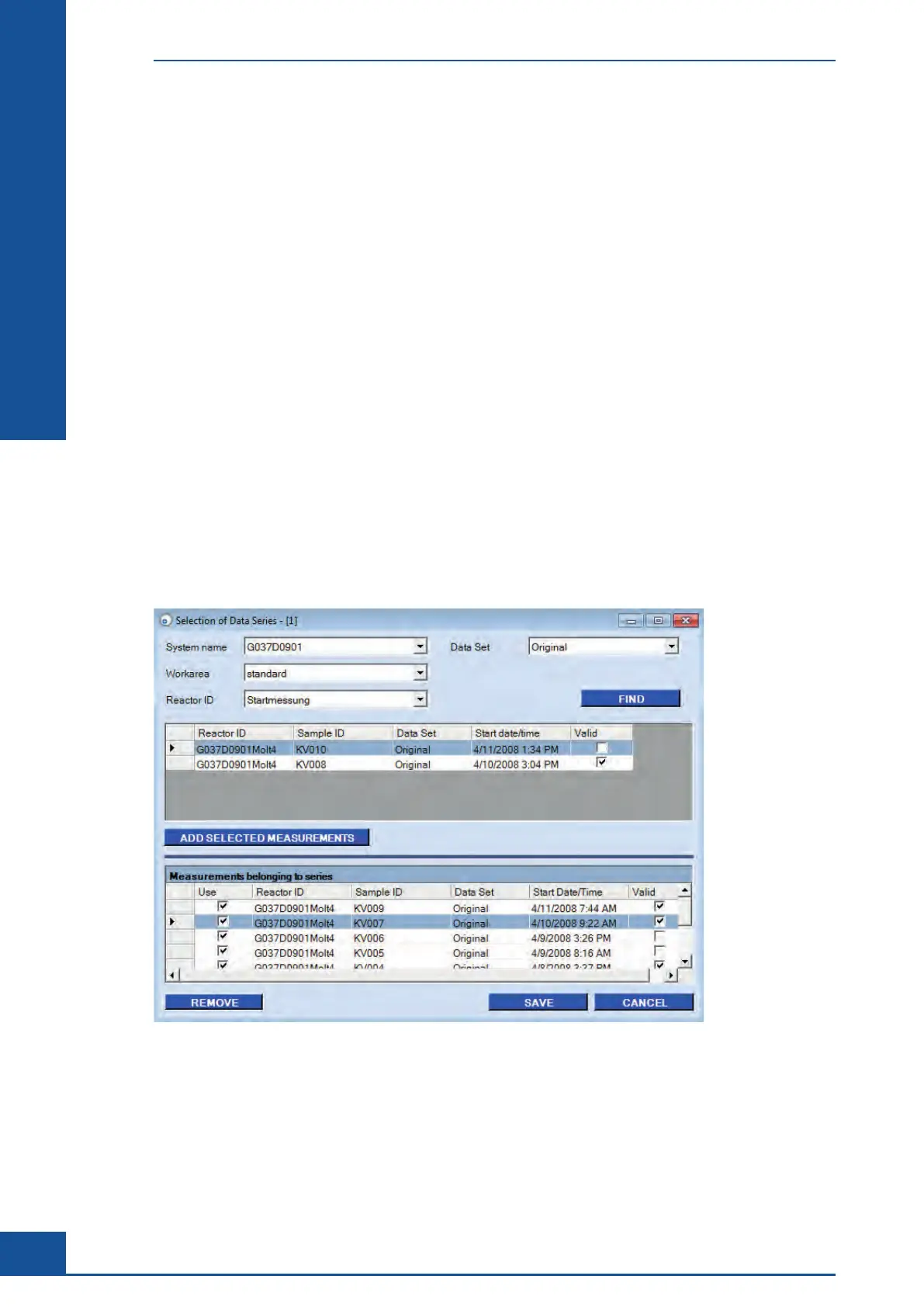
This area is used for creating, editing, viewing, and deleting a measurement series for a particular View. In order
to add or modify a specific measurement series for a particular View, that View must be highlighted in the View
area.
Figure 26: Selection of Data Series dialog box
Cultivation Time Chart
The CTC View Dialog Box



 To Next Page