46
Cedex HiRes Analyzer Operator’s Guide
C
C
4.3 Image Area
4.3.1. Viewing Individual Cell Images
The Cedex HiRes Software enables a close view of a single image or an enlarged display for evaluation. Individual
images can be viewed in the Image area of the Measurement dialog box. The results from the individual images
are listed at the bottom of the Measurement dialog box in the Result Data area. When a row with the results of a
particular image is highlighted in this section, the image connected with those results is displayed in the Image
area at the top right-hand corner of the Measurement dialog box. To see a different image in this area, click on a
different row in the Result Data area.
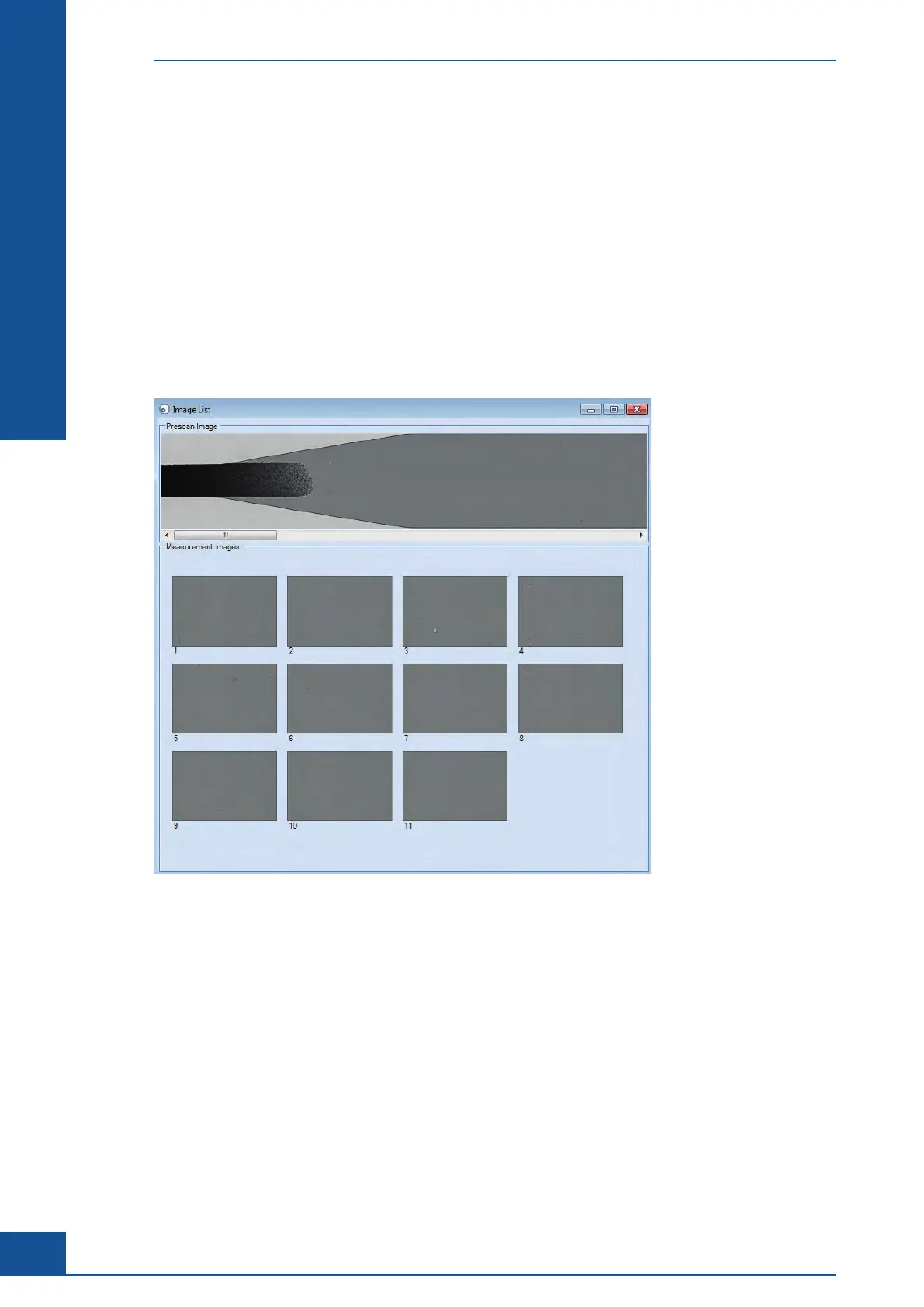
Only one image is displayed in the Image area in the Measurement dialog box. Alternatively, an overview of all
cell images can be displayed by clicking on the VIEW IMAGES button above the Image area, which will display
the Image List dialog box containing thumbnails of all of the images used for the calculation of results:
Figure 13: Image List dialog box showing all images used for the analysis
Double-click on an image in the Image List dialog box to open the Image View dialog box. This dialog box
contains an enlarged version of the selected image, as well as some further options for viewing the image.
Alternatively, double-click on the image displayed in the Image area of the Measurement dialog box to open the
Image View dialog box.
Results Displayed in the Measurement Dialog Box
Image Area



 To Next Page