118
Cedex HiRes Analyzer Operator’s Guide
D
D
7 Automatic Adjustment and Alignment Verification
The automatic adjustment and verification of alignment adjusts the focus position of the flow chamber
and verifies the alignment of the chamber itself to ensure that images of consistent quality are taken during
measurements.
The Roche Service representative will perform a focus adjustment before the initial operation of the Cedex
HiRes Analyzer. The focus adjustment is always necessary after the Analyzer has been moved. Additionally,
Roche recommends running a focus adjustment once per month for control purposes. Both the white balance
and the focus on the objects to be examined are optimally set during this focus adjustment. The focus adjust-
ment lasts approximately 20 minutes and is done with the Cedex Calibration Beads.
If at all possible, the Analyzer should never be turned off. If it is necessary to turn it off, the Analyzer needs at
least 2 hours to warm up before an Automatic Adjustment can be carried out.
Proceed as follows to perform an automatic adjustment:
1
Open the Functions menu in the Cedex Control Center’s menu bar.
2
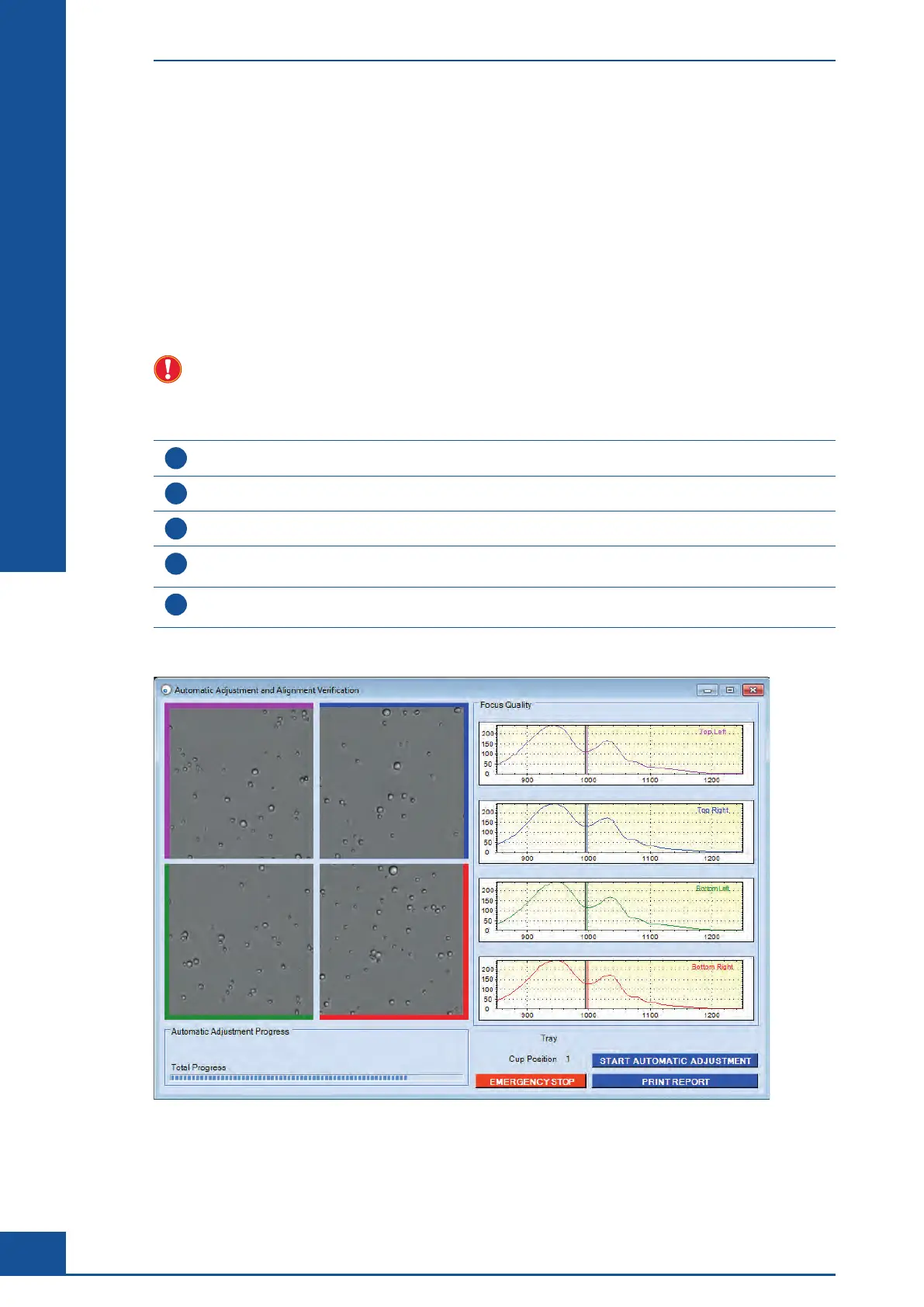
Click on Automatic adjustment to open the Automatic Adjustment and Alignment Verification dialog box.
3
Pipet 1 mL of a well-mixed bead solution (Cedex Calibration Beads) into a Cedex Sample Cup.
4
Attach the Cedex Sample Cup to the single sample port or place the Cedex Sample Cup in the DefaultCup
position on the Multi Sample Tray (see “The Multi Sampler DefaultCup”).
5
Click on the START AUTOMATIC ADJUSTMENT button. You will be asked to verify that the beads have been
prepared. Click on OK to confirm and start the adjustment process.
■
Figure 39: The Automatic Adjustment and Alignment Verification dialog box after adjustment
Automatic Adjustment and Alignment Verification



 To Next Page