28
Cedex HiRes Analyzer Software Version 2.4 - Training Guide
B
B
8 Measurement List
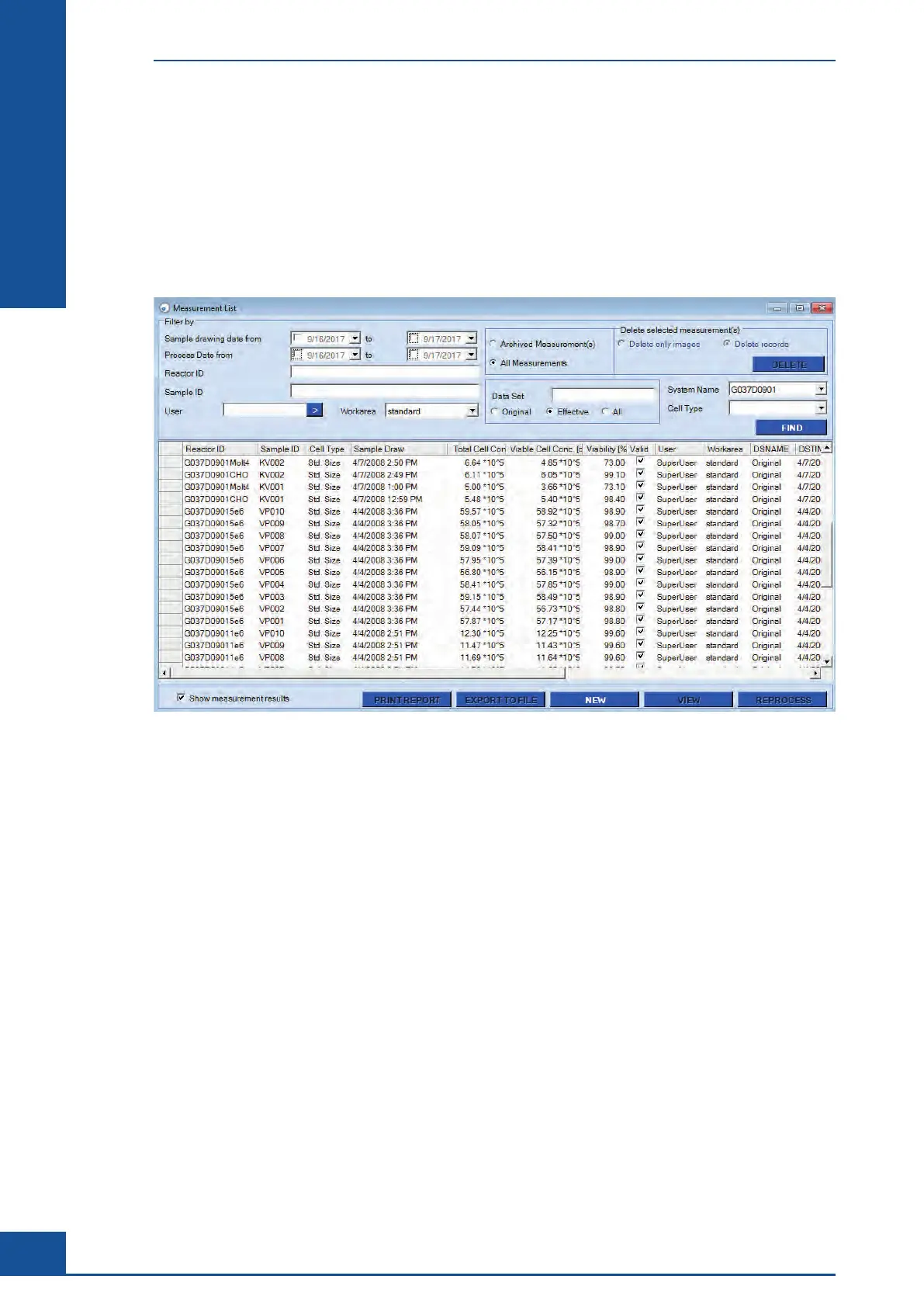
Once the Measurement or Multi Run dialog boxes containing measurement results and images are closed,
measurement results can be reopened via the Measurement List dialog box.
To open the Measurement List dialog box and access previous measurements, click on the LIST button in the
shortcuts area of the Cedex Control Center, or select Measurement List in the Measurements menu of the Cedex
Control Center:
The following actions can be carried out in the Measurement List dialog box:
c Search for measurements using a variety of filters for the search.
c
View specific measurement results in a Measurement dialog box via the VIEW button.
c
Delete measurements.
c Print reports.
c
Export results to a file.
c
Start a measurement via the NEW button.
c
Reprocess measurements.
For more information on functions available via the Measurement List dialog box, see Using the Measurement
List in the Cedex HiRes Analyzer Operator’s Guide.
Measurement List



 To Next Page