100
Cedex HiRes Analyzer Operator’s Guide
C
C
10.7 Database Management
In addition to the complete measurement data, the database also contains the entries for the System Options
and User Preferences. A backup strategy should be implemented to avoid any loss of data in case of a computer
failure and to allow access to measurement results after a long period of time. A backup creates a copy of the
current database on a second medium that then exists in addition to the original database. Creating a backup
copy enables restoration of the database with the copy in case of data loss or corruption of the original database.
This is especially useful for the full restoration of a system (e.g., crash recovery).
Do not perform Database backup and restore while measurements are running. Doing so may result in loss
of data.
10.7.1. Database Backup
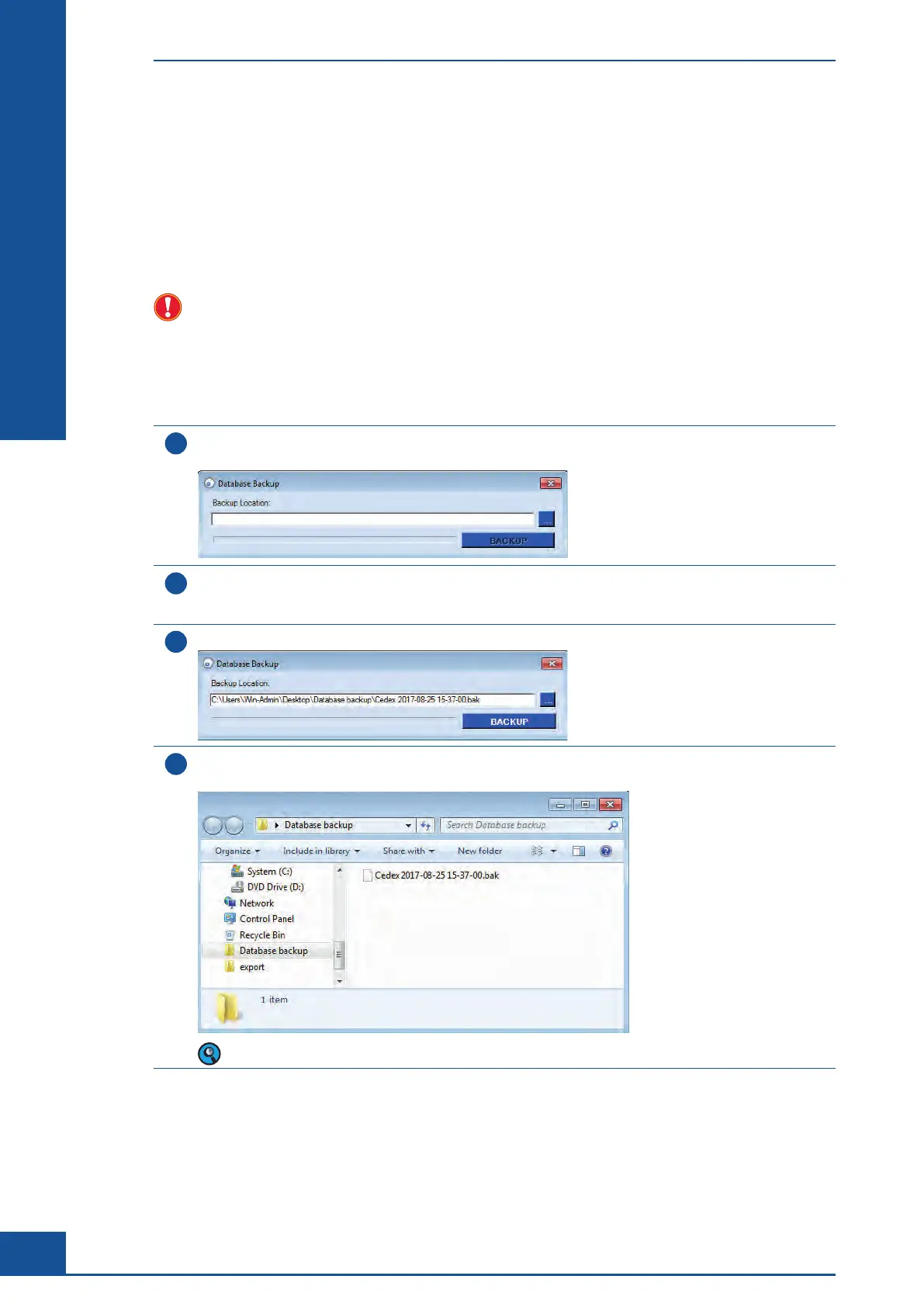
To create a backup of the Cedex Software database:
1
In the Cedex Control Center, choose Setup>Database Maintenance>Database Backup.
The Database Backup dialog box appears:
2
Enter the path under which the database backup should be stored in the Backup Location area.
Alternatively, the button on the right of the entry field opens Windows Explorer and the path database
backup can be directly selected. Select the preferred path and click on OK.
3
The Database Backup dialog box reappears:
4
Click on BACKUP. When the backup is complete, confirm the successful completion in the dialog box.
A .bak file is created in the selected target folder:
The backup may require a significant amount of time to complete, depending on the size of the database.
■
Administrator Functions
Database Management



 To Next Page