99
Software
C
C
6
To restore further measurements located in other folders, click on the ADD button, and select the
measurements via the Open archive files(s)… dialog box, as described in Steps 4 and 5.
7
Once you have selected all measurements to be restored, click on the RESTORE button to start the restore
process. A message dialog appears when the measurements have been successfully restored. Click on OK.
8
Click on to lose the Restore dialog box.
■
All archived measurements from Software versions 2.x can be restored to the SW 2.4 DB provided they were
archived from the same instrument.
In some circumstances, additional users and workareas may appear in the User Rights Management dialog
box after a measurement is restored. The additional users will not have any roles assigned. The newly added
users and workareas can be deleted without loss of data and without affecting the information contained in
the restored measurement. See Chapter 10.1 Administration of User Accounts, for more information about
finding and modifying or deleting users and workareas.
10.6.3. Deleting Archived Data
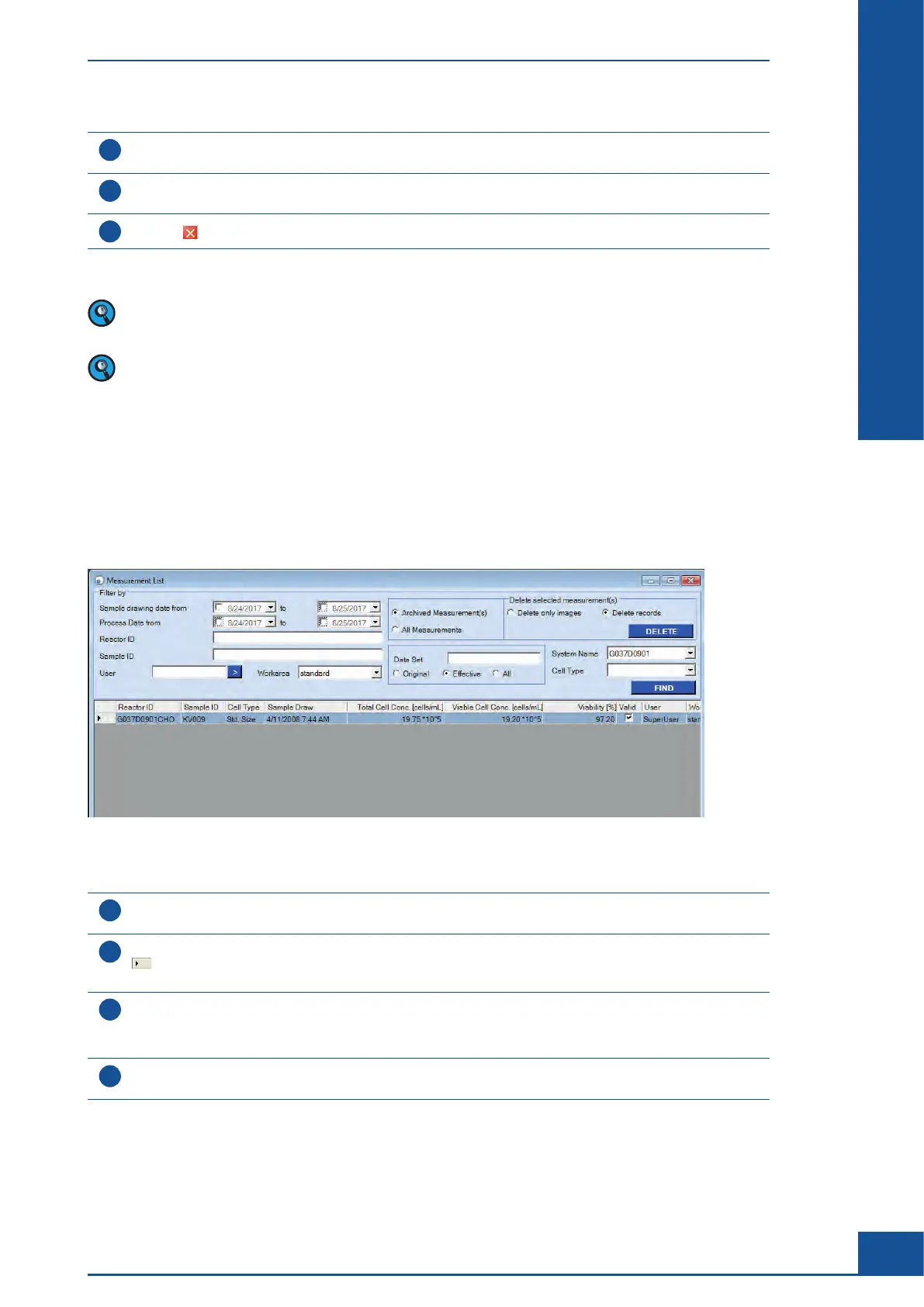
Only data that has been archived can be deleted from the Cedex HiRes Analyzer database. Archived data still
located in the database can be searched for and displayed in the upper right-hand corner of the Measurement
List dialog box.
Figure 36: Measurement List dialog box with archived measurement shown
To delete archived data:
1
Click on the Archived measurements(s) checkbox in the upper right-hand corner of the Measurement List
dialog box.
2
Click on FIND to display archived measurements. Highlight measurements to be deleted by clicking on the
field on the left of the appropriate line. When choosing a set of measurements, hold the <Ctrl> button
down while selecting the appropriate lines.
3
In the upper right-hand corner, choose one of the following options:
c
Delete only images: images will be deleted but all other data will stay in the local database.
c
Delete records: all measurement data will be deleted from the local database.
4
Click on the DELETE button in the upper right-hand corner to delete selected measurements from
the database.
■
Administrator Functions
Archiving Data



 To Next Page