73
Software
C
C
9.4 User Preferences
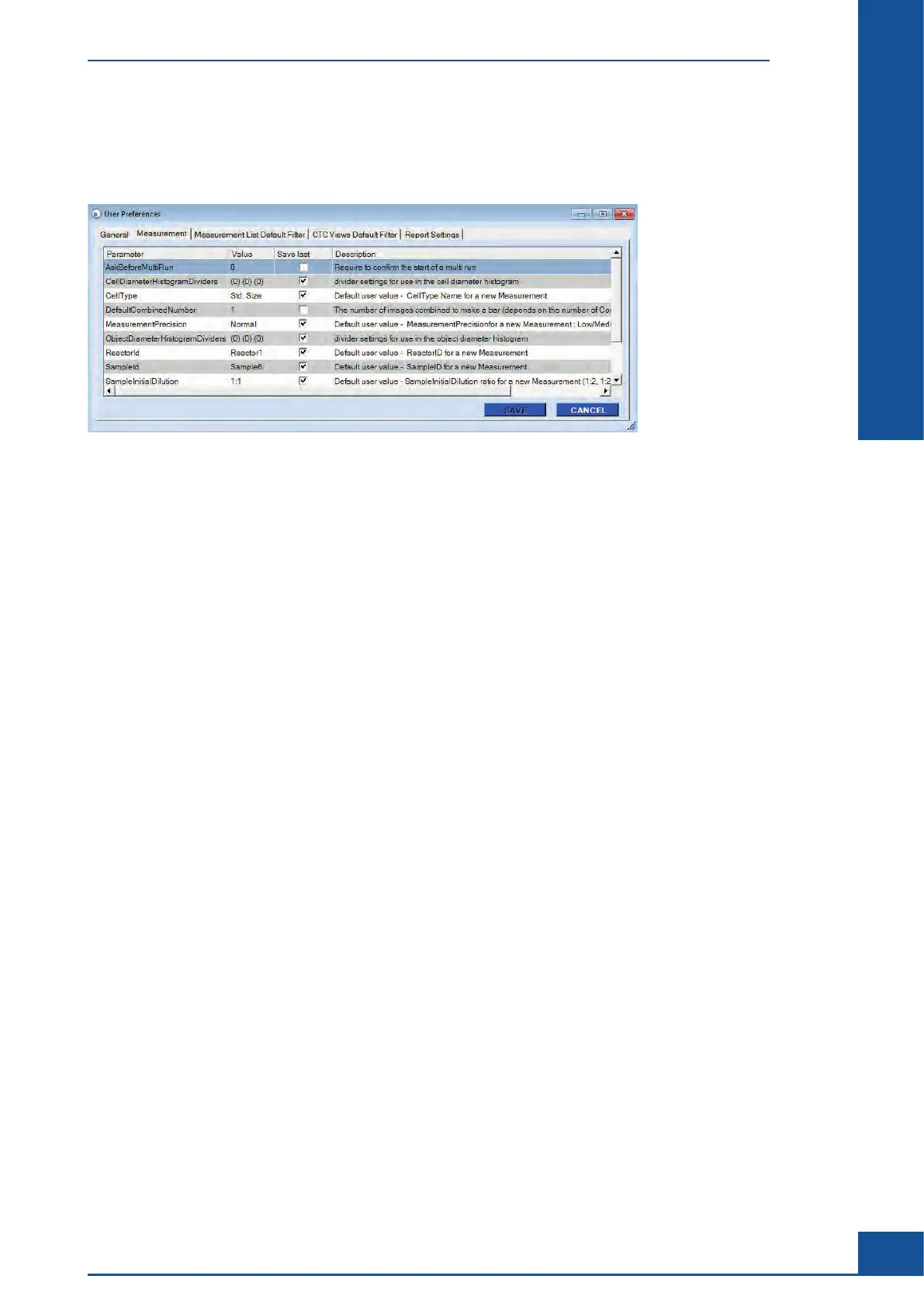
The User Preferences dialog box is located under the Master Data drop-down menu in the Cedex Control
Center.
Figure 31: User Preferences dialog box with the tab Measurement selected
A logged-in user with specific access rights to the User Preferences option can set preferences for a number
of elements, including the result parameters to be displayed in the Multi Run result list and Measurement List
dialog box, and default measurement parameters for carrying out measurements.
9.4.1. Adjusting Result Display in the Measurement List and Multi Run Dialog Boxes
The result data to be displayed in the Measurement List dialog box, as well as the result list area of the Multi Run
dialog box, can be adjusted in the User Preferences dialog box. The numbers in the entry ResultsToShowInList
located under the Measurement List Default Filter tab indicate which types of results will be displayed in the
Measurement List. The numbers in the entry DisplayedResultTypes under the General tab indicate which
types of results will be displayed in the result list of the Multi Run dialog box, as follows:
c 1: Viable Cell Conc.
c 2: Total Cell Conc.
c 3: % Viability
c 4: Total Cell Count
c 5: Avg Compactness
c 6: Avg Diameter
c 7: Std. Deviation
c 8: % Aggregate Rate
c 9: Dead Cell Conc.
c 10: Viable Cell Count
c 11: Dead Cell Count
c 12: Total Object Count
The default entry for these fields is 2,1,3, which corresponds to Total Cell Conc., Viable Cell Conc., and %
Viability, respectively. The order in which the numbers are listed is the order in which the results will appear in
the lists. To add more results to be displayed, enter the number that corresponds to the desired result parameter
in the fields. Numbers must be separated by a comma with no space in between.
General Functions of the System
User Preferences



 To Next Page