32
Cedex HiRes Analyzer Software Version 2.4 - Training Guide
C
C
6
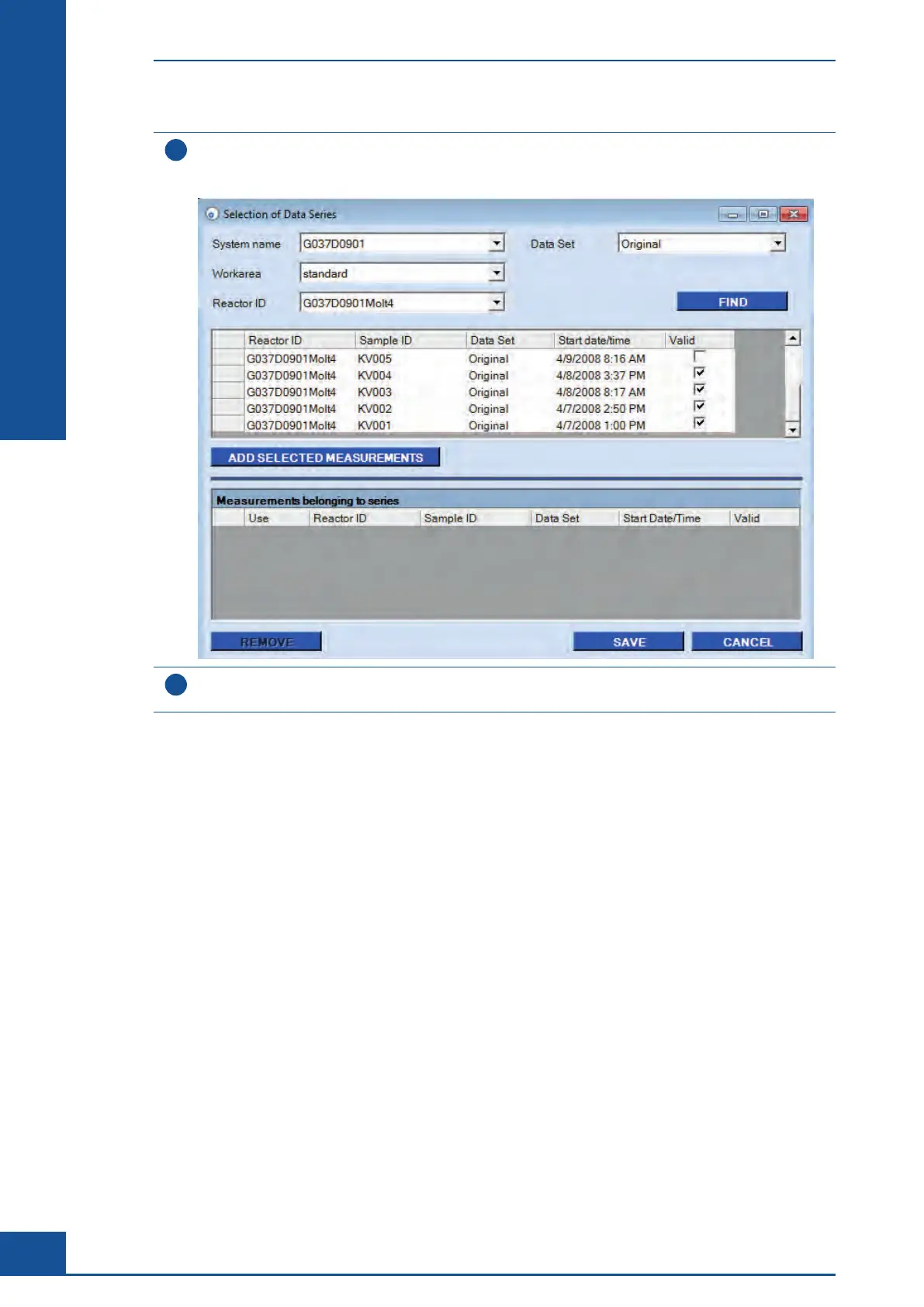
Click on the FIND button.
All Sample IDs associated with the selected Reactor ID will be displayed in the upper table of the
Selection of Data Series dialog box.
7
Click on the empty column to the left of the measurements to select a measurement. Multiple measurements
can be selected by holding down the <Shift> or <Ctrl> key on the keyboard.
ccc
Monitoring Growth of Cells Over Time
Result Analysis



 To Next Page