33
Additional Applications
C
C
8
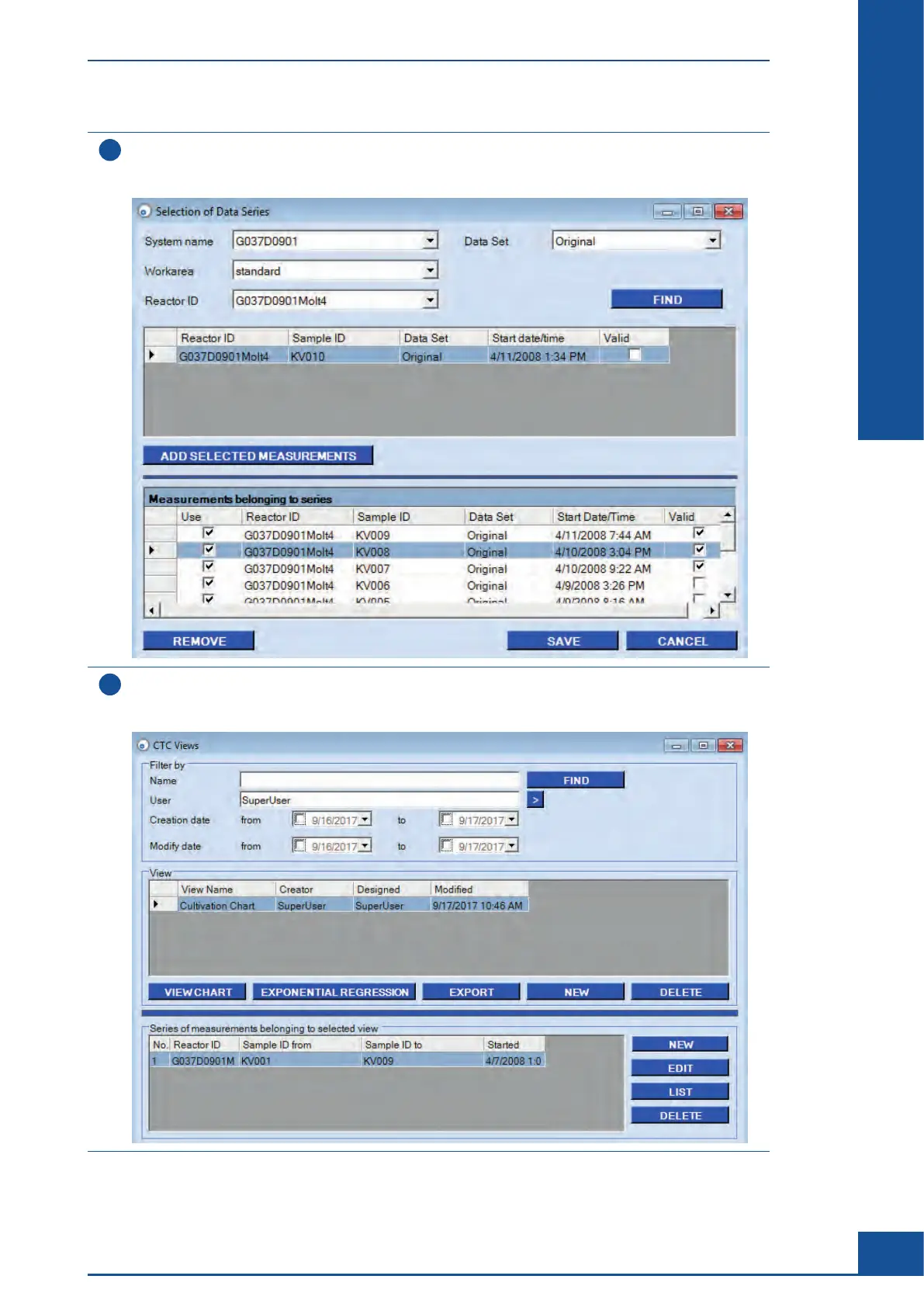
When you have selected all desired measurements, click on the ADD SELECTED MEASUREMENTS button.
The selected measurements are displayed in the Measurements belonging to series table in the lower part
of the dialog box.
9
Click on SAVE.
The Selection of Data Series dialog box will close. The CTC Views dialog box displays the measurements that
have been added to the View in the Series of measurements belonging to selected view area.
ccc
Monitoring Growth of Cells Over Time
Result Analysis



 To Next Page