56
Cedex HiRes Analyzer Operator’s Guide
C
C
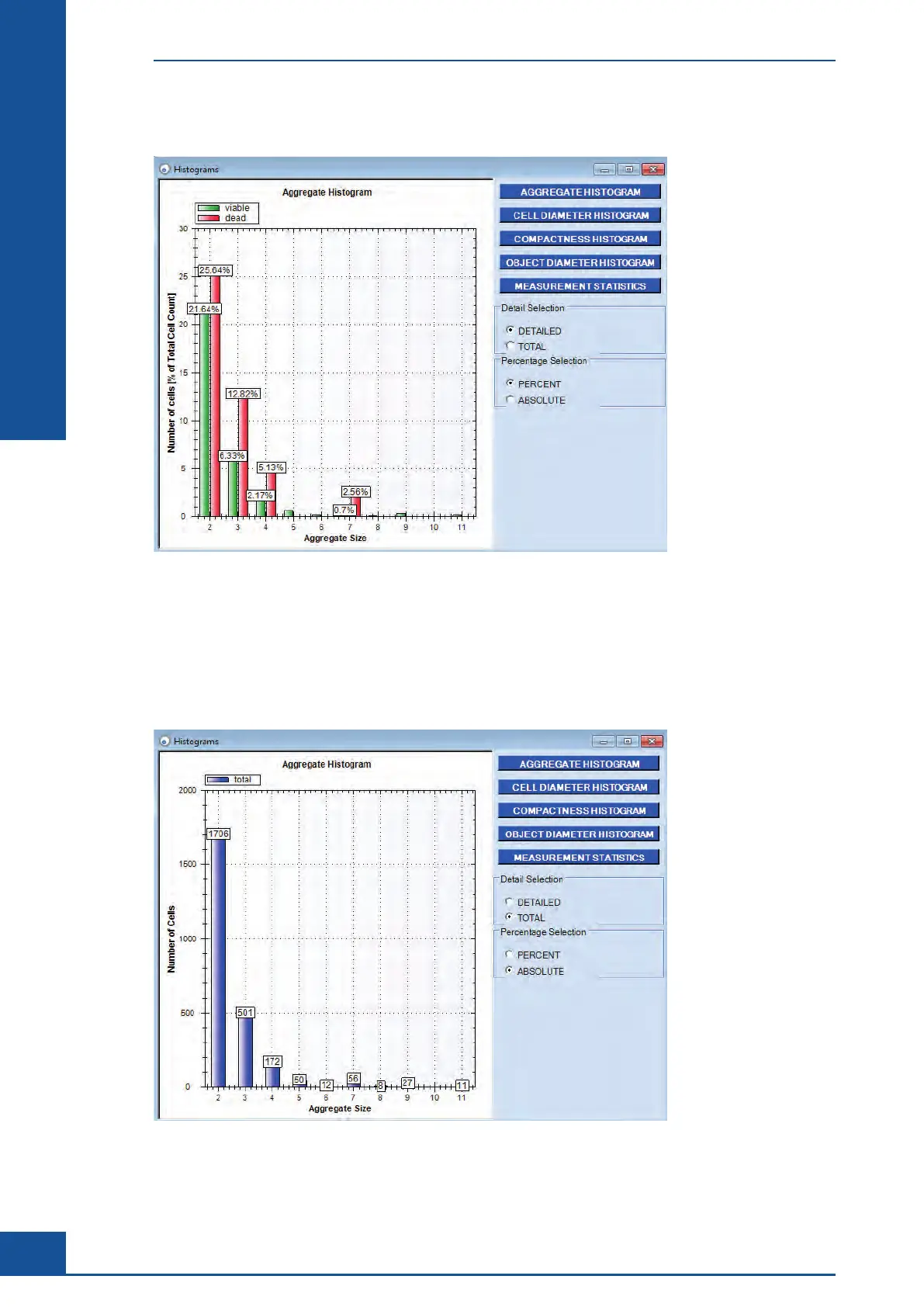
The percentages can be displayed using the PERCENT button.
Figure 18: The Aggregate Histogram, detailed view, here: percentage distribution of cells
The percentage of cells [%] found in aggregates compared to the total live or dead cell count is displayed on the
y-axis. The aggregate size, in terms of the number of cells per aggregate, is given on the x-axis. Figure 18 shows,
for example, that 21.64% of all living cells and 25.64% of all dead cells are found in aggregates of two cells.
The Total Cell Count (living and dead cells combined) per aggregate is mapped in the histogram using the
TOTAL button. Figure 19 shows, for example, that 1706 cells of the measurement are found in aggregates of
two cells.
Figure 19: The Aggregate Histogram, total view (sum of living and dead cells), here: number of cells
Graphical Display of the Analysis Results
Aggregate Histogram



 To Next Page