92
Cedex HiRes Analyzer Operator’s Guide
C
C
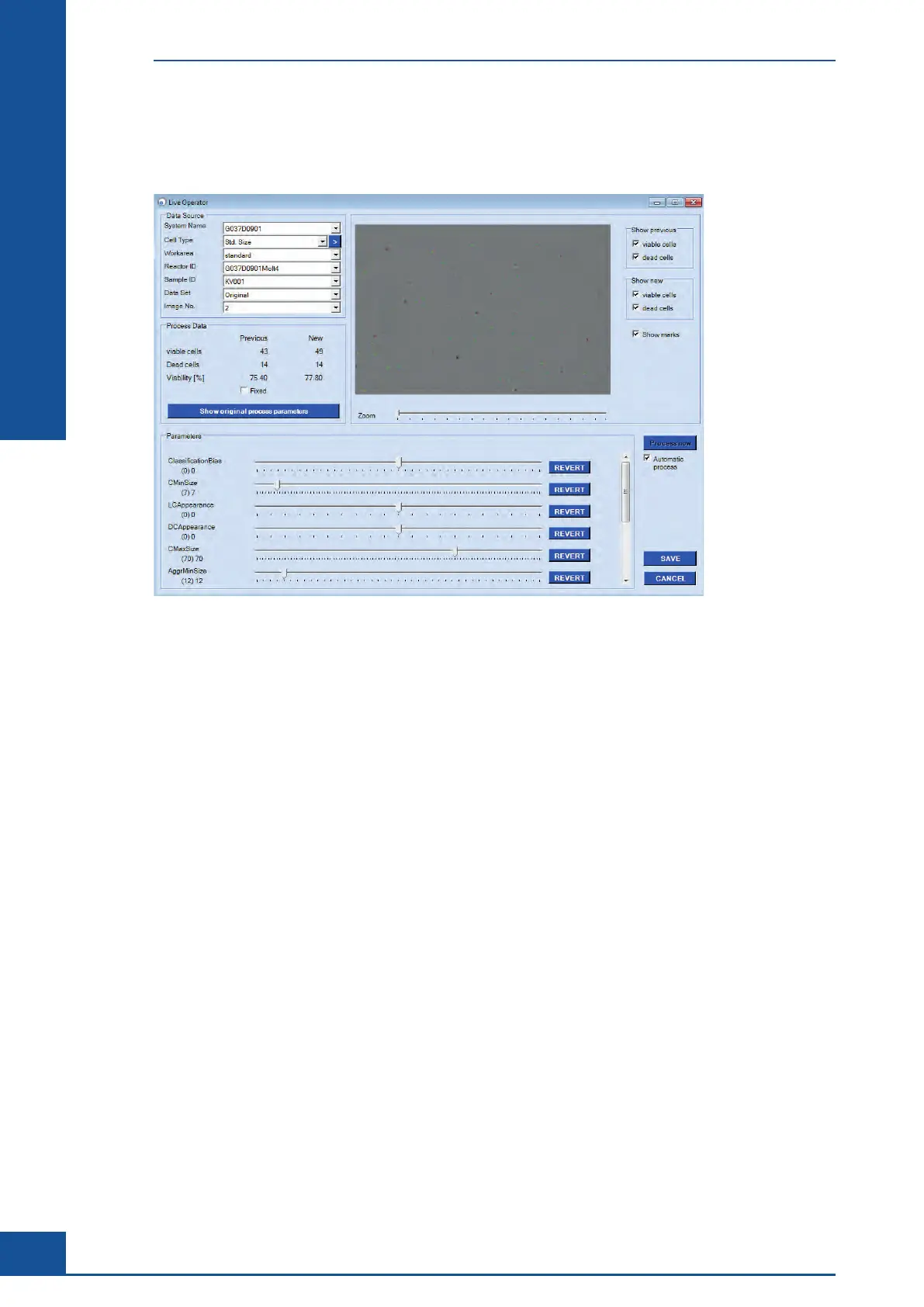
After loading a measurement by choosing the Reactor ID and Sample ID, and selecting an image, the selected
image is displayed in the upper right-hand corner of the Live Operator dialog box. Each single cell detected by
the Cedex HiRes Analyzer is marked as dead (red circle) or living (green circle).
Figure 34: Setting parameters for Cell Type Standard Cells
In the Process Data area, the values for new and previous results are displayed for viable cells (the number of
living cells of the current image), dead cells (the number of dead cells of the current image), and % viability.
If an Operator parameter is modified, the newest values will appear under the New column when an automatic
reprocessing of the selected image is finished. The values of the previous processing are displayed under the
Previous column. Thus, direct comparison to each previous evaluation is possible.
The labeling of the cells can be switched on and off in the upper right-hand corner in order to allow for better
evaluation of the results from changes in parameter settings. If multiple parameter changes should be made at
the same time, remove the checkmark in the Automatic process box by clicking on it. When the checkmark
is removed, the button PROCESS NOW becomes active. Make all changes, then click on the PROCESS NOW
button for an analysis based on the new parameter settings.
Administrator Functions
Adjustment of the Image Analysis using the Live Operator



 To Next Page