B • Installation
Doc. 065051-03 1/08 217
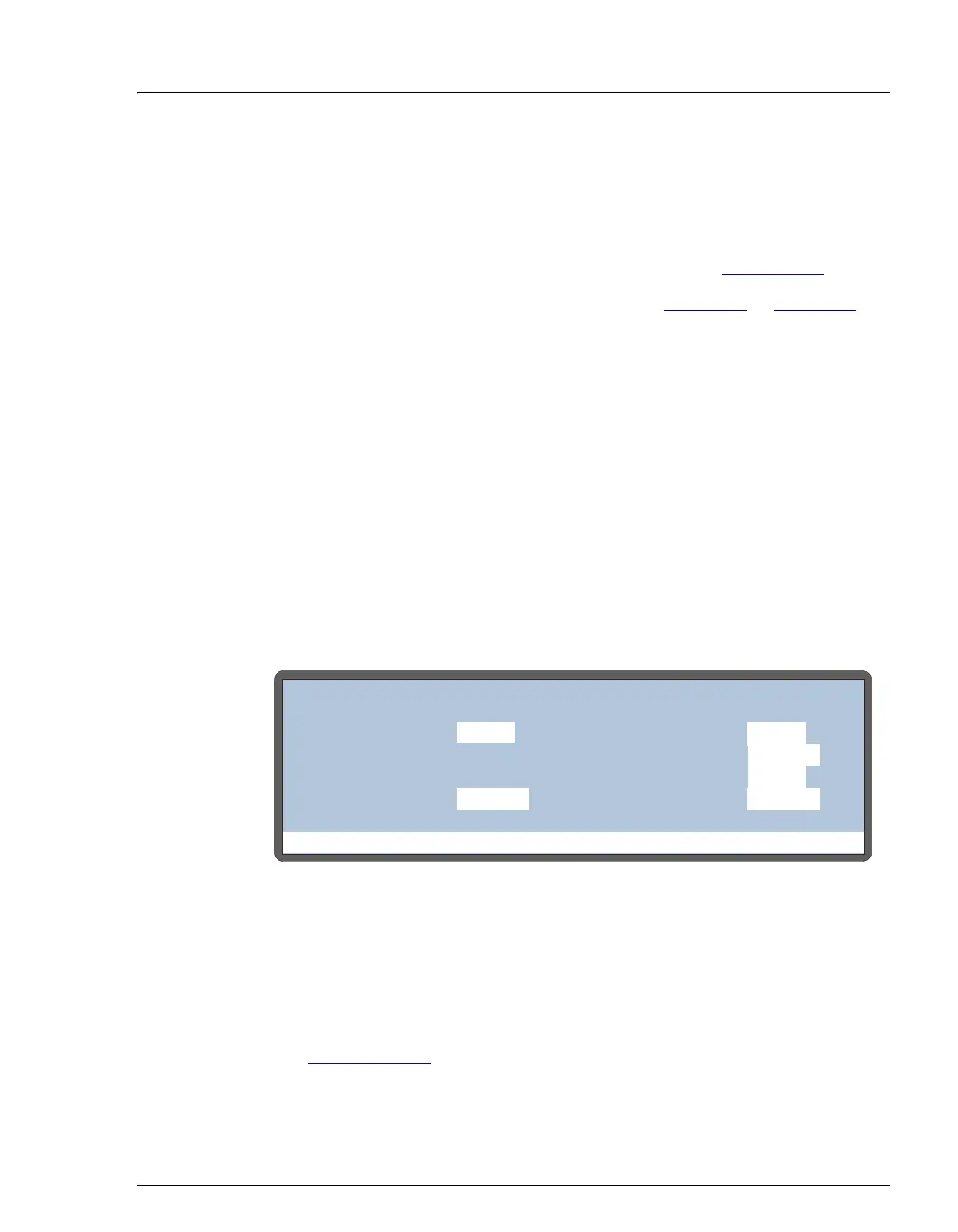
Priming Procedure Using the Front Panel Flush Screen
1. On the MAIN screen, set the AS to LOCAL mode and DIRECT
CONTROL.
2. Press
Menu and 6 to go to the FLUSH screen (see Figure B-50).
3. Enter the desired
PRIME VOLUME. Refer to Table B-2 or Table B-3 for
the suggested volumes.
4. If the sample preparation option is installed:
a. Move the cursor to the
PRIME RESERVOIR field and select the
reservoir.
b. Move the cursor to the
PRIME SYRINGE field and select the PREP
syringe.
If the sample preparation option is not installed, the
PRIME
RESERVOIR and PRIME SYRINGE fields default to FLUSH and
SAMPLE, respectively, and cannot be edited.
5. Move the cursor to the
PRIME ACTION field and select PRIME.
6. Press
Enter to start the prime cycle.
7. Repeat the procedure as required (see the previous priming
guidelines).
8. When priming is complete, there are often small air bubbles in the top
area of the syringe. Remove the bubbles before proceeding. See
Section B.3.14
for instructions.
Figure B-50. Initiating a Priming Cycle
Help Prompt
FLUSH/PRIME
VOLUME:
RESERVOIR:
ACTION:
uL
400
FLUSH
FLUSH
SYRINGE:
PRIME
VOLUME:
uL
2000
RESERVOIR: RES A
SYRINGE:
RES A
PREP
ACTION:
READY
SAMPLE
PRIME



 To Next Page