AS Autosampler Operator’s Manual
64 Doc. 065051-03 1/08
1. Enter the size of the installed loop on the PLUMBING CONFIGURATION
screen (see Figure 3-15
). Press Menu, 5, and 3 to go to the PLUMBING
CONFIGURATION screen.
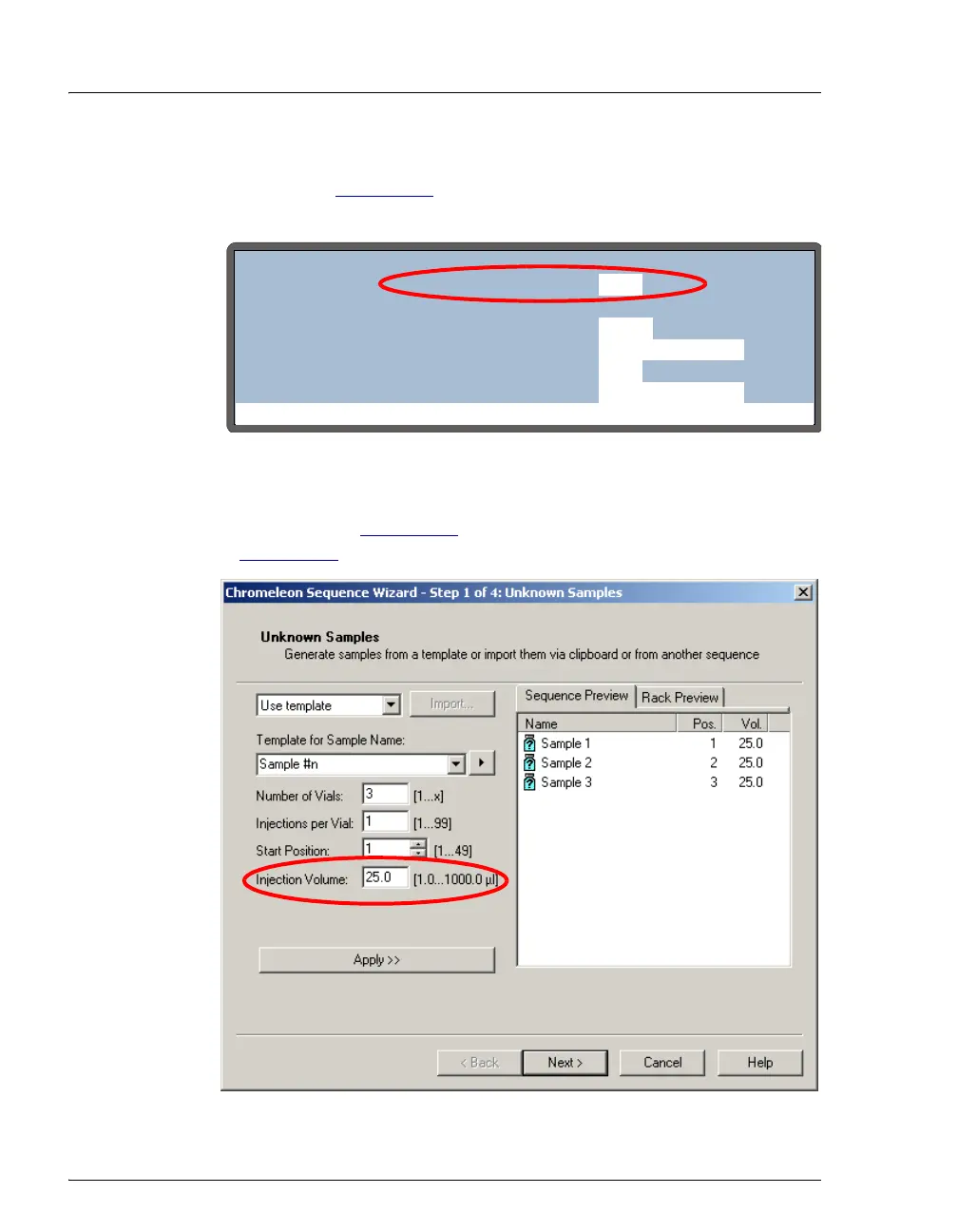
2. Enter the injection volume in the Chromeleon or Chromeleon Xpress
sequence (see Figure 3-16
) or in the front panel schedule (see
Section D.3
).
Figure 3-15. Plumbing Configuration Screen
Figure 3-16. Sequence Wizard: Specifying the Injection Volume
Help Prompt
PLUMBING CONFIGURATION
LOOP SIZE V1:
SAMPLE SYRINGE VOLUME:
PREP SYRINGE VOLUME:
SAMPLE SYRINGE CONFIG:
5
25
250
READY
uL
uL
mL
PREP SYRINGE CONFIG:
READY
uL
LOOP SIZE V2:



 To Next Page