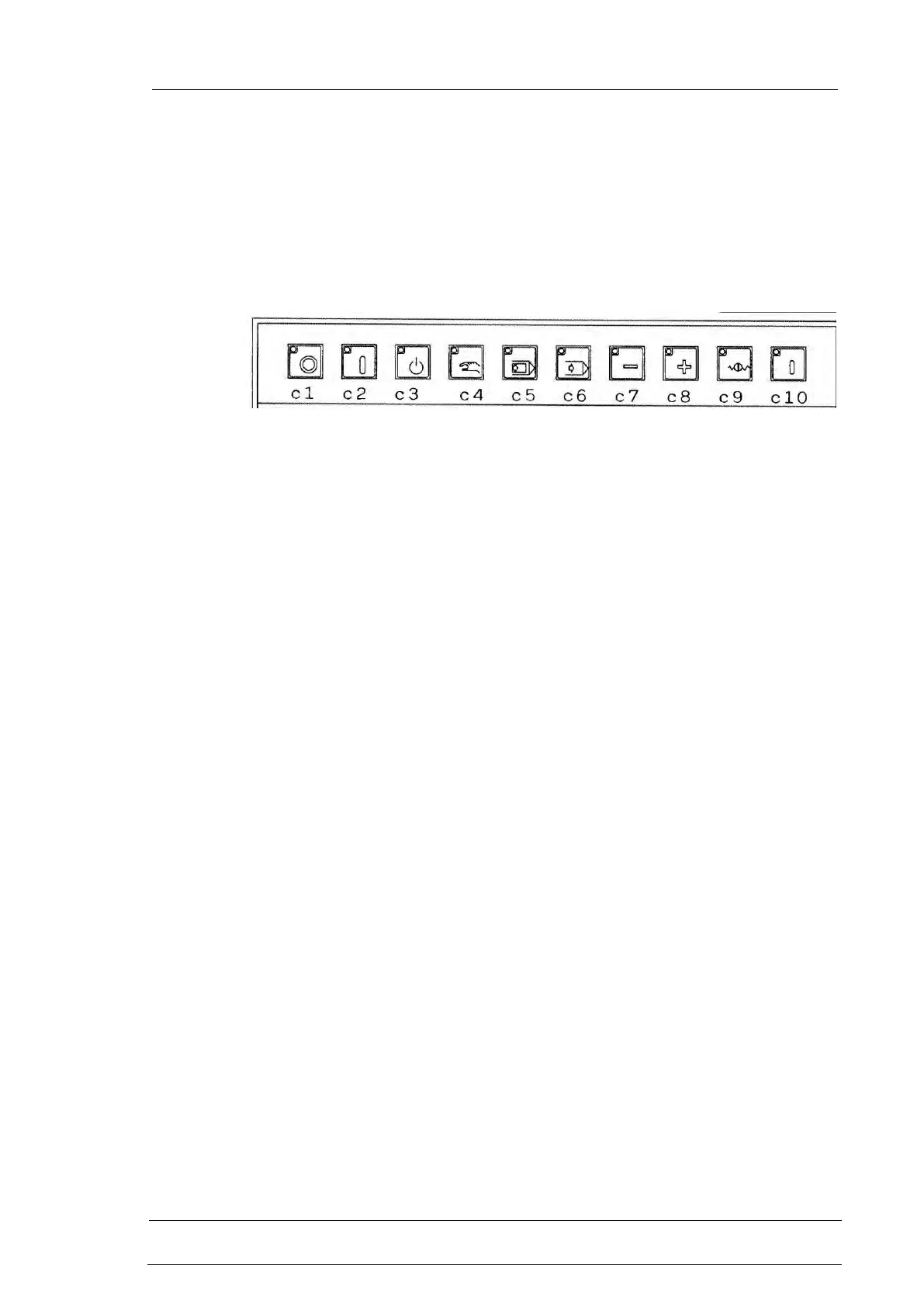
CONTROLS
1001 DFB
Drilling & Sawing Line
c Push button station with 42 keys equipped with LEDs. The LED of a
key can be:
= control or selection not active
= control or selection activated
= control waiting for confirmation
c1 Auxiliary control circuits disactivation (OFF) push-button.
switching off auxiliaries causes the stop of all movements and of
the hydraulic power pack; all the CNC outputs are set to zero. The
machine is set in the state of auxiliaries off (6). We recommend to
use different commands to temporarily stop the machine, especially
when a cycle or a movement is in execution.
c2 Auxiliary control circuits activation (ON) push-button.
To be pressed at the start of work to go from auxiliaries off state (6)
to stand-by mode (3)
c3 Standby push-button
Active in hold or in automatic execution mode. When pressed axes
stop and if a drilling, (marking if present) cycle is under way, it is
interrupted if in a position to be interrupted, otherwise it is
completed; the machine goes into the standby (3) mode. To restart
it is necessary to select the single or continuous execution mode
and press the cycle activation push-button.
It is similar to the hold push-button but besides the contents of that
state, the standby state causes the disconnection of servomotors
drives placing into software safety the axes thus avoiding to deliver
uselessly current when the machine is not in cycle and is standstill
for programming or similar operations.
c4 Manual execution push-button
Active in the hold (5) or in the standby (3) mode. It selects the
manual execution operation. In this mode the single jog movements
for axes action and commands of machine actuators (pinchers
opening/closing, connection disconnection of mobile zero) are kept
active.
c5 Single execution push-button
Active in the hold (5) or in the standby (3) mode. It selects the
execution step by step (line per line) of program. To process the
next line of the program press cycle push-button.



 To Next Page