Programming and operating manual Model 1001 DFB
56 FICEP S.p.A.
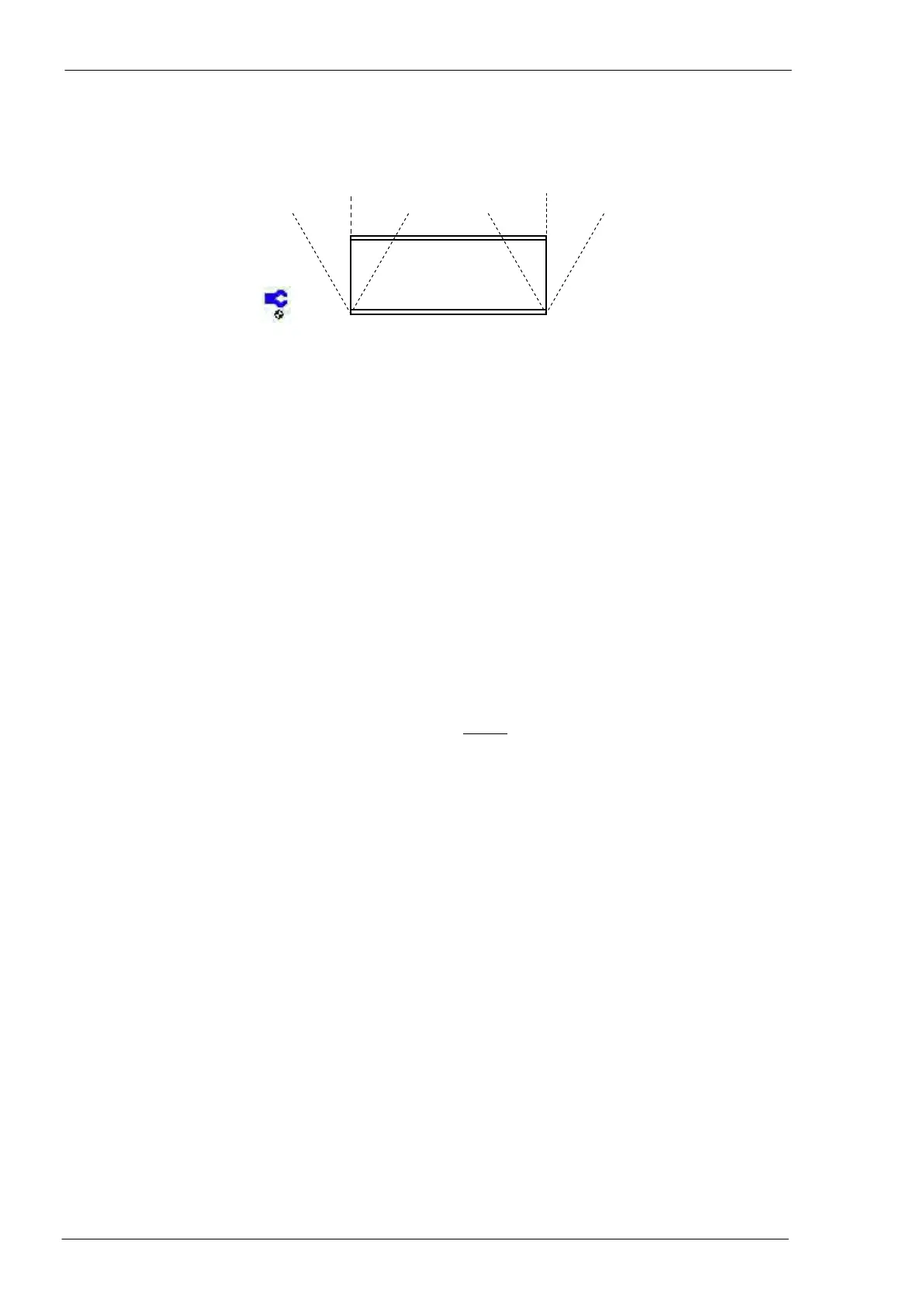
Starting cut of the web in degrees (see following picture).
Ending cut of the web in degrees (see following picture).
In case of starting and/or ending cuts, the piece length to fill into the field n. 9 is to be re-
ferred to the machine datum line or “A” side of the profile.
NOTE If the selected profile allows the flanges cut, two additional fields to define starting
and ending flanges cut could be displayed and used.
Selected profile section with the relevant dimensions; this is the same drawing displayed in
the selection window described at point n. 08.
The profile is represented open on the plane and not to scale.
List of program instructions; each instruction is so composed:
- LINE: progressive number of the instructions automatically provided by the CNC
software
- TYPE: operation code (operation to be performed)
- SIDE side code (side where perform the operation)
- DIAMETER: tool diameter (or other parameter of the tool to be used)
- X: X coordinate (horizontal) of the operation point
- Y: Y coordinate (vertical) of the operation point
- DETAILS: tool type or other special enhanced information
Free remark field; max 30 characters.
Choice of measuring unit; press F4 to select (mm - inches – fractions of inch).
NOTE the measuring unit has to be chosen before inserting the programming lines.



 To Next Page