277
────────────────────────────────────────────────────
14.6 FD (Floppy Disk) Mode
────────────────────────────────────────────────────
4.6.3 Formatting a Floppy Disk
CAUTIO
The formatting process erases all data previously saved to that floppy disk.
Make sure that the floppy disk does not contain any essential data before
formatting it.
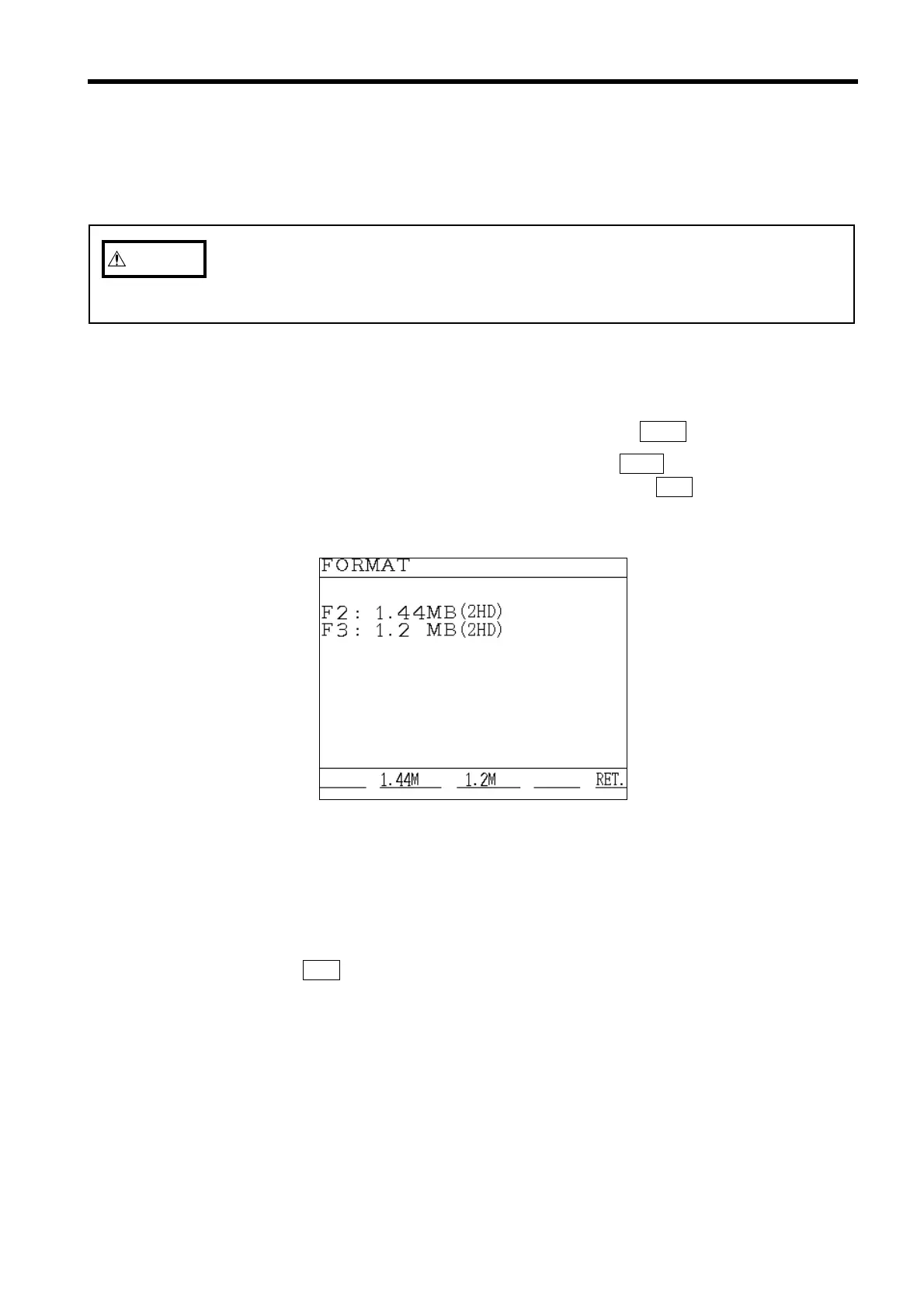
Format Window
This function is used in order to format (initialize) floppy disks. Only 3.5-inch
2HD floppy disks can be used.
(1) Insert the floppy disk that is to be formatted into the 9595 FDD UNIT. (Be
sure that write-protection is disabled.)
(2) Position the cursor at "Format," and then press the
EXEC. function key.
(3) When the "FORMAT" window appears, press the
1.44M function key in order to
format the floppy disk as a 1.44MB disk, or press the
1.2M function key in
order to format the floppy disk as a 1.2MB disk.
(4) The formatting operation is executed. While this operating is in progress, the
message "Formatting" is displayed.
(5) Once formatting is completed, the display returns to the "Format" window. To
format another floppy disk, return to step 1 and repeat.
(6) Press the RET. function key to return to the "Initial" screen.



 To Next Page