278
────────────────────────────────────────────────────
14.6 FD (Floppy Disk) Mode
────────────────────────────────────────────────────
4.6.4 Renaming Files
CAUTIO
All related files (those with the same file name) are renamed by this function.
Note also that it is not possible to change a file’s extension.
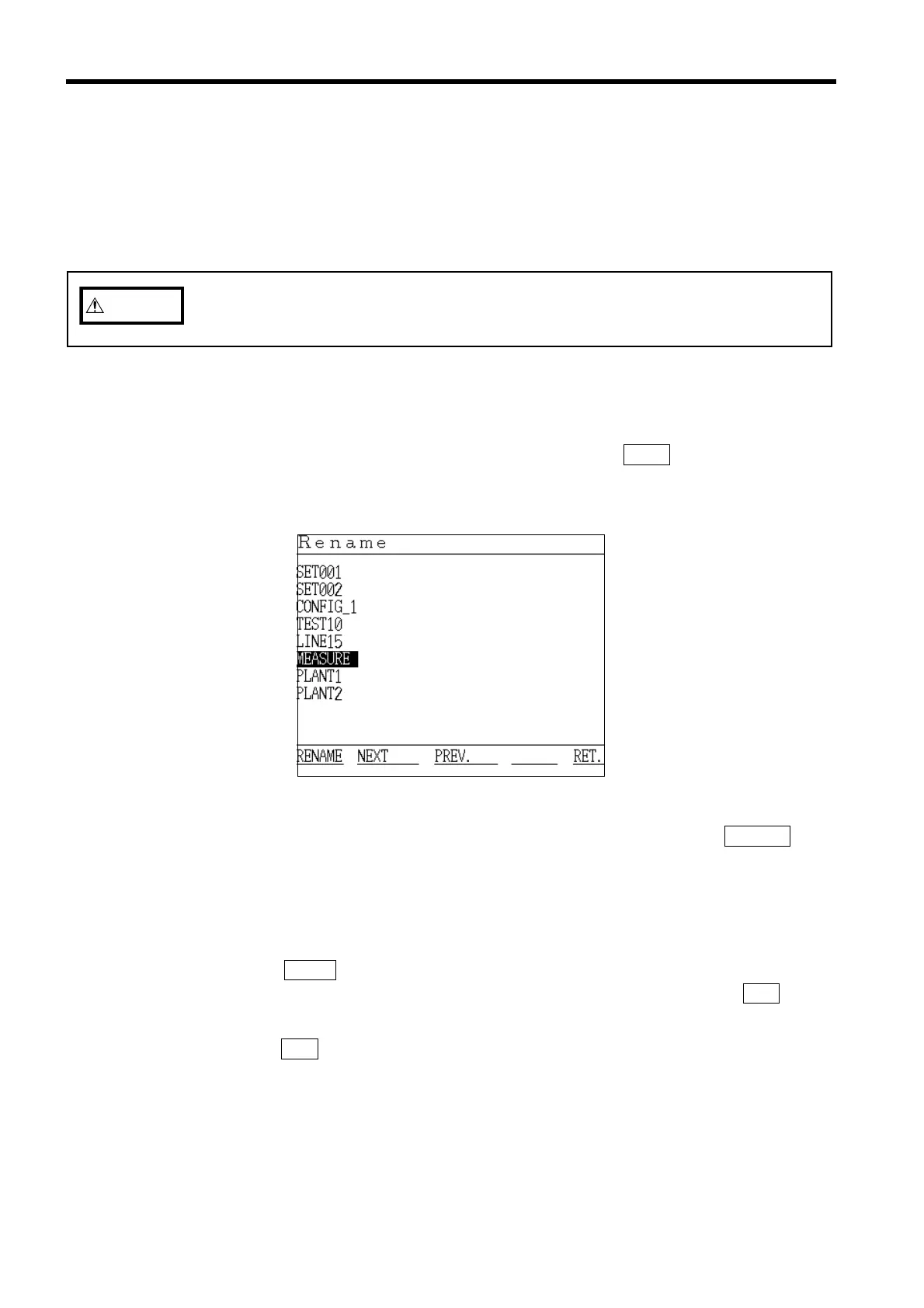
Rename File Screen
This function is used to change the name of a file that has been saved on a
floppy disk. This function is especially useful for renaming with a more
descriptive name any file that was automatically named "AUTOXXX" or
"SETXXX" because no file name was specified when the file was created.
(1) Insert the floppy disk that contains the file to be renamed into the 9595 FDD
UNIT. (Be sure that write-protection is disabled.)
(2) Position the cursor at "Rename," and then press the
EXEC. function key.
(3) The "Rename" window appears.
(4) Position the cursor on the file to be renamed, and then press the
RENAME
function key.
(5) When the "File Name Input" window appears, input the new file name. The
input method is the same as when inputting a file name on the setting screen
for any of the measurement modes.
(6) When the ENTER function key is pressed, finalizing the new file name, the new
file name appears in the file list. To stop renaming files, press the
RET. key.
To continue renaming files, return to step 2 and repeat.
(7) Press the RET. function key to return to the Initial screen.



 To Next Page