5.2 Setting Basic Settings of Measurement
150
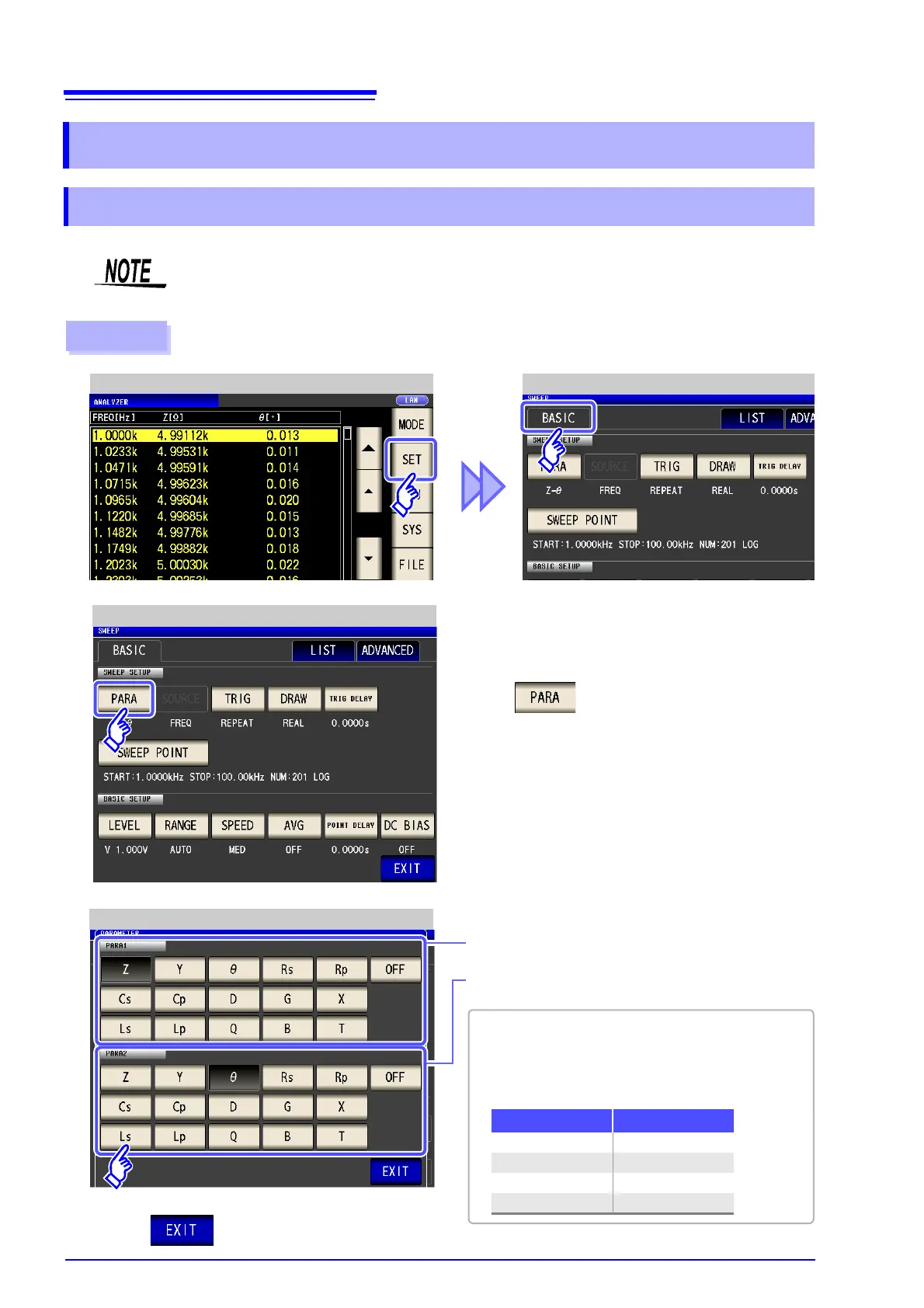
Set the measurement parameter for ANALYZER mode.
5.2 Setting Basic Settings of Measurement
5.2.1 Setting the measurement parameter
DC resistance measurement cannot be performed in ANALYZER mode.
Procedure
ANALYZER Measurement Screen ANALYZER Basic Settings
1
Press .
2
ANALYZER Basic Settings
4
Press to close the setting screen.
3
Measurement Parameter Setting
LCR mode ANALYZER mode
PARA1 PARA1
PARA2 Unused
PARA3 PARA2
PARA4 Unused
• In ANALYZER mode, two types of parameter mea-
surement can be performed: PARA1 and PARA2.
• The parameter settings of LCR mode and parame-
ter settings of ANALYZER mode are linked as
shown below.
Select the first parameter.
Select the second parameter.



 To Next Page