4.2 Setting Basic Settings of Measurement Conditions
77
4
Chapter 4 LCR Function
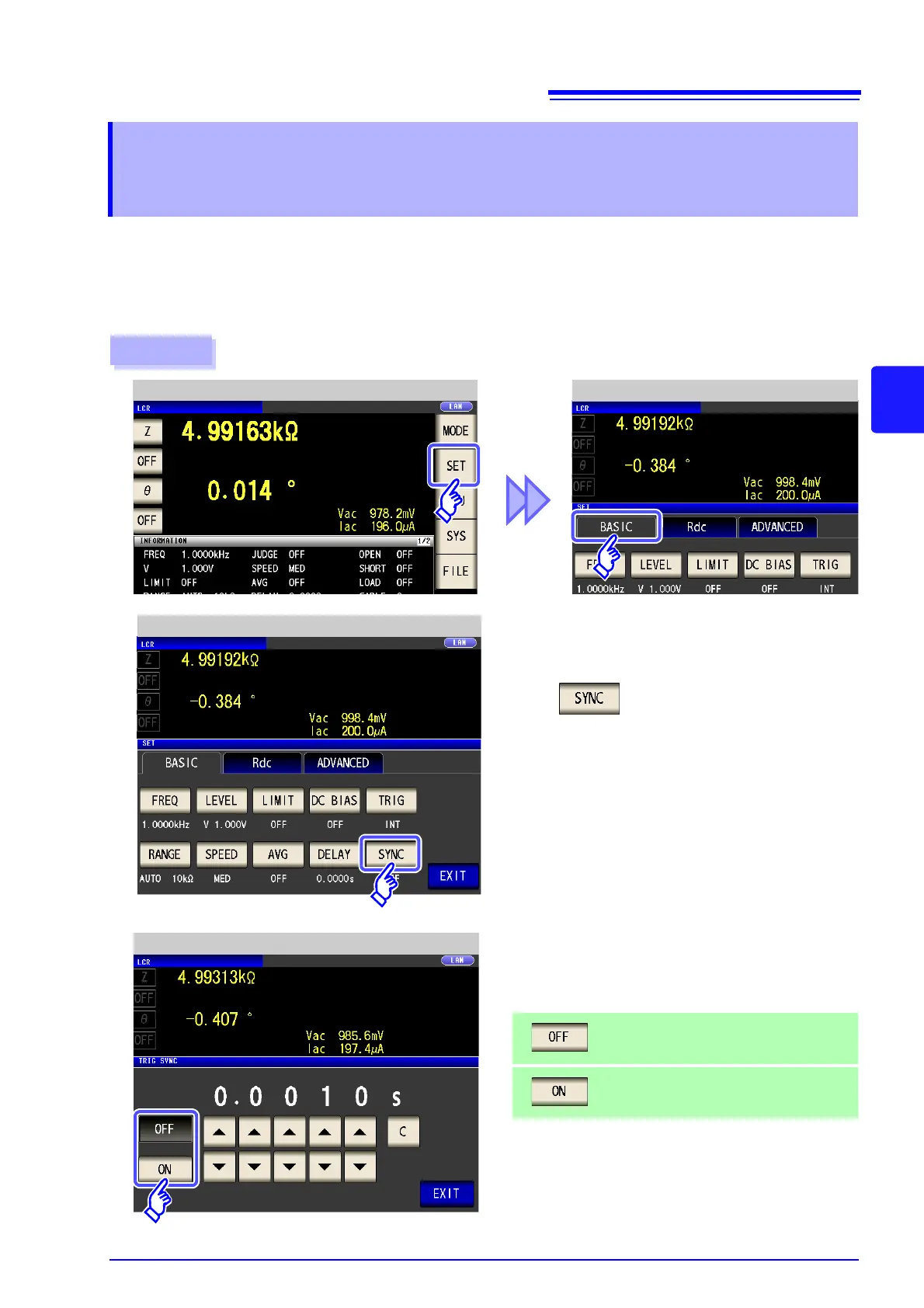
This function generates measurement signal output after trigger input and applies the signal to the sample
only during measurement. You can also set a delay time to ensure that data is acquired after the sample sta-
bilizes.
Thus reducing the generation of heat in the sample and decreasing electrode wear.
See "Trigger delays and the trigger synchronous output function" (p. 79)
4.2.10 Applying the Signal to the Sample during
Measurement Only
(Trigger Synchronous Output Function)
Procedure
LCR Measurement Screen Application Settings
1
Press .
2
Application Settings
3
Trigger Sync Setting
Select ON/OFF for the trigger synchronous
output function.
Disables the trigger synchronous output func-
tion.
Enables the trigger synchronous output func-
tion.



 To Next Page