4.1 About LCR function
47
4
Chapter 4 LCR Function
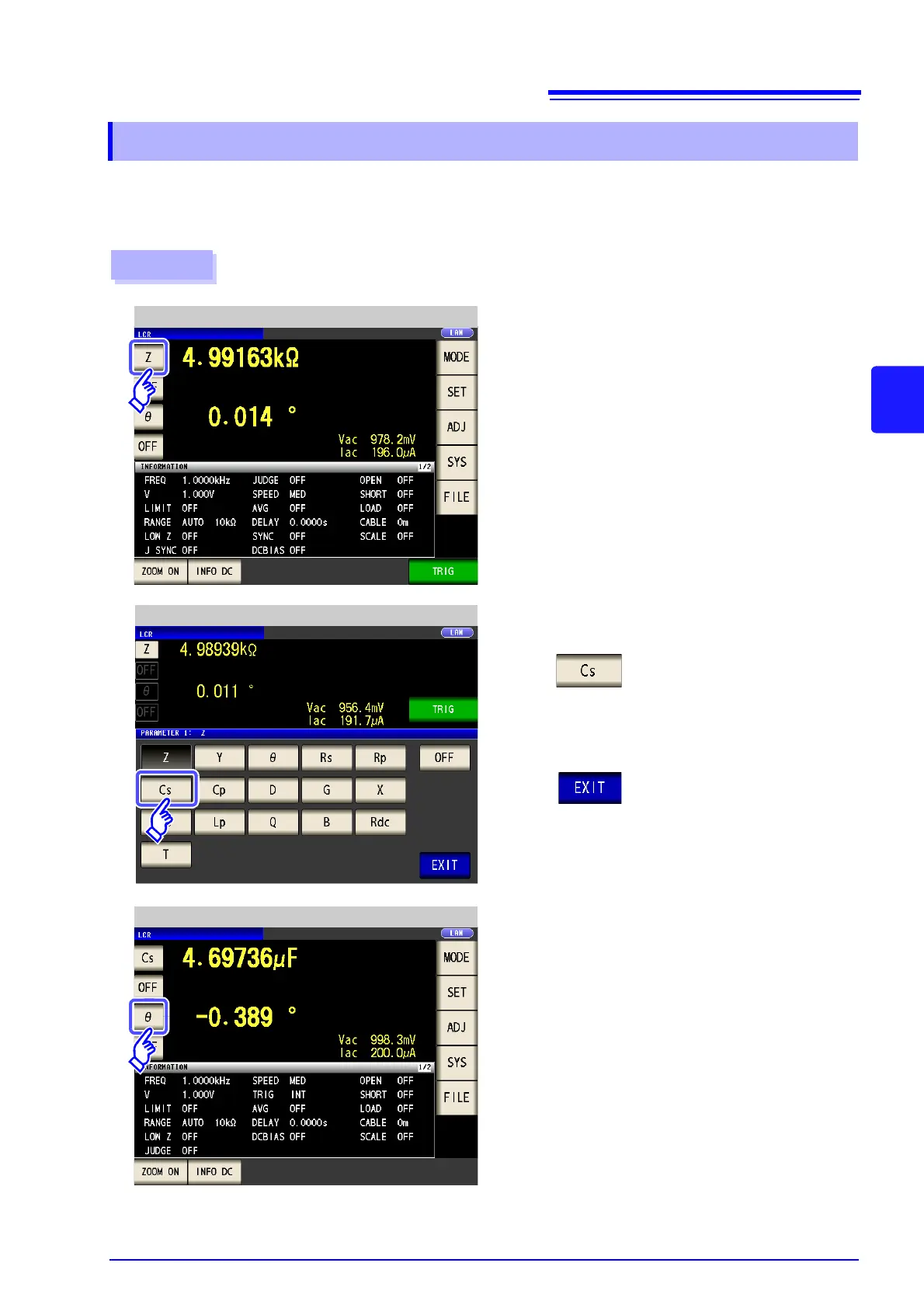
You can select up to four measurement parameters to display in any location from 16 types.
See "1.3.7 Parameter Settings Screen" (p. 28)
"Appendix2 Measurement of High Impedance Components"(p. A3)
"Appendix7 Series Equivalent Circuit Mode and Parallel Equivalent Circuit Mode"(p. A11)
4.1.2 Setting Display Parameters
1
Press the first parameter key.
LCR Measurement Screen
Example: The first parameter key: Capacitance Cs,
The third parameter key: Loss coefficient D
Procedure
Press .
2
Press to confirm the setting.
Parameter Setting
3
Press the third parameter key.
LCR Measurement Screen



 To Next Page