11.6 Loading Instrument Settings
300
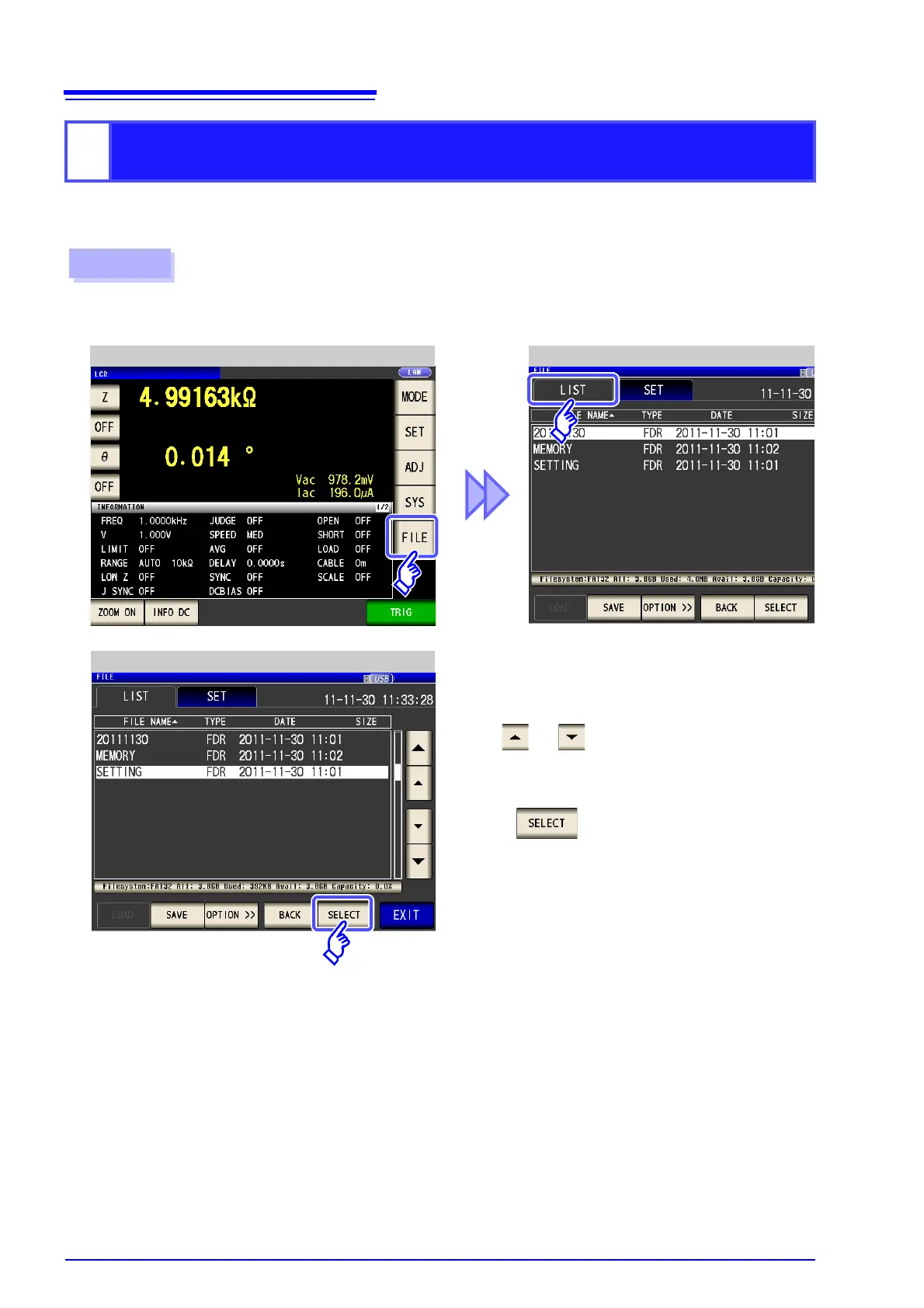
Load and restore instrument settings, including panels saved to USB memory using the all save function.
See "Saving All Settings of Instrument (ALL SAVE Function)" (p. 295)
2
Loading all settings saved on a USB flash drive
(ALL LOAD Function)
2
LCR Measurement Screen File List Screen
Insert the USB flash drive into the USB port (front panel).
1
Procedure
Use or to select the [SETTING]
folder.
3
Folder Selection
Press .



 To Next Page