5.3 Application Settings
186
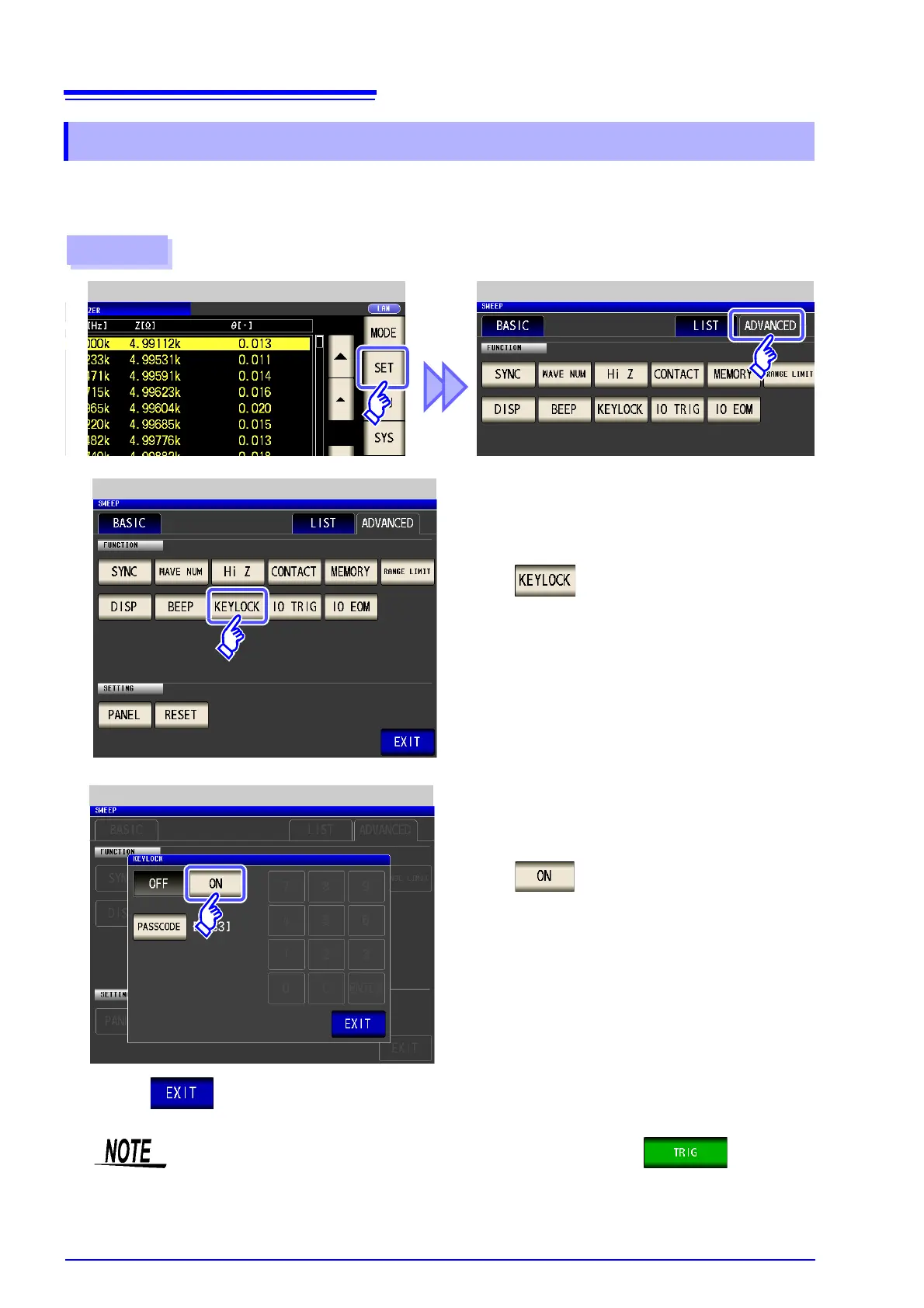
When the key-lock function is enabled, all setting changes except canceling the key-lock are disabled to pro-
tect the settings. You can also set a passcode (security code).
5.3.9 Disabling Key Operation (Key-lock Function)
• In the case of an external trigger, the key lock is not enabled for .
• The measurement value zoom display (ZOOM) can be accessed, and measurement con-
dition switching can be performed.
• Turning off the power does not cancel the key-lock function.
Procedure
ANALYZER Application Settings
1
ANALYZER Measurement Screen
Press .
2
ANALYZER Application Settings
4
Press to close the setting screen.



 To Next Page