4.2 Setting Basic Settings of Measurement Conditions
50
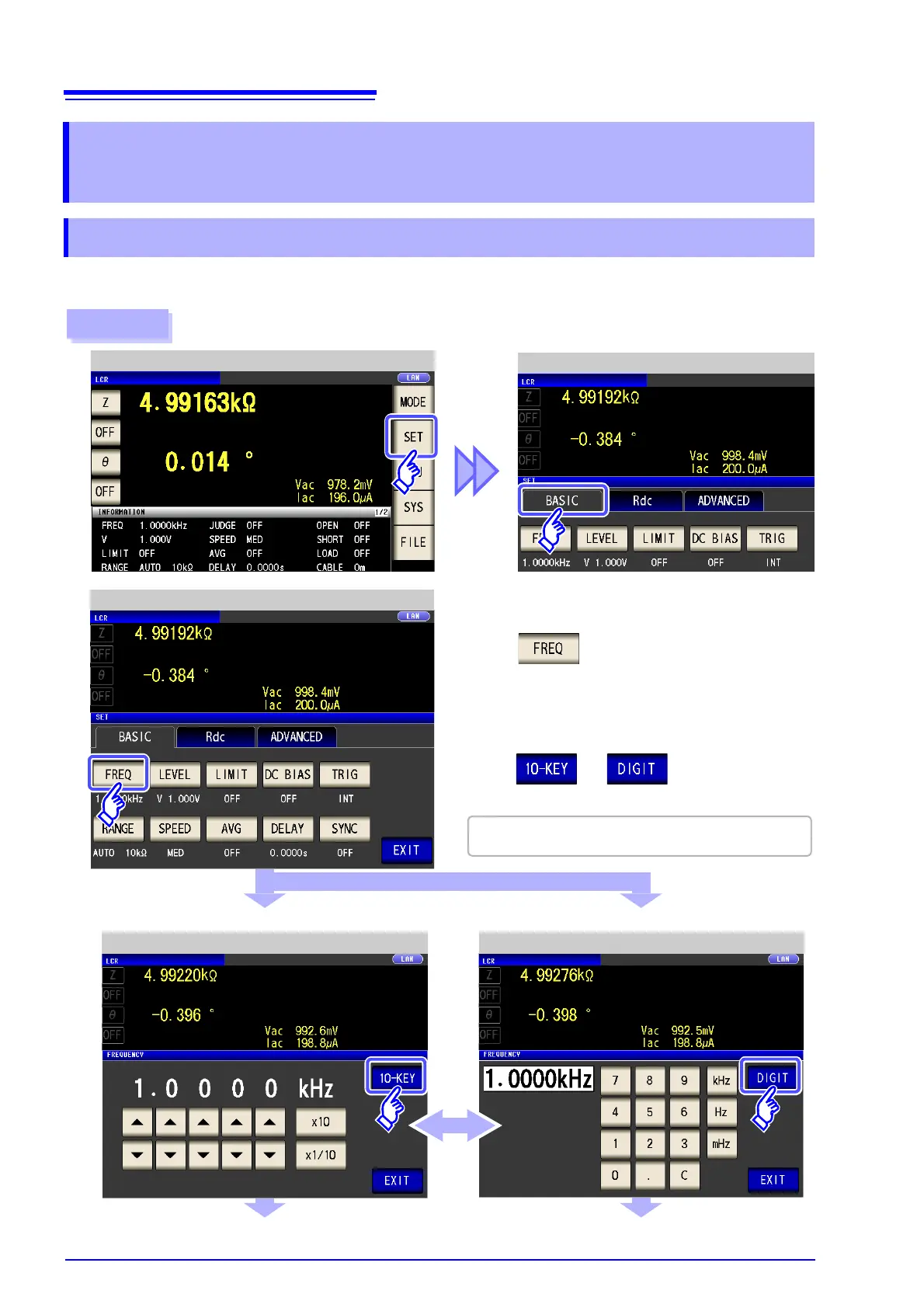
Set the frequency of the signal to apply to the test sample. For some test samples, the value may vary
depending on the measurement frequency.
4.2 Setting Basic Settings of
Measurement Conditions
4.2.1 Setting the Measurement frequency
1
LCR Measurement Screen
Example: Measurement frequency: 1 MHz
LCR Basic Settings
Procedure
3
Set each digit.
Set the frequency with the numeric keypad.
Frequency Setting (Digits) Frequency Setting (Numeric Keypad)
2
Press .
There are the following two frequency input methods.
Press or to change the input
method.
LCR Basic Settings
Settable range : 1 mHz to 200 kHz



 To Next Page