7.4 Checking CONTINUOUS Measurement Results
212
7.4 Checking CONTINUOUS Measurement
Results
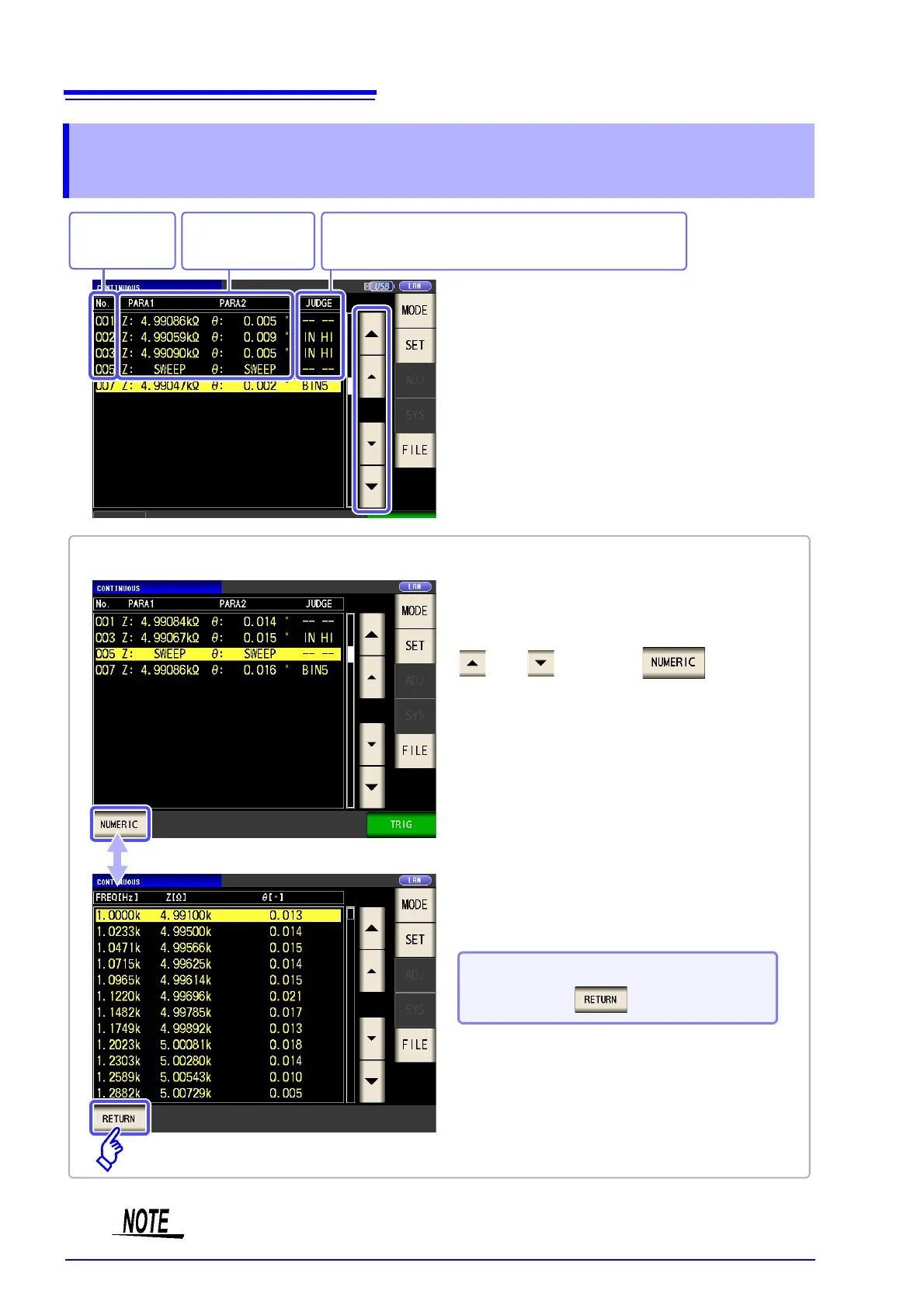
LCR mode measurement values are displayed for the first and third parameters only.
Indicates the
panel number.
Displays the judgment result.
LCR mode: The first parameter, The third parameter
Displays the mea-
surement value.
Select the ANALYZER mode panel with
and and touch .
Example: To check measurement results in ANALYZER mode (IM3533-01 only)
To return to the list of measurement
results: Press .



 To Next Page