3.2 When ANALYZER Mode (IM3533-01 only)
39
3
Chapter 3 Measurement Example
In ANALYZER mode, you can sweep through a user-specified range of frequencies.
See "Chapter 5 ANALYZER Function (IM3533-01)" (p. 149)
Necessary items: 9262 Test fixture, Element you want to measure
3.2 When ANALYZER Mode (IM3533-01 only)
Measuring Element with Resonance Point
1
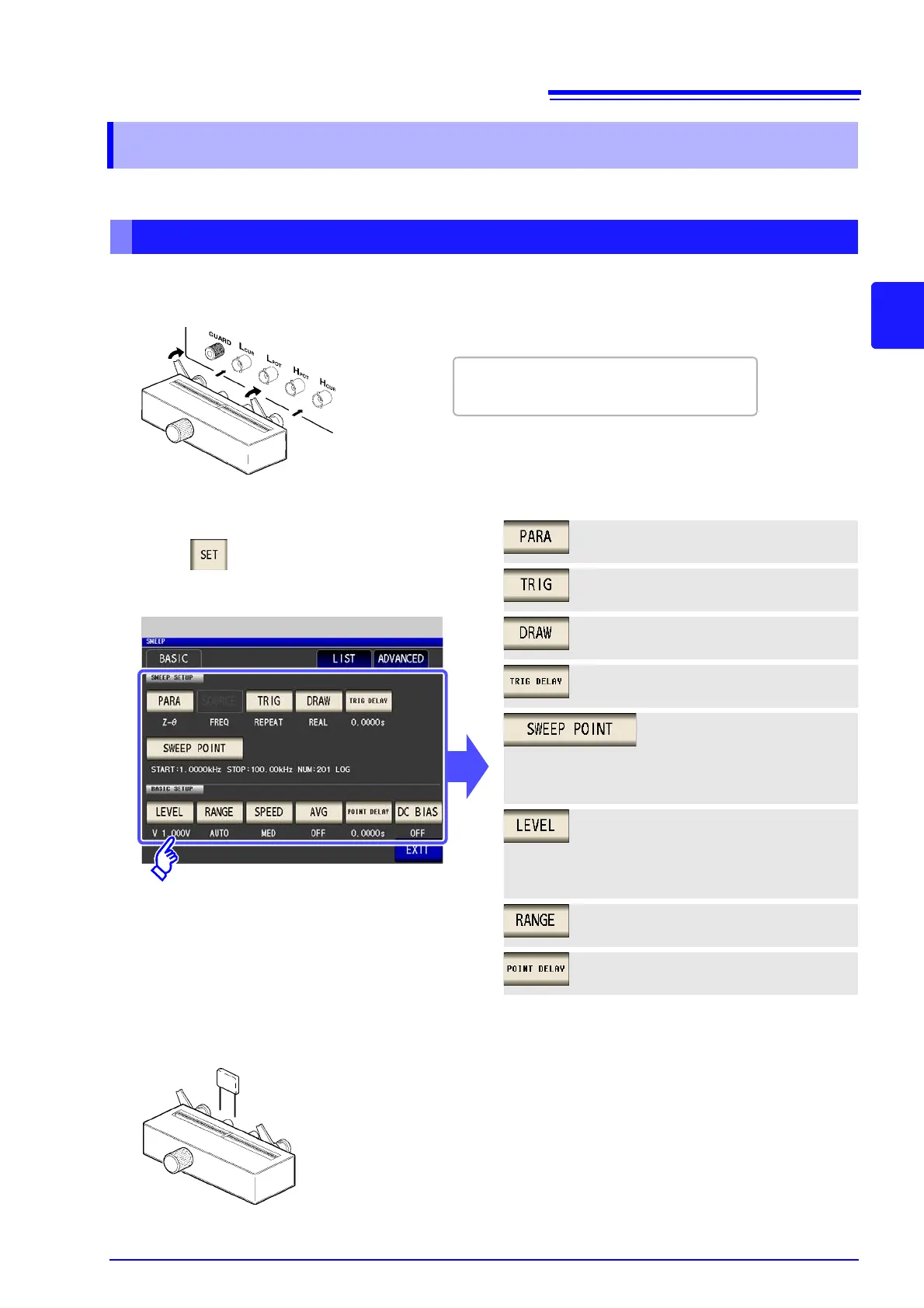
Connect the 9262 Test Fixture to the measurement terminals.
For the connection procedure, refer to the
instruction manual supplied with the fixture.
Measurement signal mode:
Open voltage (V) mode (p. 158)
Measurement signal level:
1.000 V (p. 158)
POINT DELAY: 0.0000 s (p. 168)
2
ANALYZER Basic Settings
Range: AUTO (p. 160)
Parameter: Z- (p. 150)
Sweep method: REPEAT (p. 151)
Draw timing: REAL (p. 152)
Trigger delay: 0.0000 s (p. 153)
Set the measurement conditions.
Touch on the Measurement screen, select
the setting you wish to configure, and configure it
as follows.
Sweep range: 1.0000 kHz to
100.00 kHz (p. 155)
No. of sweep points: 201
Setting method: LOG
3
Connect the test sample to the 9263 Test Fixture.



 To Next Page