EasyManua.ls Logo

Hioki IM3533 - Configuring CONTINUOUS Measurement Basic Settings

Hioki IM3533
400 pages
Print Icon
To Next Page IconTo Next Page
To Previous Page IconTo Previous Page
Loading...
7.2 Configuring CONTINUOUS Measurement Basic Settings
210
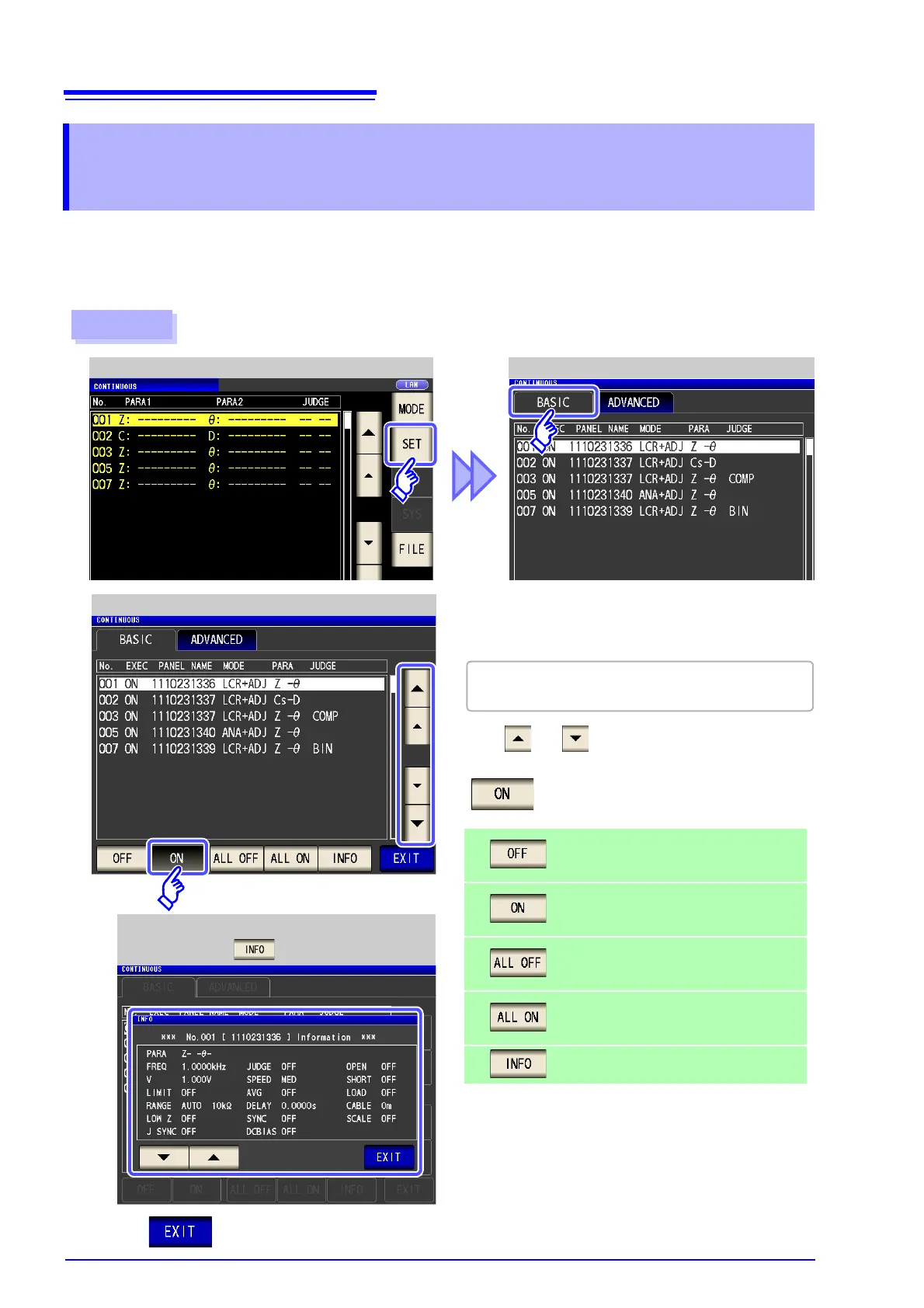
Before you perform continuous measurement, set which panels are target for continuous measurement.
Save the measurement conditions with the panel save function in LCR mode or ANALYZER mode (IM3533-
01 only) in advance.
See "9.1 Saving Measurement Conditions (Panel Save Function)" (p. 251)
7.2 Configuring CONTINUOUS
Measurement Basic Settings
Procedure
CONTINUOUS Measurement Screen CONTINUOUS Measurement Basic Settings
1
2
CONTINUOUS Measurement Basic Setting
A list of the measurement conditions saved with
LCR mode and ANALYZER mode appears.
Removes the selected panel from the tar-
gets for continuous measurement.
Sets the selected panel as a target for con-
tinuous measurement.
Removes all panels from the targets for
continuous measurement.
Sets all panels as targets for continuous
measurement.
Display the panel information.
Any panel for which only the compensation value
(ADJ) was saved is not displayed.
Measurement Condition Display
(When is Pressed)
3
Press to close the setting screen.
Use or to select a panel for which to
perform continuous measurement, and press
.


Table of Contents

Related product manuals