1.3 Screen Configuration and Operation
13
1
Chapter 1 Overview
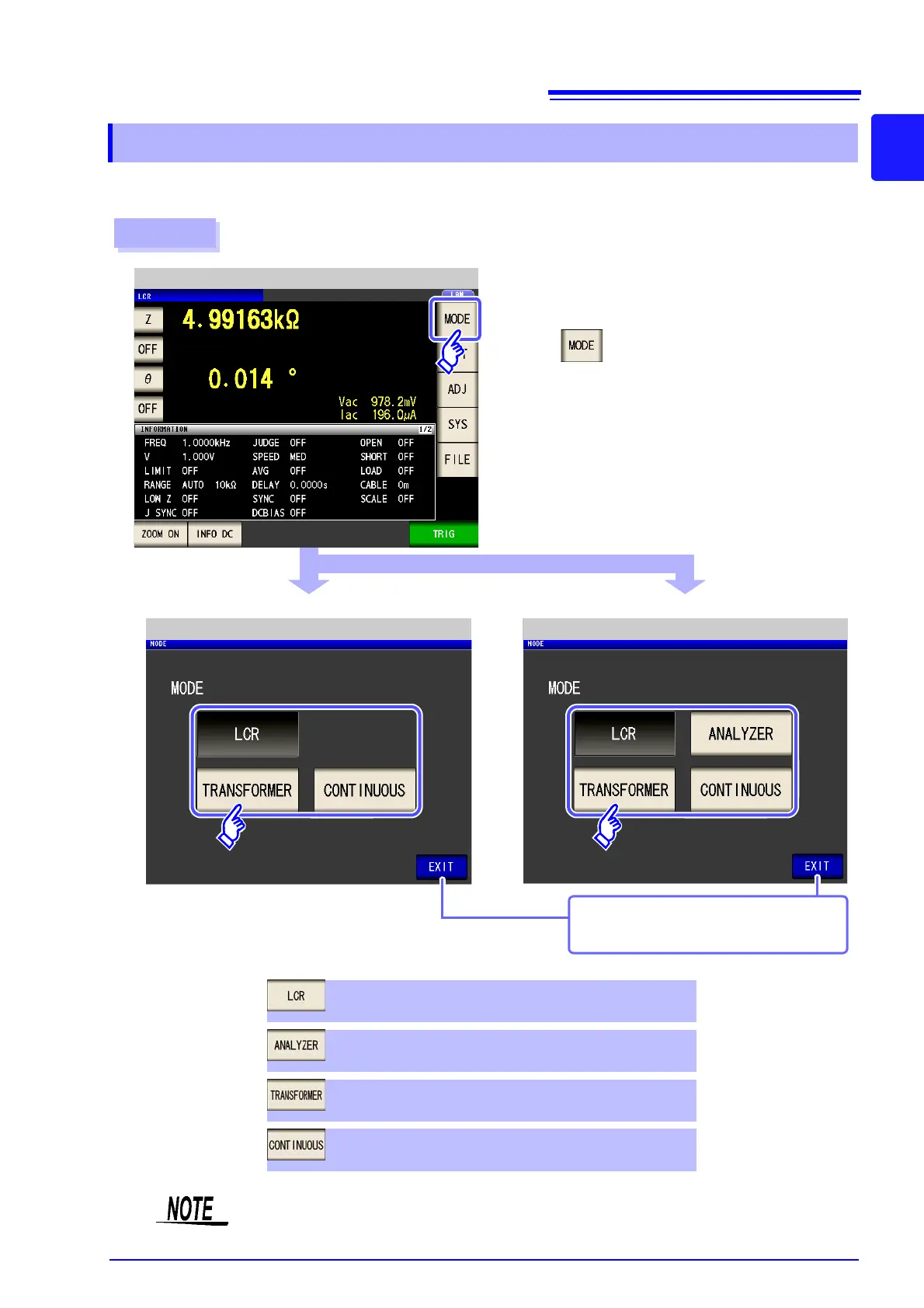
Select the measurement mode.
1.3.2 Measurement Mode Selection Screen
Procedure
2
1
When IM3533
When IM3533-01
Measurement Screen
Mode Selection (IM3533) Mode Selection (IM3533-01)
Press .
ANALYZER mode (IM3533-01 only) (p. 149)
TRANSFORMER mode (p. 193)
Select the measurement mode.
LCR mode (p. 45)
CONTINUOUS measurement mode (p. 209)
Displays the measurement screen for the
selected mode.
After changing the measurement mode, check all settings (including compensation) before
performing measurement.



 To Next Page