1.3 Screen Configuration and Operation
27
1
Chapter 1 Overview
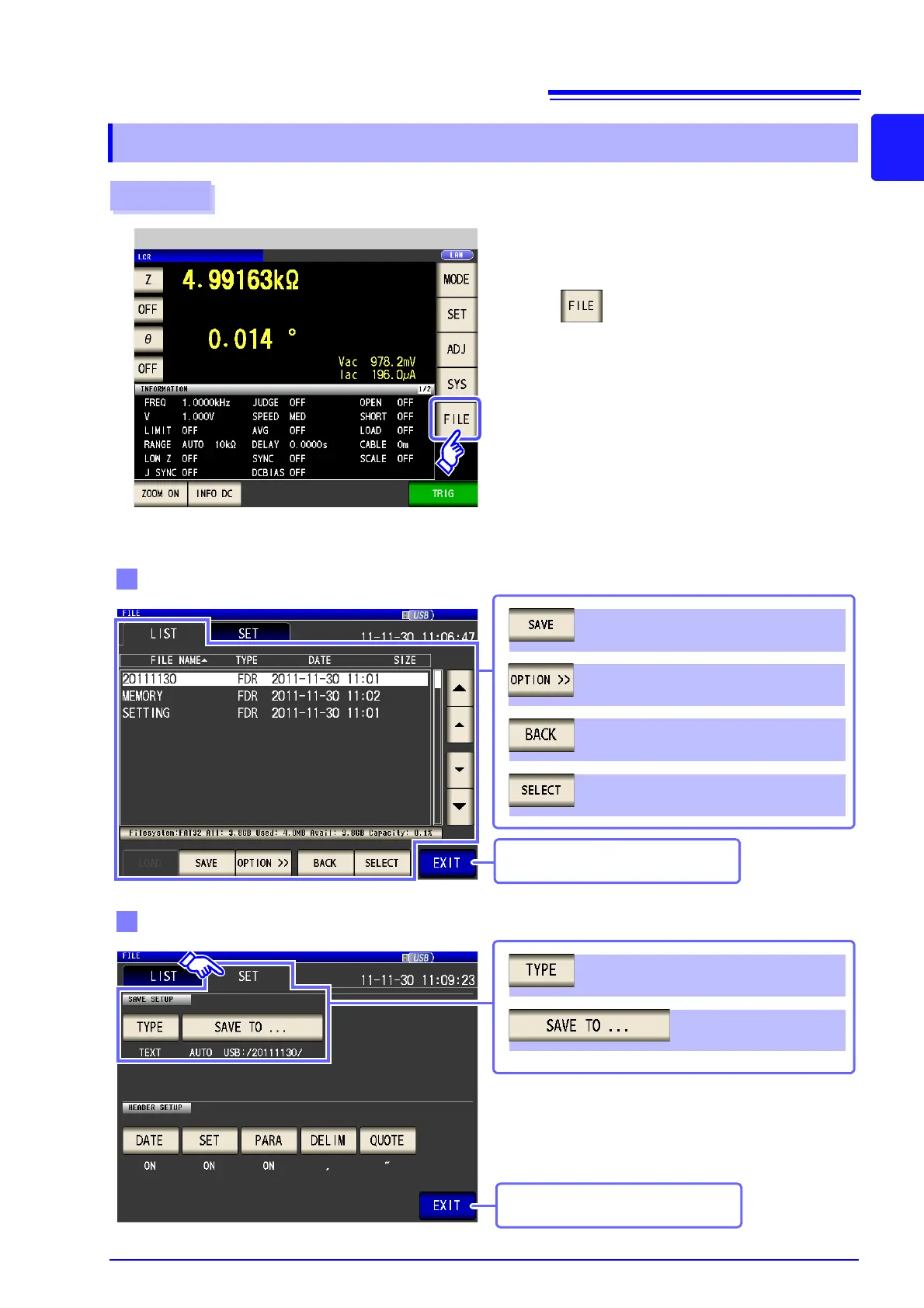
1.3.6 Save Settings Screen
Procedure
1
Press .
2
Measurement Screen
Set the save destination and type.
Save the measurement condition
Saves the setting conditions (p. 293)
Selects a file (p. 275)
Displays the screen immediately above
(p. 275)
Switches operation buttons. (p. 275)
Measurement screen is displayed.
Save method setting
Save destination folder
setting (p. 291)
Save type setting (p. 277)
Measurement screen is displayed.



 To Next Page