INSTRUMENTS (AND AVIONICS) / PITOT-STATIC-ANGLE OF ATTACK (AOA) SYSTEM 13-77
CHANGE C2 ICON A5 / MAINTENANCE MANUAL
13. Look at the airspeed indicator in the cockpit and verify that the indicated airspeed is within 5
knots of what is displayed on the PS-525 airspeed display.
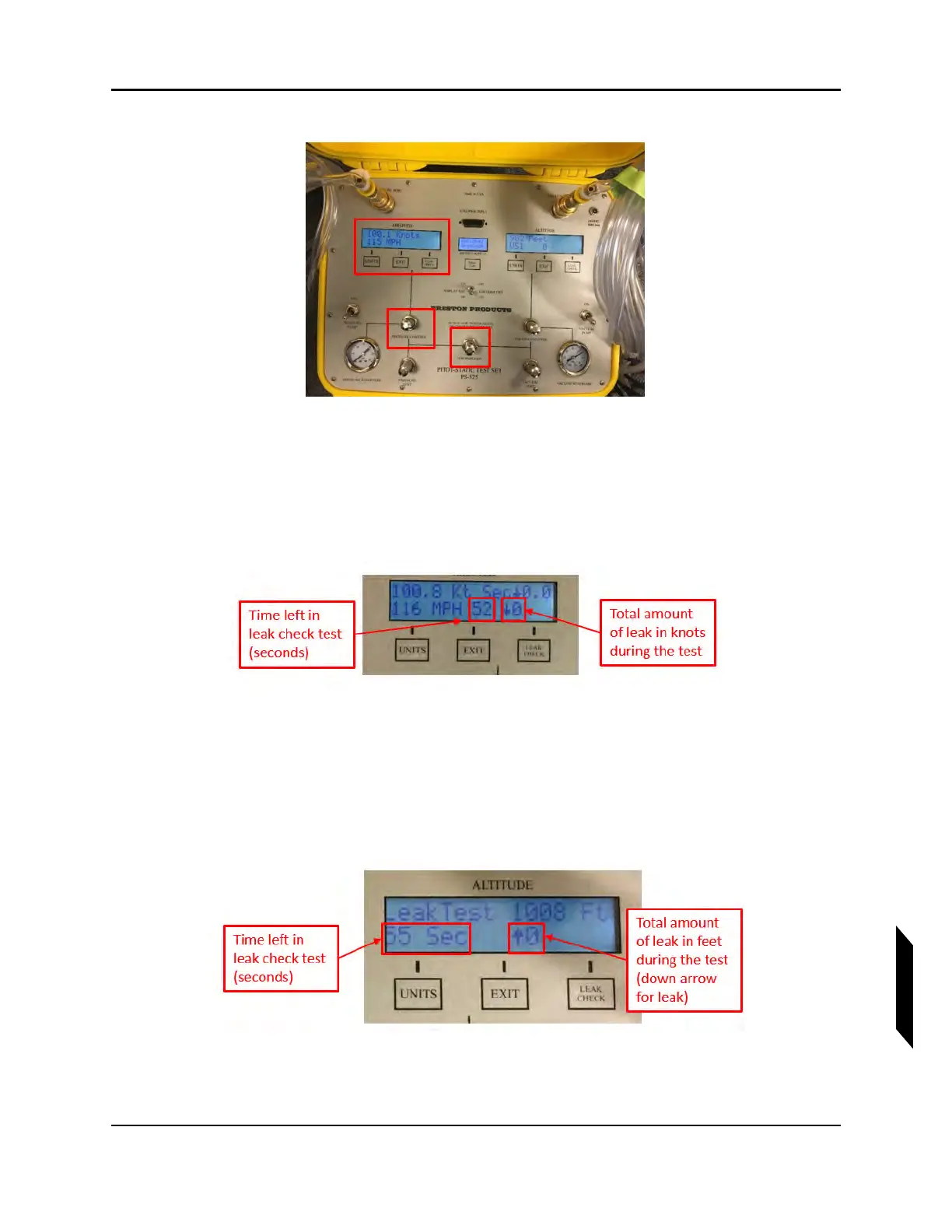
14. Press the Leak Check button under the Airspeed display.
15. Press Leak Check two more times until the screen indicates 60 sec, then press the Units button
to start the leak check.
NOTE: The ICON standard is no more than a 5-knot total leak over 60
seconds.
16. Press Exit on the Airspeed display.
17. Press the Leak Check button under the Altitude display.
18. Press Leak Check two more times until the screen indicates 60 sec, then press the Units button
to start the leak check.
NOTE: The ICON standard is no more than a 50 feet total leak over 60
seconds.
19. Press Exit on the Altitude display.



 To Next Page