INSTRUMENTS (AND AVIONICS) / PITOT-STATIC-ANGLE OF ATTACK (AOA) SYSTEM 13-85
CHANGE C2 ICON A5 / MAINTENANCE MANUAL
Task Specific Training Required
No
Special Tools Required
Preston PS-525 Pitot-Static Test Set (or equivalent)
Parts Required
None
Aircraft System and Number
10—Instruments (and Avionics)
Consumables
None
1. Remove the Right Instrument Panel Top Panel. (See “Right Instrument Panel Top Panel Removal”
on page 8-17.)
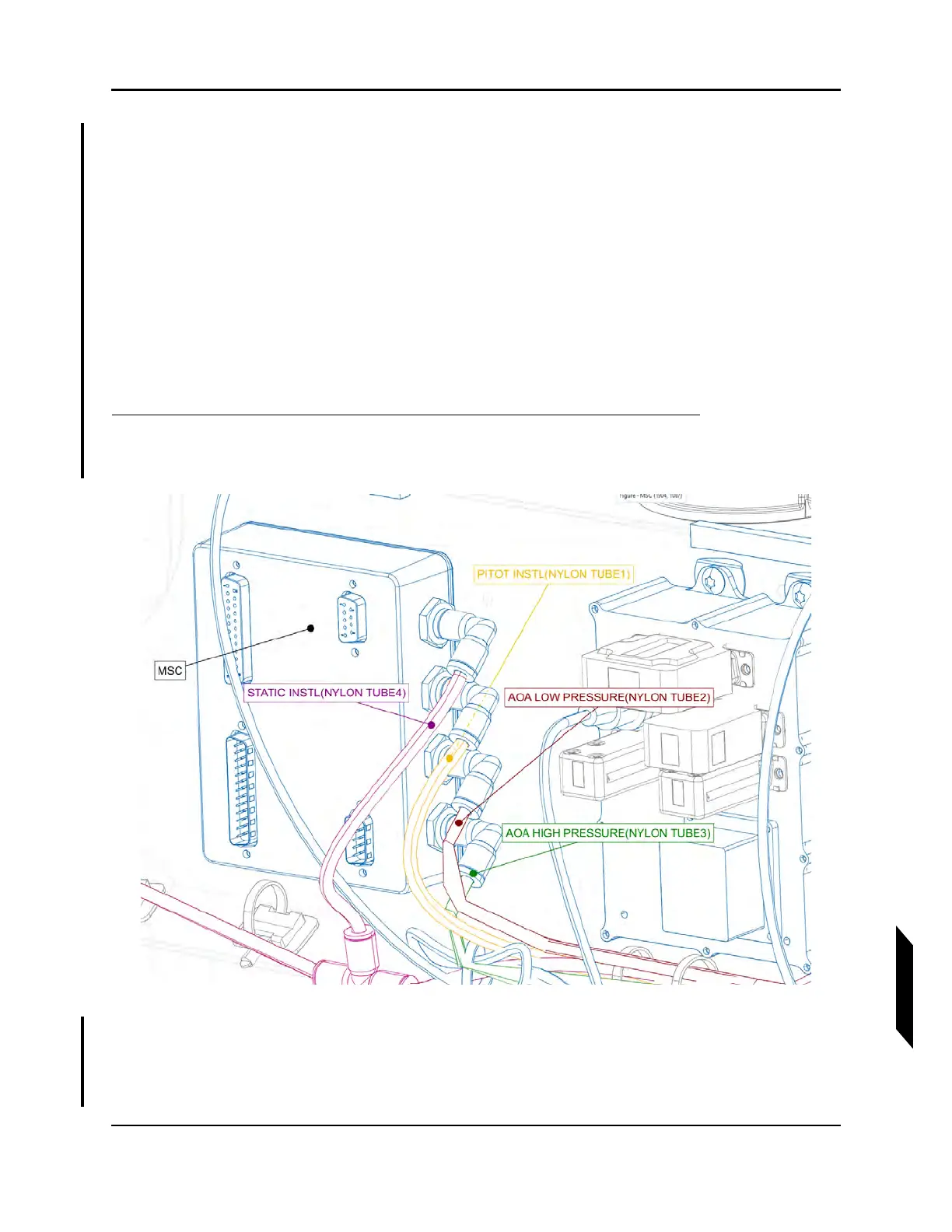
FIGURE 13-21
CONNECTION AT MSC
2. Remove the four nylon tubes connecting Pitot-Static-AOA System to MSC, mark each of them
for reconnection.
3. Check the connections between MSC ports and tubing for issues; replace any damaged parts.



 To Next Page