PROPULSION / ENGINE 16-51
CHANGE C2 ICON A5 / MAINTENANCE MANUAL
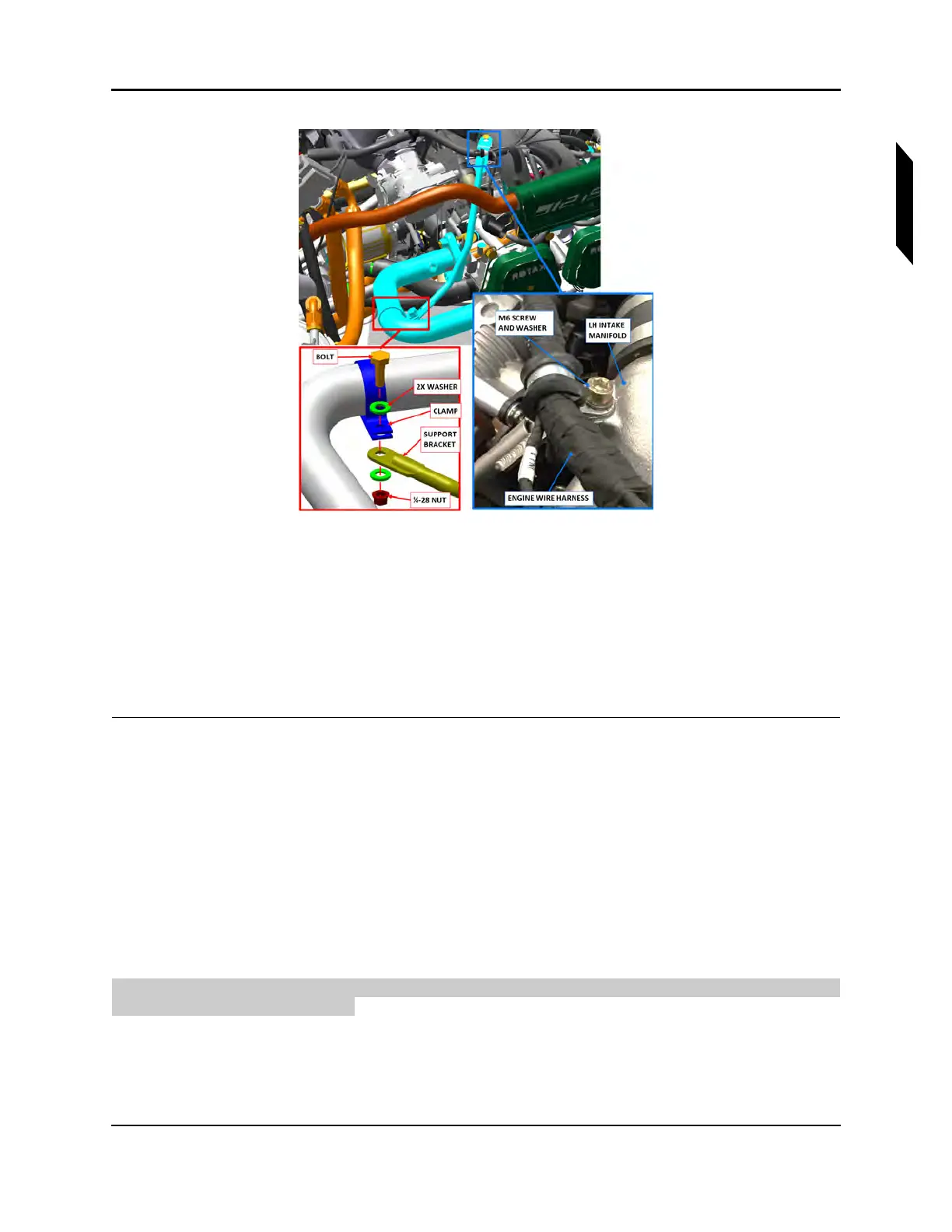
FIGURE 16-32
EXHAUST SUPPORT BRACKET (LH SHOWN).
10. Remove the two M8 nuts securing FWD header to the engine with a 12 mm wrench. Remove the
FWD headers.
11. Plug the exposed exhaust ports on the engine.
12. If the exhaust is to be reused, disassemble muffler from its associated aft header by removing
the safety wire from the anti-rotation tabs and sliding them apart. Clean the slip joint interfaces.
13. Repeat steps 2-12 for the LH/RH exhaust.
VERIFICATION METHOD:
Follow up with Exhaust System Installation. (See “Install Exhaust System” on page 16-51.)
RELATED INFORMATION:
"Install Exhaust System" on page 16-51
"Remove Engine Cowlings" on page 16-13
16.1.6.2.2 Install Exhaust System
Use the following procedure to install one side of the exhaust system. Repeat the procedure to install
both sides of the exhaust system.
TASK INFORMATION:
Type of Maintenance



 To Next Page