MD-11 Flight Crew Operations Manual
k
Automatic Flight -
Controls and Displays
Auto.30.13
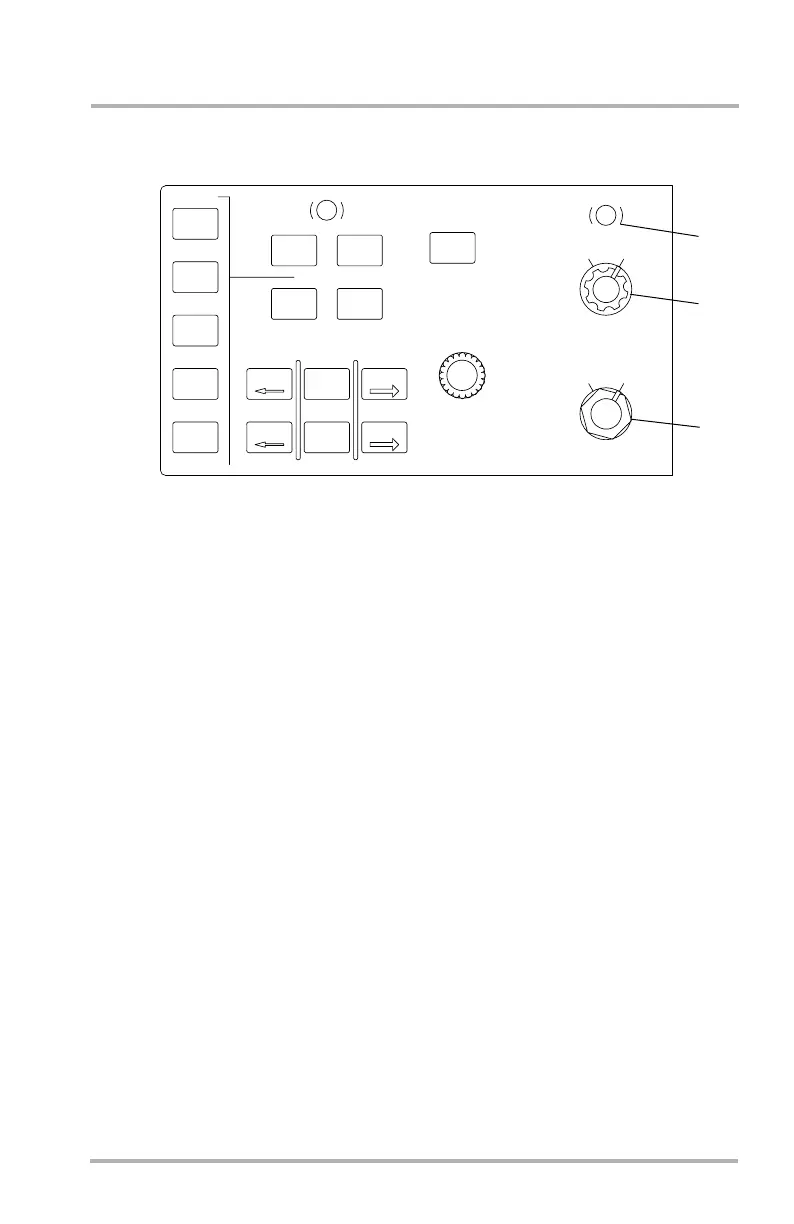
EIS Control Panel
1. IN/HP Changeover Button
BAROSET values may be in either inches mercury or hectopascals. Pushing
this button causes the units to toggle from inches mercury to hectopascals or
vice versa.
2. BAROSET Control Knob
The BAROSET value is adjusted by turning the inner collar. The outer collar
allows the selection of QFE (altitude above station) or QNH (altitude above
sea level). Pulling this knob selects the standard BAROSET QNE (29.92 or
1013.2 Hp). BAROSET, QFE and QNH values are displayed on the PFD
below the altitude scale.
3. MINIMUMS Control Knob
The RA minimums bug is a solid triangle on the left side of the PFD altitude
tape. To set the RA bug, turn the inner collar with the knob in RA.
The baro minimums bug is a solid triangle on the right side of the PFD
altitude tape. To set the baro bug, turn the inner collar with the knob in
BARO. BARO position during initial climb can cause nuisance aural
warnings.
Pushing the knob resets the PFD DH alert and silences the aural warning.
LB1-3-0042
2
3
1
DATA
WPT
VOR
NDB
ARPT
MAP
PLAN
VOR1
ADF1
VOR
APPR
RANGE
INCR
DECR
TRUE
TCAS
TRFC
VOR2
ADF2
WX BRT
PUSH
ON/OFF
MAG
BARO
RA
MINIMUMS
PUSH-RESET
HP
IN
BAROSET
QFE
QNH
PULL-STD
GLARESHIELD, LEFT AND RIGHT SIDE
October 02, 2006



 To Next Page