MD-11 Flight Crew Operations Manual
k
Automatic Flight -
Controls and Displays
Auto.30.15
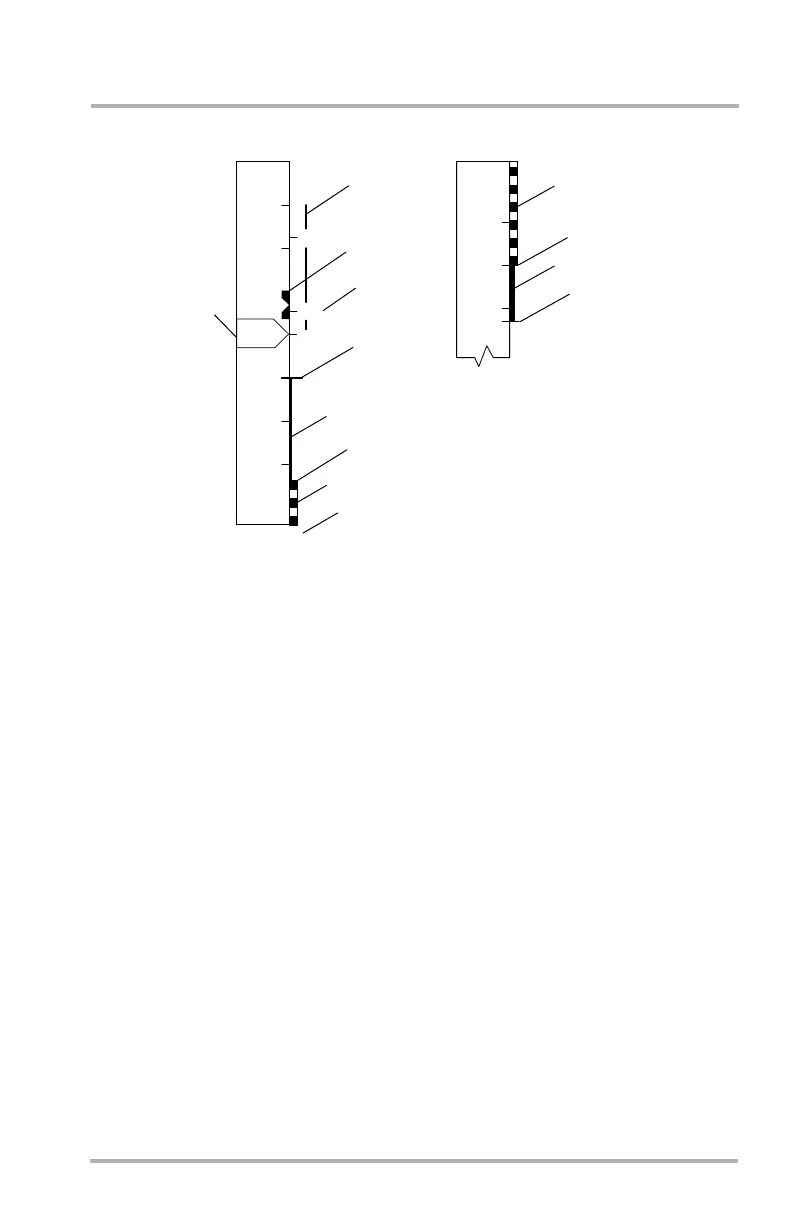
PFD Airspeed Display
1. Airspeed Trend
Displayed as a green column. The end of the column is the airspeed to be
achieved in 10 seconds.
2. Airspeed Bug
• White solid (bowtie) - Pilot selected AS/Mach.
• White outline (bowtie) - Pilot preselected AS/Mach.
• Solid magenta circle - FMS commanded AS/Mach.
• Outlined magenta circle - FMS speed exists but is not selected.
If selected speed is set lower than Vmin, the white bug stops at Vmin and an
amber reference bug will be at the selected speed.
If selected speed is set lower than Vss, a red reference bug will be at the
selected speed.
If selected speed is set higher than Vmo/Mmo, the white bug stops at
Vmo/Mmo and a red reference bug will be at the selected speed.
Speed/Mach bugs can park off scale above or below the tape. A digital value
will be displayed next to the bug.
Mach is displayed to the right of the airspeed when above 0.47 Mach. When
Mach goes below 0.45 it is removed.
LB1-3-0044
150
V
V
180
160
140
120
360
340
R
2
FRFR
1
2
3
4
RED
AMBER
V
V
V
M
V
AMBER
min
ss
mo
mo/
max
RED
FLAPS 40
5
October 02, 2006



 To Next Page