MD-11 Flight Crew Operations Manual
k
Fuel Chapter Fuel
Controls and Displays Section 30
Fuel.30.1
Fuel.30 Fuel-Controls and Displays
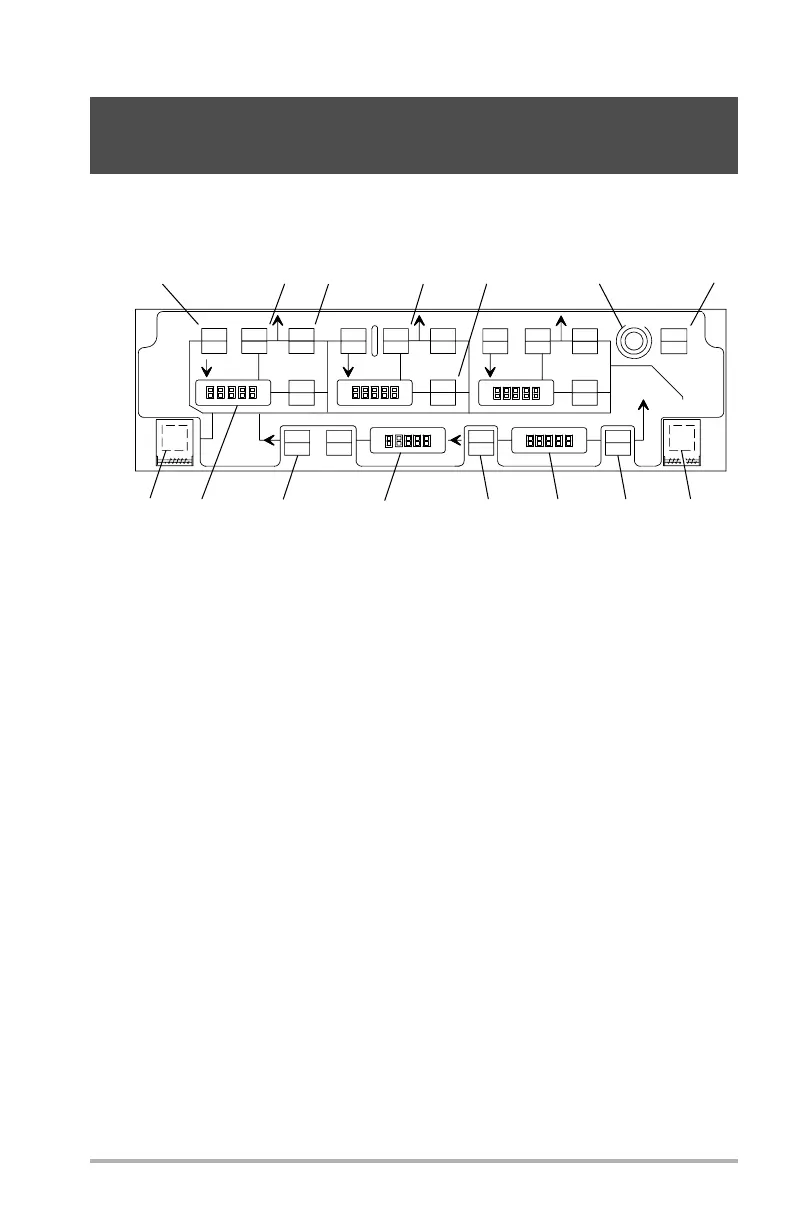
FUEL Control Panel
1. SYSTEM SELECT/MANUAL Switch - amber
This is an alternate action switch that allows selection between manual and
auto modes.
There are 2 alternating auto channels. During auto operation, one of the 2 auto
channels is not used. Each time auto is selected, the previous unused auto
channel is activated.
SELECT illuminates amber if the fuel system reverts from auto to manual. In
this case, the SEL FUEL SYS MAN alert will be on the EAD and the crew
should push the FUEL SYSTEM SELECT switch to lock the system in
manual.
MANUAL illuminates amber if the system is in manual.
MANUAL flashes amber if the system is in auto and a switch on the FUEL
control panel has been pushed that has no effect in auto.
If fuel system is in AUTO, selecting MANUAL configures the fuel system as
follows:
• Tank 1, 2, and 3 pumps on.
• Fill valves remain in previous state.
DB1-2-1683
1 PUMPS
XFEED
3 PUMPS
XFEED
SYSTEM
FILL
LOW
OFF
ON
DISAG
SELECT
MANUAL
F
U
E
L
DUMP
ON
TANK 1
TANK 2
TANK 3
TRANS
ON
LOW
L TRANS
R TRANS
AUX TANKS
TAIL TANK
TRANS
ALT PUMP
MANF
DRAIN
ENG 2
FILL
2 PUMPS
FILL
ARM
FILL
LOW
OFF
ON
DISA G
TRANS
ON
LOW
ARM
FILL
LOW
LOW
LOW
ON ON
XFEED
TRANS
ON
ON
LOW
LOW
ON
DISAG
ARM
FILL
LOW
OFF
QTY TEST
ON
4
5
9
10
11
12
13
14
15
1
2
3
6
7
8
FORWARD OVERHEAD PANEL
October 02, 2006



 To Next Page