MD-11 Flight Crew Operations Manual
k
Emergency Equipment -
Controls and Displays
Emer.30.2
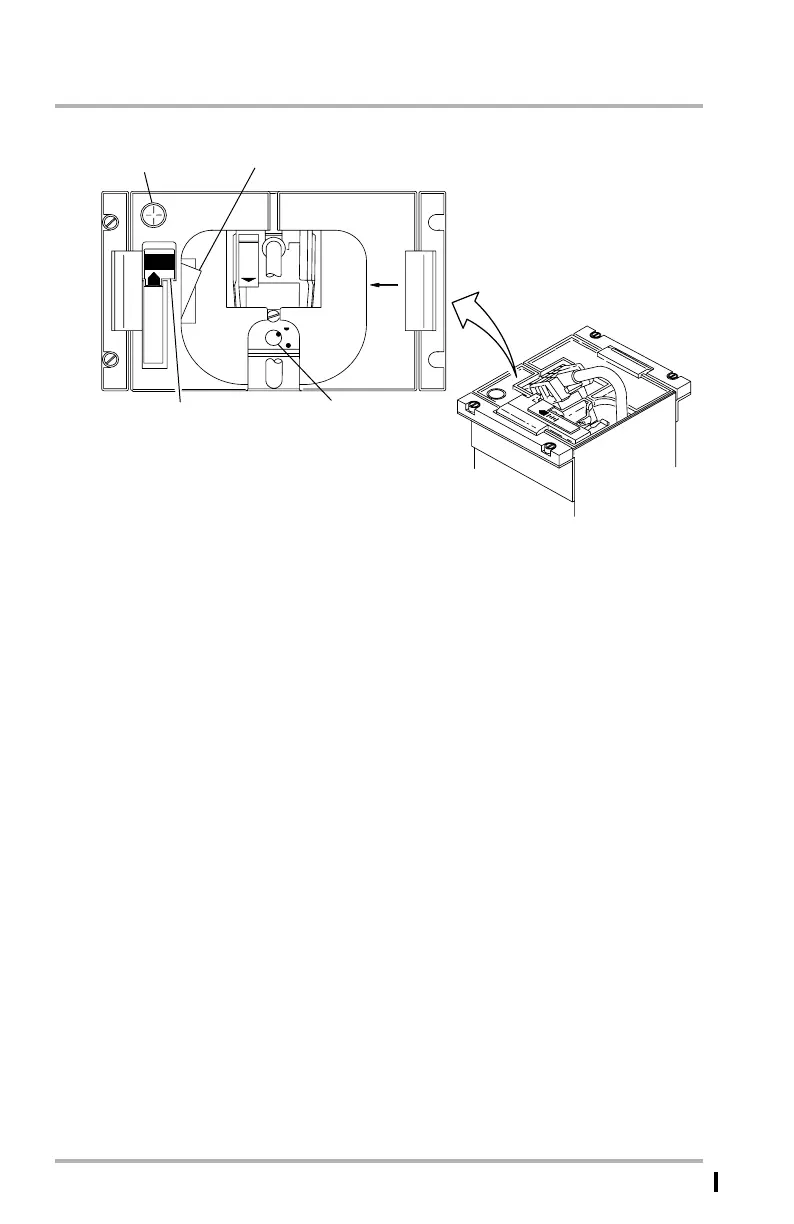
Crew Oxygen Mask Stowage Box
1. OXY ON Flag
Flag appears when the mask has been pulled out of the storage box and the
left hand door has been closed. To reset the flag and stow the mask, close the
left hand and right doors and push the PRESS TO TEST AND RESET lever.
This shuts off the flow of oxygen to the mask.
2. PRESS TO TEST AND RESET Lever
Pushing the lever produces a short burst of oxygen flow to the mask and
automatically switches the boom mask microphone to mask. When the PTT
switch is pushed, oxygen flow can be heard over the cockpit speakers.
When the mask is removed from the box, oxygen flow begins, OXY ON flag
comes into view, and the mask microphone is switched from boom to mask.
After the mask is restowed into the box and doors are shut, pushing the lever
will stop the flow of oxygen to the mask, reset the microphone from mask to
boom, and retract the OXY ON flag.
3. Flow Indicator
This indicator is in the upper left corner of the left oxygen mask storage box.
Indicator will blink yellow during positive oxygen flow and will be black
when no oxygen is flowing.
LB1-3-0024
OXY
ON
O
X
Y
G
E
N
M
A
S
K
N
E
M
E
R
PRESS
TO
TEST
AND
RESET
100%
PUSH
3
2
1
NORMAL POSITION
FOR STOWED MASK
November 16, 2009



 To Next Page