MD-11 Flight Crew Operations Manual
k
Flight Controls -
Controls and Displays
Flt.30.16
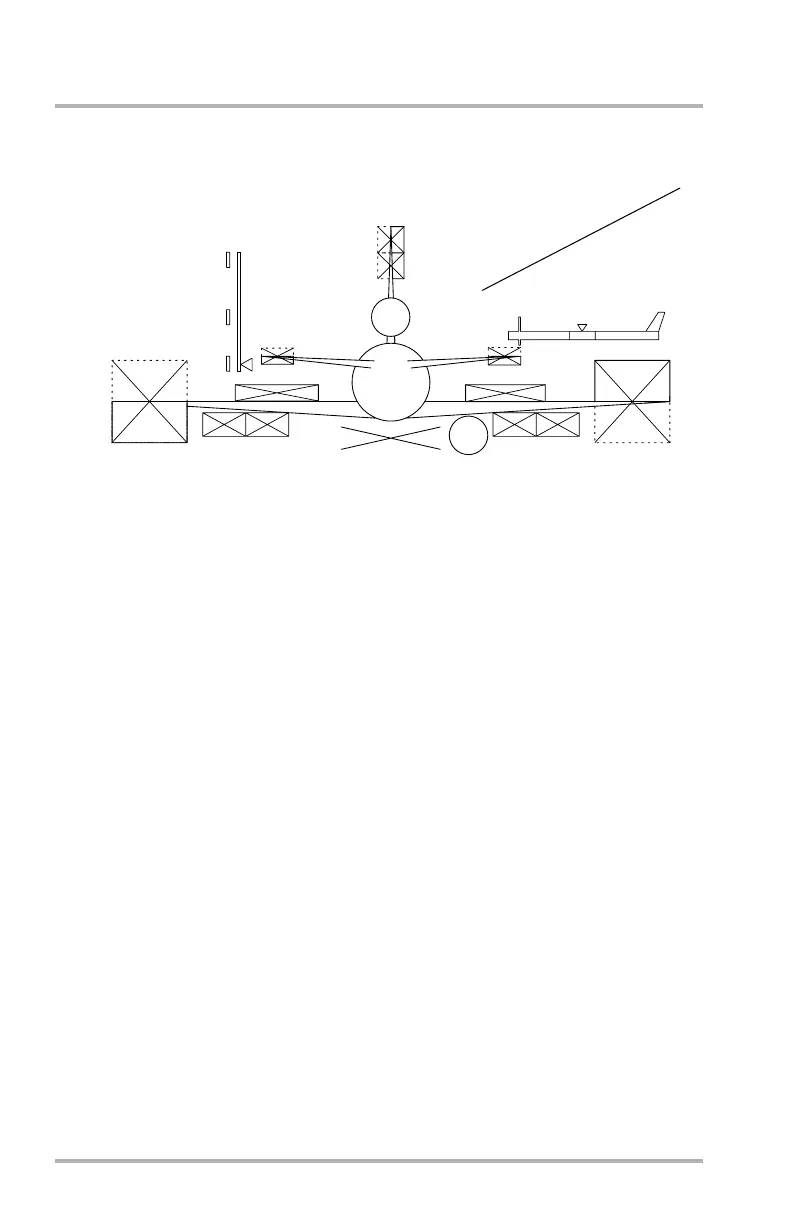
SD Synoptic - EIS Test
1. EIS Test Display - amber, red
On the ground, pushing the ANNUN LT TEST switch (forward overhead
panel) causes the configuration page SD synoptic and all data failure
indications to be displayed.
SD configuration display failure indications are amber X’s over the rudders,
elevators, ailerons, spoilers, and flaps. The four gear indicators will each be
half green and half red.
These indications appear when all of the following conditions are met:
• The airplane is on the ground.
• The airplane is operational.
• The ANNUN LT TEST button on the forward overhead panel is pushed.
• The CONFIGURATION page is displayed on the SD.
ELF SPD
300
200
120
15
15
SLAT DISAG
9 9
STAB
6.4
ANU
CONFIGURATION
1
DB1-2-1747
October 02, 2006



 To Next Page