MD-11 Flight Crew Operations Manual
k
Communications -
Controls and Displays
Comm.30.2
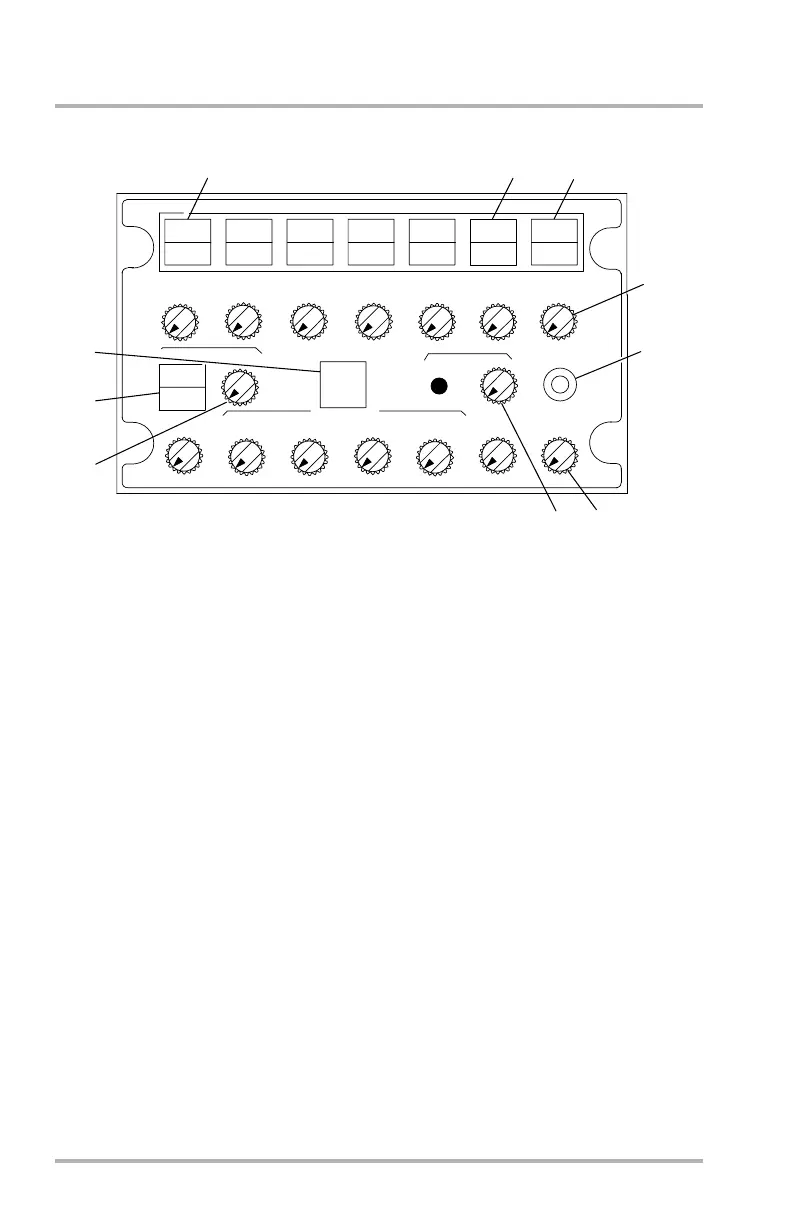
Audio Control Panel
1. Navigation Radio MIC/CALL Switches (5) - white
MIC - Illuminates white when a navigation radio system MIC/CALL switch
is pushed. Radio transmission is enabled for that system.
CALL - If flashing, a call is being received on the radio system indicated
below the flashing light.
2. MIC/TEL Switch - white
MIC - Illuminates white when pushed to transmit via SATCOM.
TEL - Flashes blue and a tone sounds when an incoming/outgoing SATCOM
transmission is initiated. With MIC pushed to transmit, air to ground
transmission is connected, TEL illuminates steady blue. When transmission
is disconnected, TEL extinguishes.
Pushing either RADIO PTT switch enables transmission through either the
boom microphone or the oxygen mask microphone.
3. MIC/MECH Switch - white
MIC - Illuminates white when pushed, enabling communication with outside
maintenance personnel through the external flight interphone jacks.
Interphone jacks are located at the external ground power receptacle and at
the nose landing gear.
2
3
4
5
6
7
8
9
CALL
CALL
CALL
CALL
CALL
MIC
MIC
MIC MIC
MIC
MIC
VHF 1
VHF 2 VHF 3
HF 1
HF 2
INT
INT
MIC
CALL
ON
CAB
PA
1-VOR-2
1-ILS-2
1-ADF-2
MKR
DME
RADIO
MECH
1
AFT PEDESTAL AND OBSERVER'S STATION
IDENT
TEL
MIC
SAT
10
DB1-2-1702
October 02, 2006



 To Next Page