MD-11 Flight Crew Operations Manual
k
FMS -
Controls and Displays
FMS.30.82
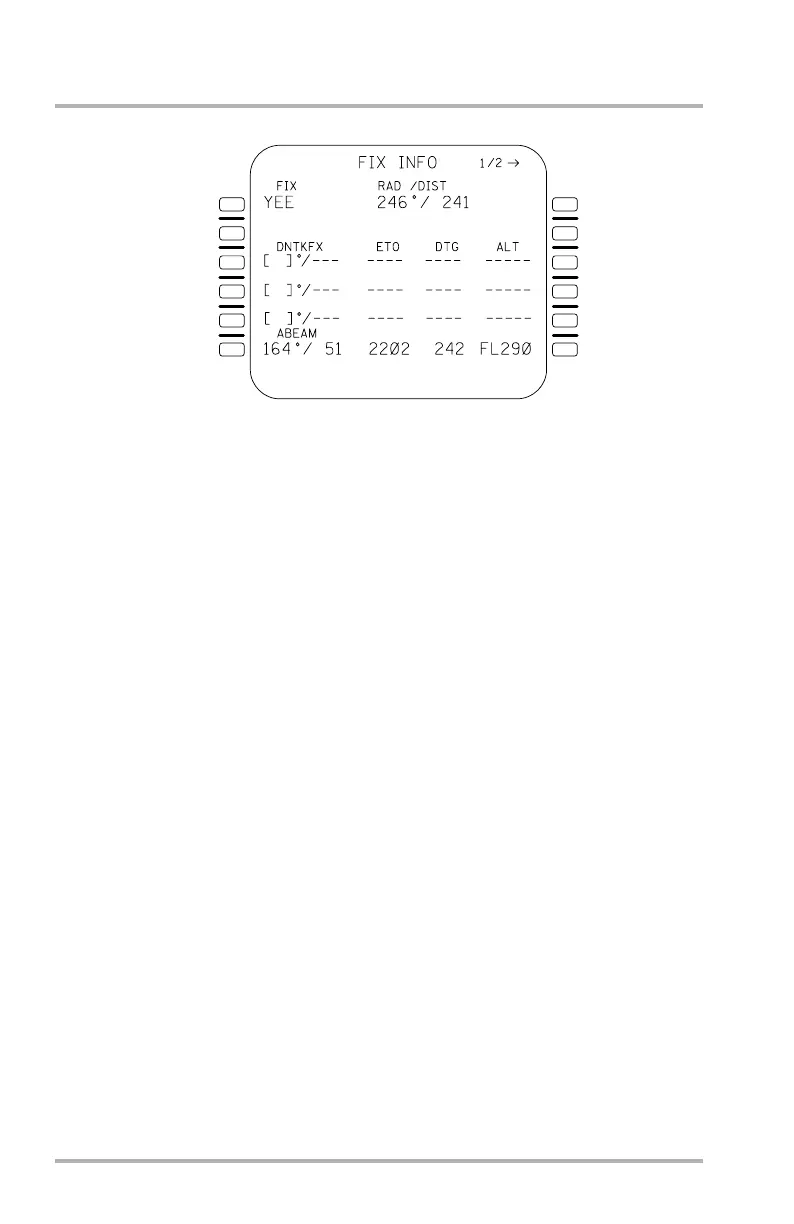
FIX INFO Page
The FIX key provides access to two FIX INFO pages that provide the pilot with
the bearing and distance from a specified fix and the capability to obtain predicted
down path crossing times, distances, and altitudes from a defined radial off the
reference fix. The specified fix may be a waypoint, a waypoint/course intercept
point on the ACT F-PLN, or an abeam point. Fix identifiers must be defined in
either the database or as a pilot defined waypoint. Waypoints entered as PBD or
lat/long will result in a corresponding pilot defined waypoint being created. The
operation of each page is identical. Pushing the FIX key results in a screen with
FIX INFO as the title and 7 empty boxes in 1L (not shown). Choosing a fix and
entering it into 1L with the SP results in the FIX INFO page shown here.
Line 1L FIX, RAD/DIST. FIX of interest entered into the FIX data field 1L.
RADial and DISTance from that point to the aircraft.
Line 3L DNTKFX, ETO, DTG, ALT. Course from that fix may be entered in 3L,
4L, and/or 5L. Predictions are calculated for the radial distance or down track
distance (DNTKFX) from the fix to over the F-PLN intercept point, the Estimated
Time Over (ETO) to the intercept point, the Distance To Go (DTG) to the
intercept point, and the predicted altitude (ALT) over the intercept point. Course
entries which do not intercept the active F-PLN or that intercept with a leg
transition or any leg not terminating at a fix are displayed in large font followed
by NO INTERCEPT on the same line. Lines 3L, 4L, and 5L can be cleared by the
CLR key.
Line 6L ABEAM. The abeam course to the flight plan track with the same data as
in 3L above. If there is not an abeam course to the flight plan, then the abeam field
is dashed with the NO INTERCEPT message.
1L
2L
3L
4L
5L
6L
1R
2R
3R
4R
5R
6R
LB1-3-0108
October 02, 2006



 To Next Page