MD-11 Flight Crew Operations Manual
k
Automatic Flight -
Controls and Displays
Auto.30.18
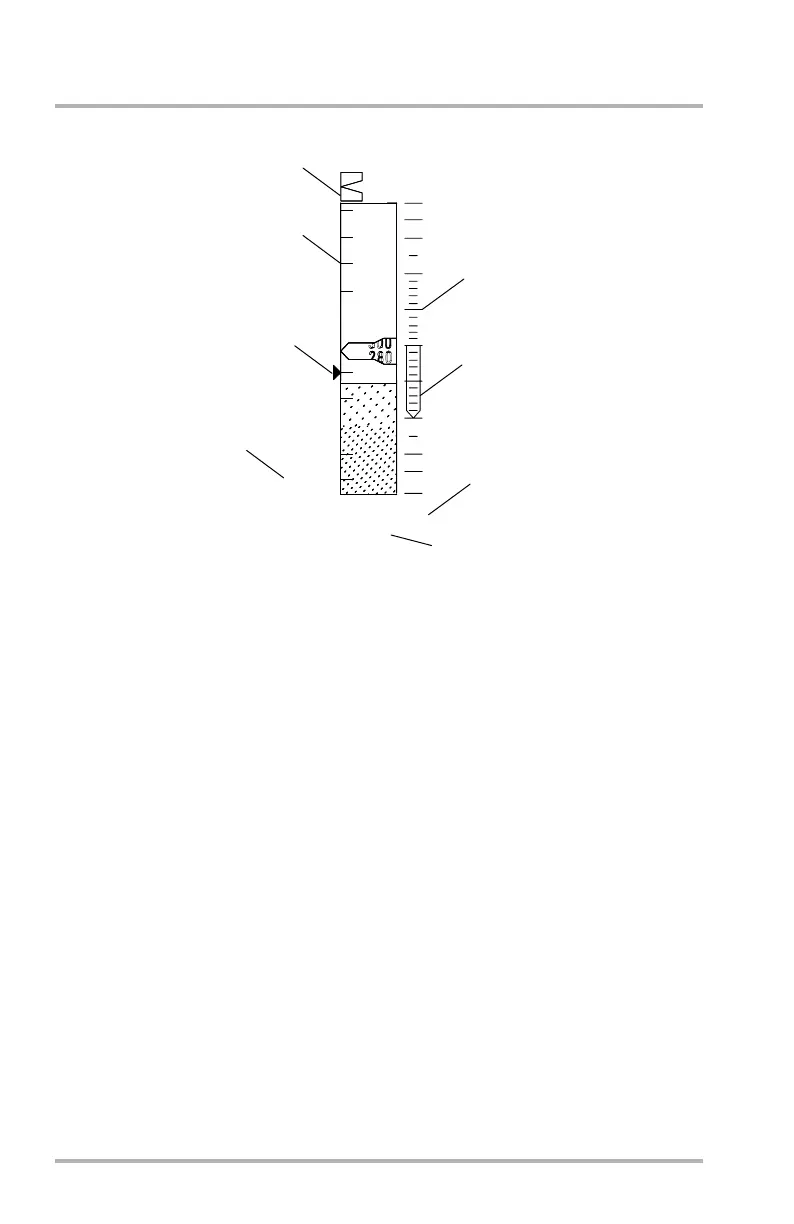
PFD Altitude/ Vertical Speed Display
1. Altitude Bug
• White outline (bowtie) - Pilot preselected altitude.
• White solid (bowtie) - Pilot selected altitude.
• Magenta circle - FMS constraint altitude. Circle is filled when FMS
engaged. It is outlined if the crew has intervened in an FMS profile, FMS
altitude is beyond FCP set altitude, or the altitude has been preselected
and the FMS is engaged.
Selected altitude bug may be parked off each end of altitude scale with digital
display next to it.
The pilot selected altitude bug can be used as an MDA bug by dialing it down
to the baro DH minimums with the FCP altitude select knob. The bug then
meshes with and removes the baro DH triangle on the right. The bug is white
above minimums and amber below minimums.
2. Altitude Tape
Tick marks are 100-foot increments. White shading is for QNH display.
Green shading is for QFE display. Feet are white and meters are cyan (if
selected). Altitude box turns amber and flashes to correspond with CAWS
altitude advisory alert.
Baroset is below the scale in white. It can be inches of mercury or
hectopascals selectable with the IN/HP changeover button on the ECP.
LB1-3-0045
2500
500
29.98
00
RA 200
1
2
3
4
0.9
1
2
3
4
0
5
POINTER
DIGITAL V/S
BAROSET
October 02, 2006



 To Next Page