MD-11 Flight Crew Operations Manual
k
FMS -
Controls and Displays
FMS.30.9
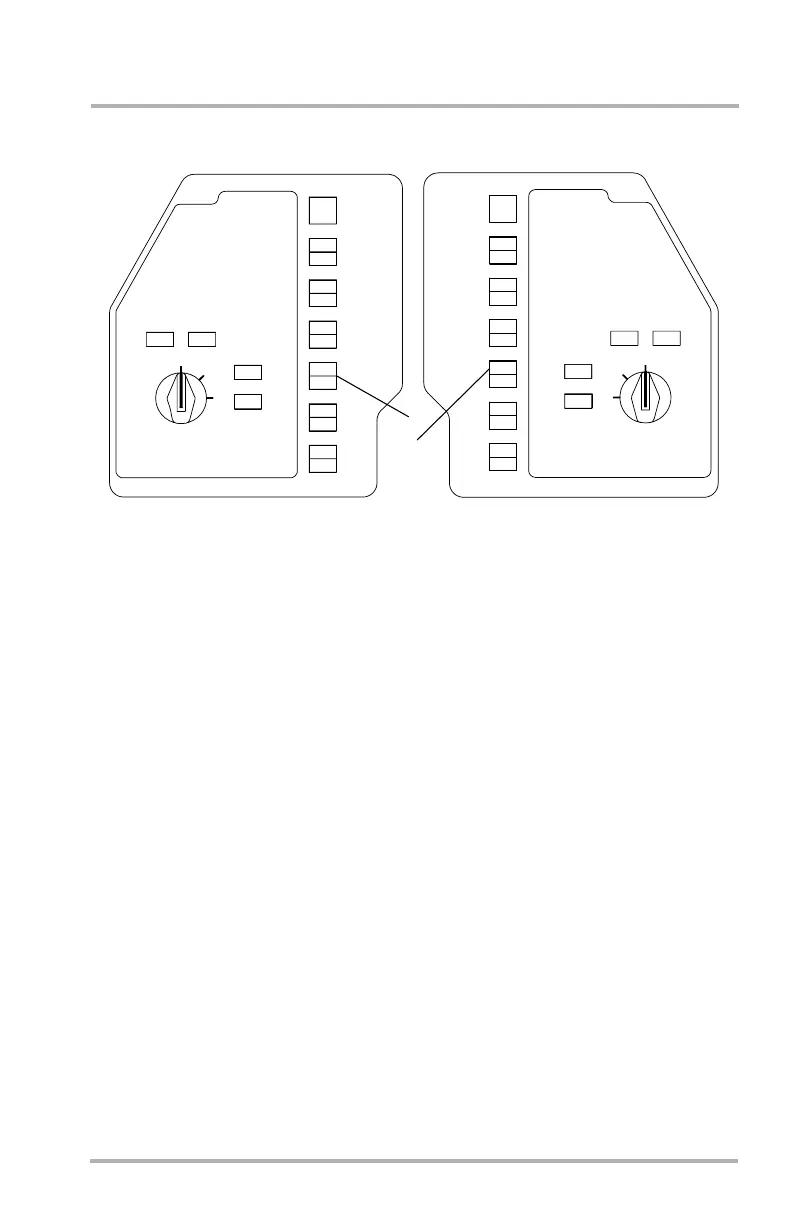
FMS Transfer Switches
1. Captain FMS Transfer Switch - amber
Captain FMC onside operation is FMC1 communicating with the Captain
MCDU. Pushing this switch causes an offside condition (FMC2
communicating with the Captain MCDU). CAPT ON 2 will illuminate amber
on both the Captain and F/O switches. Pushing again restores onside
operation.
2. First Officer FMS Transfer Switch - amber
F/O FMC onside operation is FMC2 communicating with the F/O MCDU.
Pushing this switch causes an offside condition (FMC 1 communicating with
the F/O MCDU). F/O ON 1 will illuminate amber on both the Captain and
F/O switches. Pushing again restores onside operation.
CADC
FLT DIR
FLT DIR
OFF
OFF
AUX
2
EIS SOURCE
F/O
ON 1
F/O
ON AUX
CAPT
ON AUX
CAPT
ON 2
F/O
ON 1
CAPT
ON 2
F/O
ON 1
F/O
ON AUX
CAPT
ON 2
F/O
ON 1
CAPT
ON 2
F/O
ON 1
CAPT
ON 2
F/O
ON 1
CAPT
ON AUX
IRS
FMS
VOR
APPR
CAPT
ON 2
1
FLT DIR
CADC
IRS
FMS
VOR
APPR
EIS SOURCE
AUX
1
OFF
FLT DIR
2
ON AUX
ON 1
CAPT
ON AUX
CAPT
ON 2
1
2
F/O SOURCE INPUT SELECT PANEL
CAPT SOURCE INPUT SELECT PANEL
LB1-3-0060
OFF
CAPT
ON 2
F/O
ON 1
CAPT
ON 2
F/O
ON 1
F/O
ON AUX
CAPT
ON 2
F/O
ON 1
CAPT
ON 2
F/O
ON 1
CAPT
ON 2
F/O
ON 1
CAPT
ON AUX
F/O
F/O
October 02, 2006



 To Next Page