MD-11 Flight Crew Operations Manual
k
Instrumentation and Navigation -
Controls and Displays
Inst.30.9
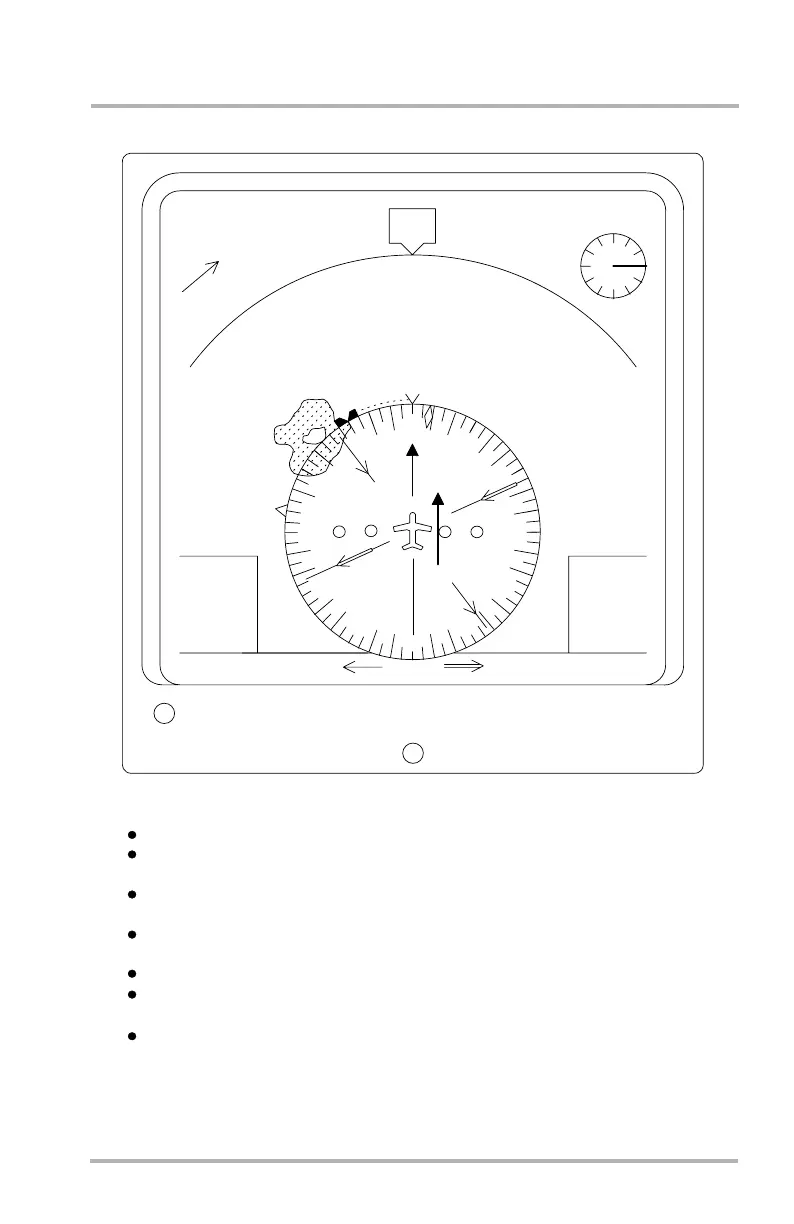
Navigation Display - VOR/APPR Mode
LB1-3-0170
Weather radar data may be displayed
the selected weather radar range. Current aircraft heading is at the top.
Selected heading is shown with a solid white bug on the compass. Preselected
heading is shown with an outline bug on the compass.
course. Four circles make up the CDI scale.
To/from is shown by an arrow on the end of the CDI bar.
CDI source and DME distance is shown in the lower left.
Weather radar data may be displayed
A compass rose is centered around the reference aircraft and represents half
Selected heading is shown with a solid white bug on the compass. Preselected
heading is shown with an outline bug on the compass.
course. Four circles make up the CDI scale.
To/from is shown by an arrow on the end of the CDI bar.
CDI source and DME distance is shown in the lower left.
HDG
MAG
11:55
00:15
GS 145
TAS 155
10
10
300
RW30 1.3 NM/ 0.5
30
3
3
0
0
03
0
6
0
9
12
1
5
1
8
21
2
4
2
7
MAP
VOR1
115.7
1.3 NM
RNG 10
R/I
NAV
TLT -10.2
87°/3.6NM
SLI
SXC
195°/29.2NM
The CDI is a magenta arrow and bar showing deviation from selected VOR
CDU MSG
The VOR mode has the following characteristics:
the to/from arrow on the CDI bar is not shown.
The APPR mode is identical to the VOR mode except the source for the CDI
data is ILS and
The VOR mode is selected by pushing the VOR mode switch on the ECP.
The APPR mode is selected by pushing the APPR mode switch on the ECP.
12/045
October 02, 2006



 To Next Page