MD-11 Flight Crew Operations Manual
k
Instrumentation and Navigation -
Controls and Displays
Inst.30.30
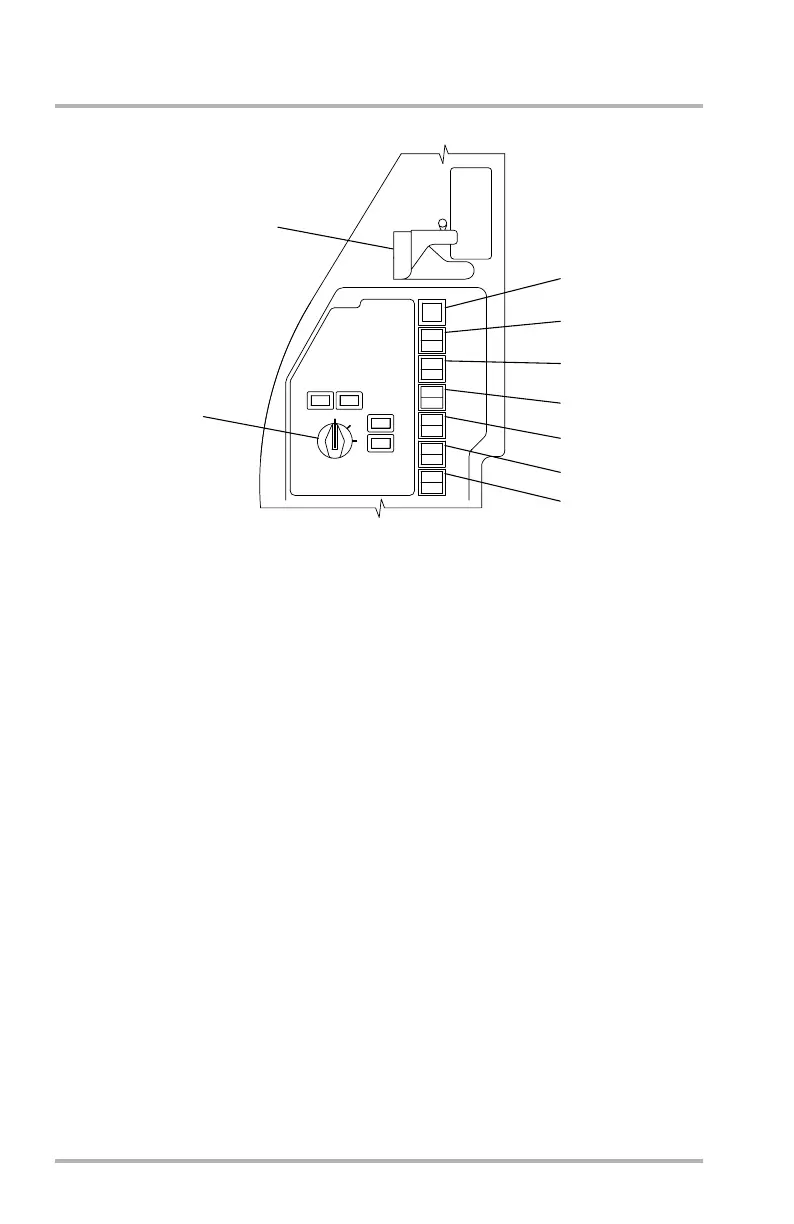
Source Input Select Panel
1. FLT DIR OFF Switch - amber
Illuminates amber when flight director is selected off. Pushing switch while
illuminated will reengage the flight director. See Automatic Flight chapter for
a complete description.
2. FLT DIR Switch - amber
Allows selection of flight director source displayed on PFD.
3. CADC Switch - amber
Allows selection of respective CADC output to the Captain’s or First
Officer’s DUs. Under normal operation, the Captain’s DUs use CADC 1 as a
source, and the F/O’s DUs use CADC 2 as source. No light will illuminate if
conditions are normal. CAPT ON 2 or F/O ON 1 will illuminate amber to
indicate respective condition. Pushing switch while illuminated will return
DUs source to normal CADC output.
4. IRS Switch - amber
Allows selection between normal operation of the IRS or using the auxiliary
IRU as a display source. Under normal conditions, the Captain’s DUs use
IRU-1 and the F/O’s DUs use IRU-2 as a display source. CAPT ON AUX or
F/O ON AUX will illuminate amber to indicate respective condition. Pushing
switch while illuminated will return system to normal operation.
(First Officer's opposite)
1
2
3
4
5
6
7
VOR
IRS
CADC
FLT DIR
FLT DIR
OFF
OFF
APPR
1
AUX
2
EIS SOURCE
CAPTAIN'S
AUXILIARY
PANEL
NORM
ALT
STATIC
AIR
CAPT
ON
2
F/O
ON
1
F/O
ON
1
F/O
CAPT
CAP T
ON
2
CAPT
F/O
CAPT
ON
2
F/O
ON
1
ON
AUX
ON
AUX
ON
AUX
ON
AUX
CAPT
ON
2
F/O
ON
1
CAPT
ON
2
F/O
ON
1
CAPT
ON
2
F/O
ON
1
FMS
LB1-3-0185B
8
9
October 02, 2006



 To Next Page